What is Website Copier?
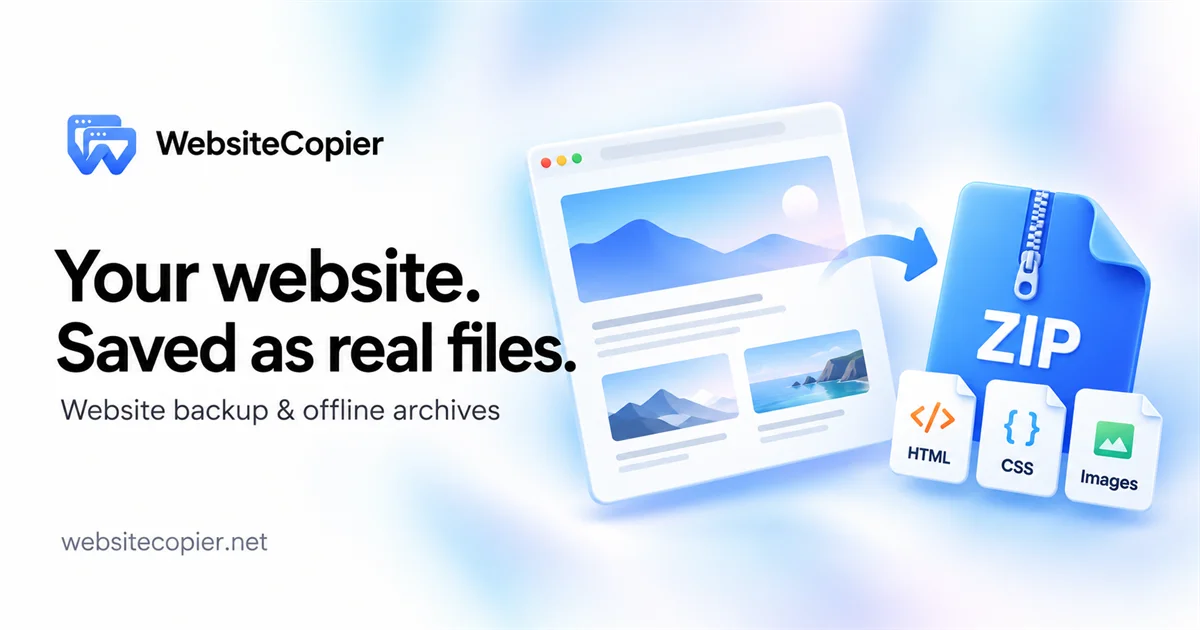
Website Copier is a browser-based website copier for backing up sites you own or are authorized to archive. You paste a start URL, and the service collects the reachable pages within your chosen scope, packaging HTML, CSS, images, fonts and other available front-end files into a downloadable static ZIP. Nothing needs to be installed, and each archive comes with a report.json that records what was saved, skipped or failed.
Two capture modes cover different kinds of sites: HTTP mode fetches server-delivered HTML and referenced assets without a browser, while JS-rendered mode loads the page in a cloud browser and saves the resulting DOM as static HTML with scripts stripped out. Links between saved files are rewritten to local paths, and a route manifest maps captured URLs to files. The service is explicit about its limits: it does not export server code, databases, CMS admin areas or login-protected pages.
Who it's for
- Site owners backing up their published front end
- Developers preparing a move to static hosting
- Designers and agencies archiving client sites with permission
- Readers keeping offline copies of documentation
How to use Website Copier
- 1
Paste the URL
Enter a public HTTP or HTTPS address, pick Auto, HTTP or JS-rendered mode and sign in; the pending URL and mode are kept through sign-in. The workspace form adds page, depth, host and path rules.
- 2
Follow the capture
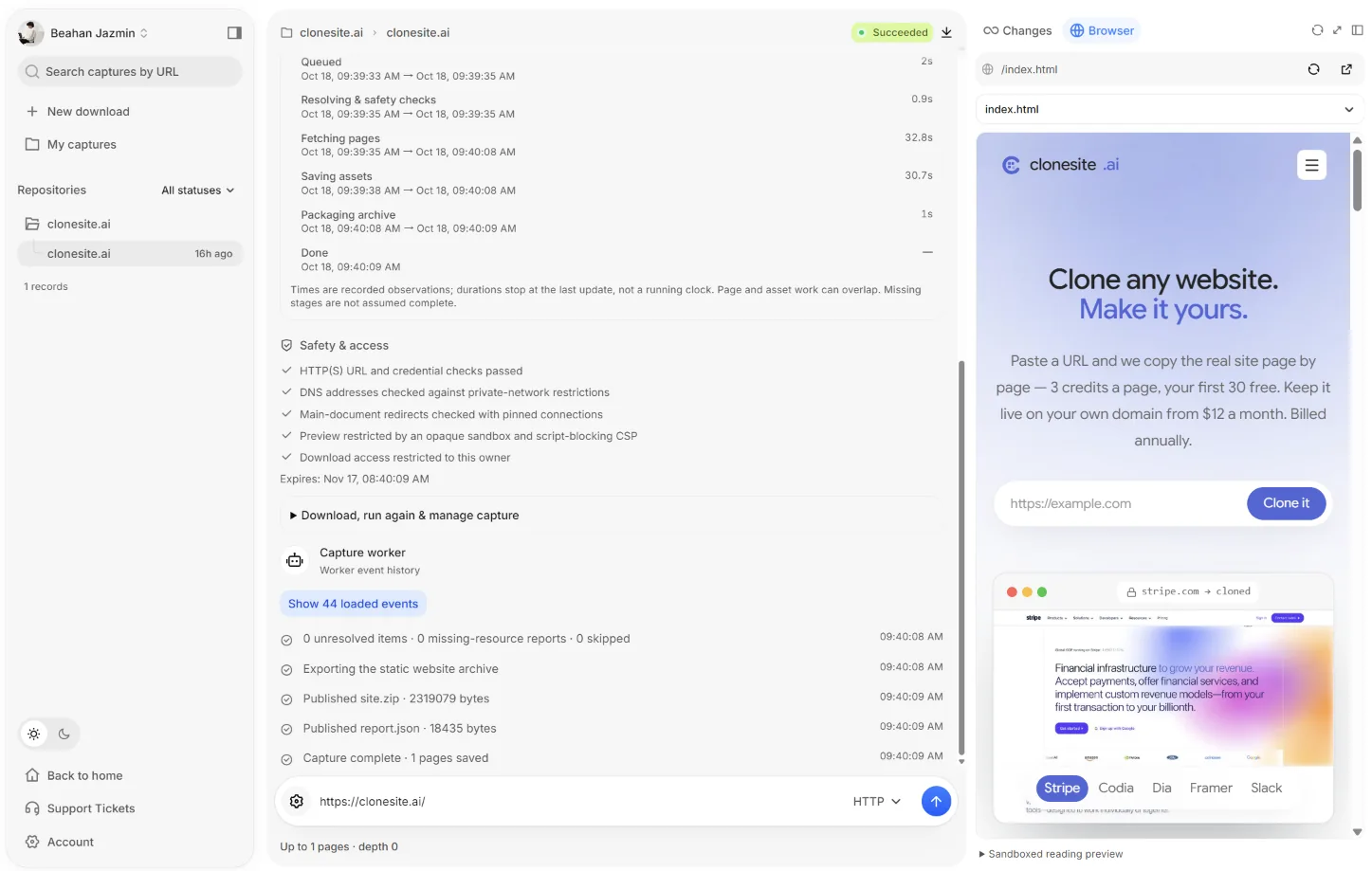
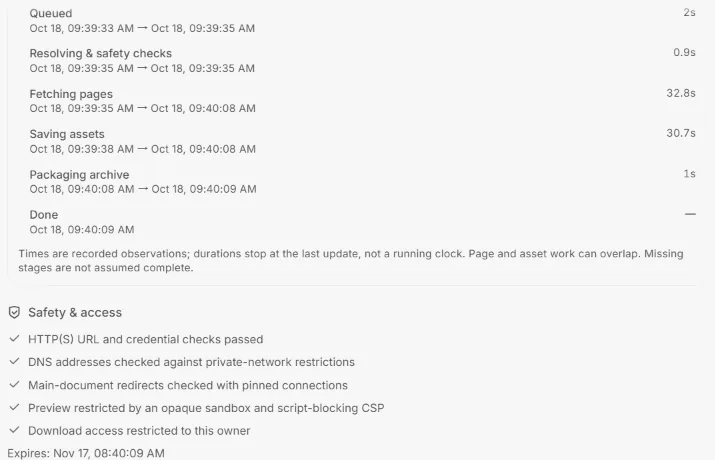
Watch the job move through queueing, safety checks, fetching, asset saving and packaging, then review the saved-page list and capture report.
- 3
Preview the result
Read the captured pages in a sandboxed static preview, which appears once the archive passes delivery and preview checks.
- 4
Download and test the ZIP
Download the archive within its 30-day window, extract it, serve it from a local static server and check the start page, nested routes, images, fonts and internal links.
Website Copier key features
Download a website as HTML in one ZIP
Each archive bundles captured HTML, CSS, images and fonts; HTTP mode can also keep referenced JavaScript.
HTTP and JS-rendered capture modes
Use HTTP for server-rendered blogs, docs and marketing pages, or JS-rendered mode for content that is built in the browser.
Configurable page and depth scope
Capture a single page or follow links to a set depth, with allowed hosts and include/exclude path rules for a narrower archive.
Capture report and route manifest
report.json and a route manifest list delivered files plus missing, failed or skipped resources with reason codes.
Private, sandboxed previews
Captures and downloads are restricted to the owning account, and the in-app preview blocks scripts, forms and external requests.
Safety checks and robots.txt
URL and redirect checks reject private or reserved destinations, and the crawler follows robots.txt by default, listing disallowed URLs in the report.
Website Copier use cases
Migrate a website to static hosting
Capture a landing page and an interior page, compare them with the live site, expand the scope, then test the ZIP on a staging static host before switching the domain.
Website backup before a redesign
Save a dated snapshot of the published front end and keep the ZIP and report together, alongside separate CMS and database backups.
Save a website as HTML for offline reading
Limit the scope to the documentation sections you need, serve the extracted files locally and note the capture date and source URL.
How Website Copier is built
Website Copier runs on the ShipAny TanStack template, whose ready-made sign-in, payments and subscription handling fit the product's account-based captures, free tier and monthly or yearly paid plans.
View the ShipAny TanStack templateWebsite Copier FAQ
What is Website Copier?
Website Copier is a cloud service that captures websites you own or have permission to archive and delivers them as a static ZIP of HTML, CSS, images, fonts and other available assets, along with a capture report.
Is Website Copier free?
There is a free tier that requires no credit card and delivers a real ZIP for eligible captures, not just a preview. Paid plans with larger page and depth allowances are available on monthly or yearly billing.
How do I back up a website with Website Copier?
Paste the site's URL, choose HTTP or JS-rendered mode, sign in and start the capture. When it finishes, review the report, then download the ZIP and keep the report with it.
What is the difference between HTTP and JS-rendered mode?
HTTP mode saves server-delivered HTML and referenced assets, including available JavaScript, without running a browser. JS-rendered mode loads the page in a cloud browser and saves the observed DOM as static HTML with scripts removed.
Can I copy a website from Wix, Squarespace, Shopify or WordPress?
It can capture publicly reachable front-end pages from these platforms, depending on how each site renders. Editor projects, WordPress databases, checkout and admin data are not included.
Will forms, checkout and logins work in the archive?
No. The archive contains no working backend, so submissions, payments, authentication and live search are not recreated, and login-protected pages are not captured.
This introduction is based on the public pages of websitecopier.net, read on October 28, 2026.