What is CodexThemes?
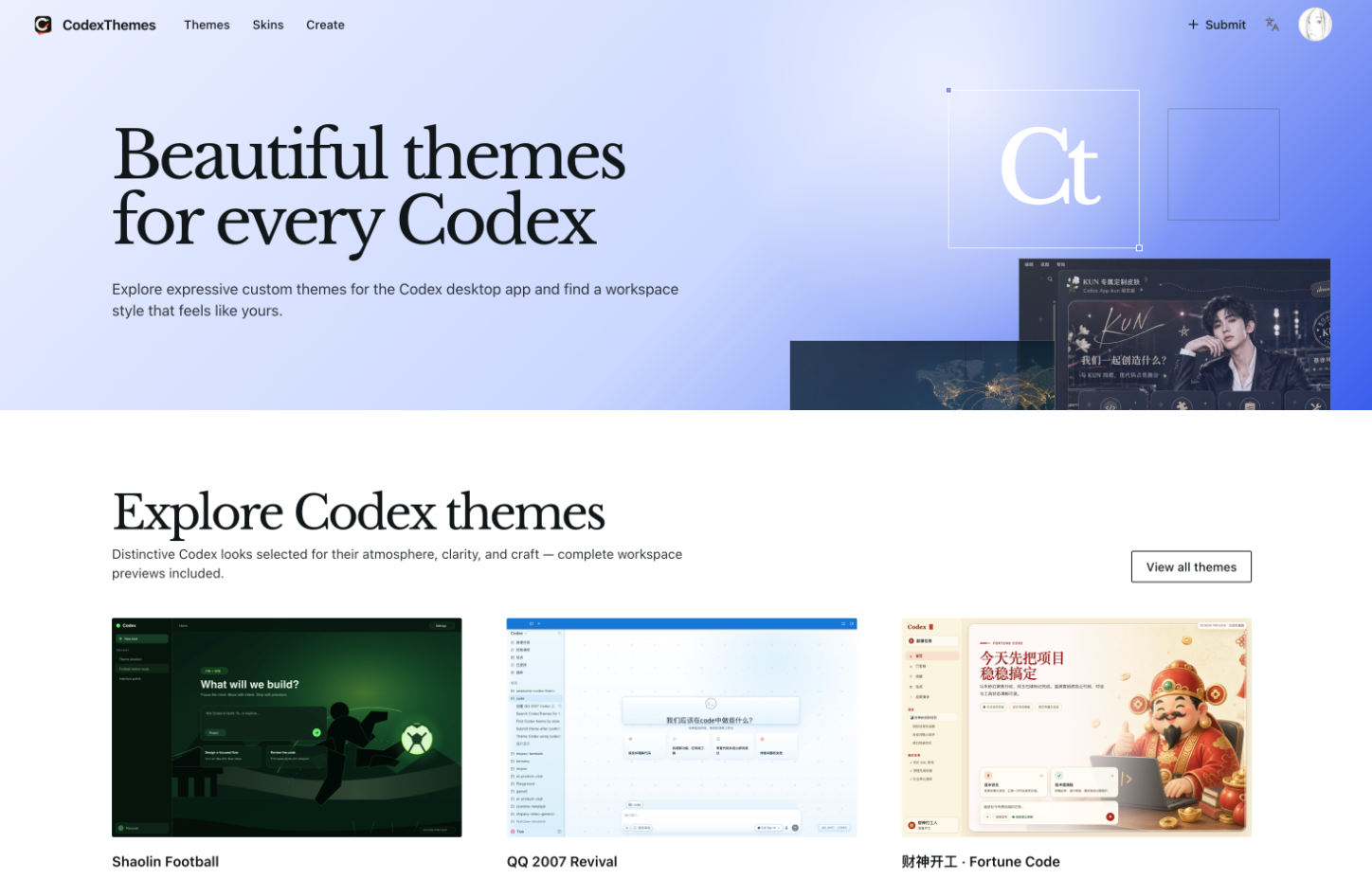
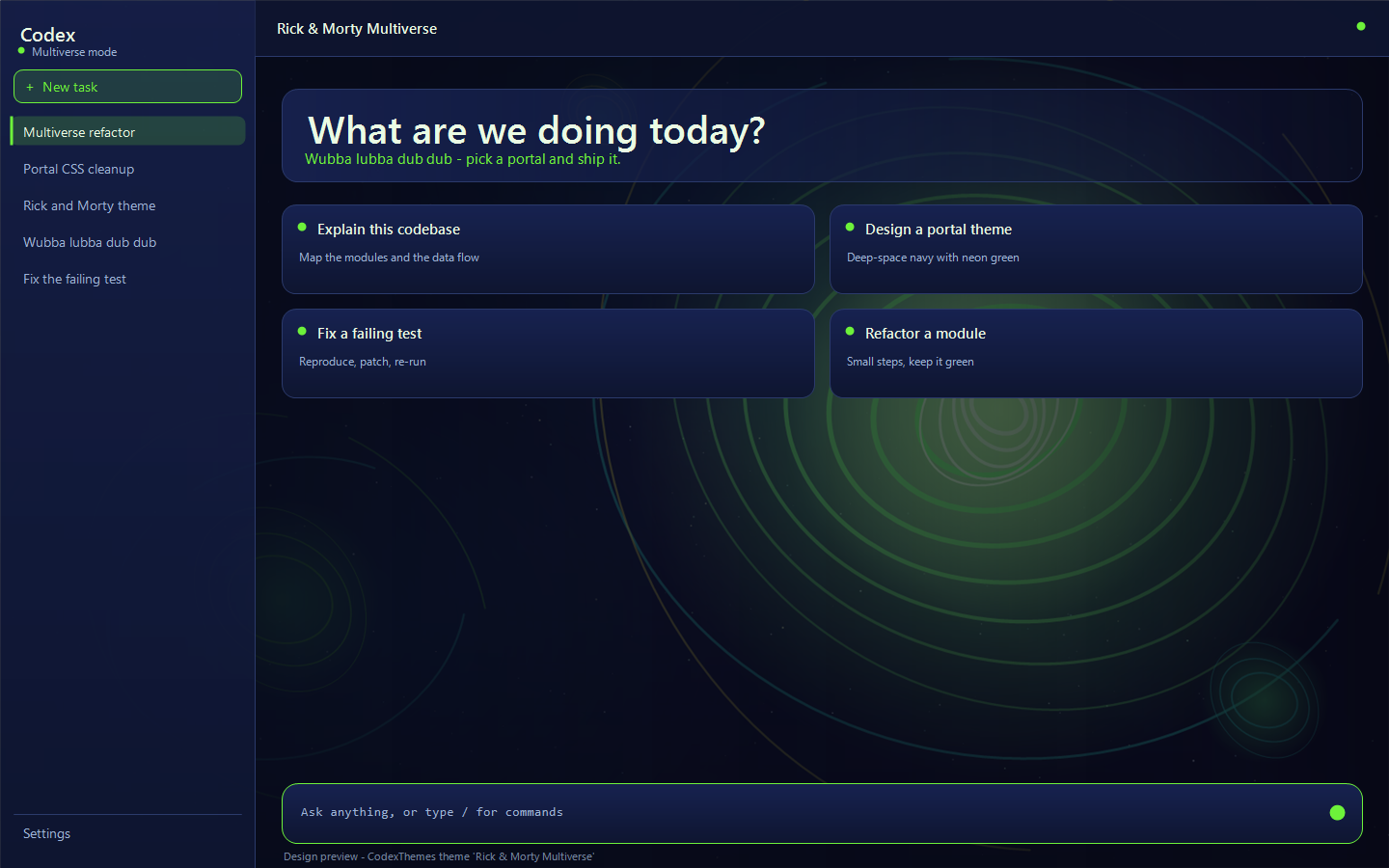
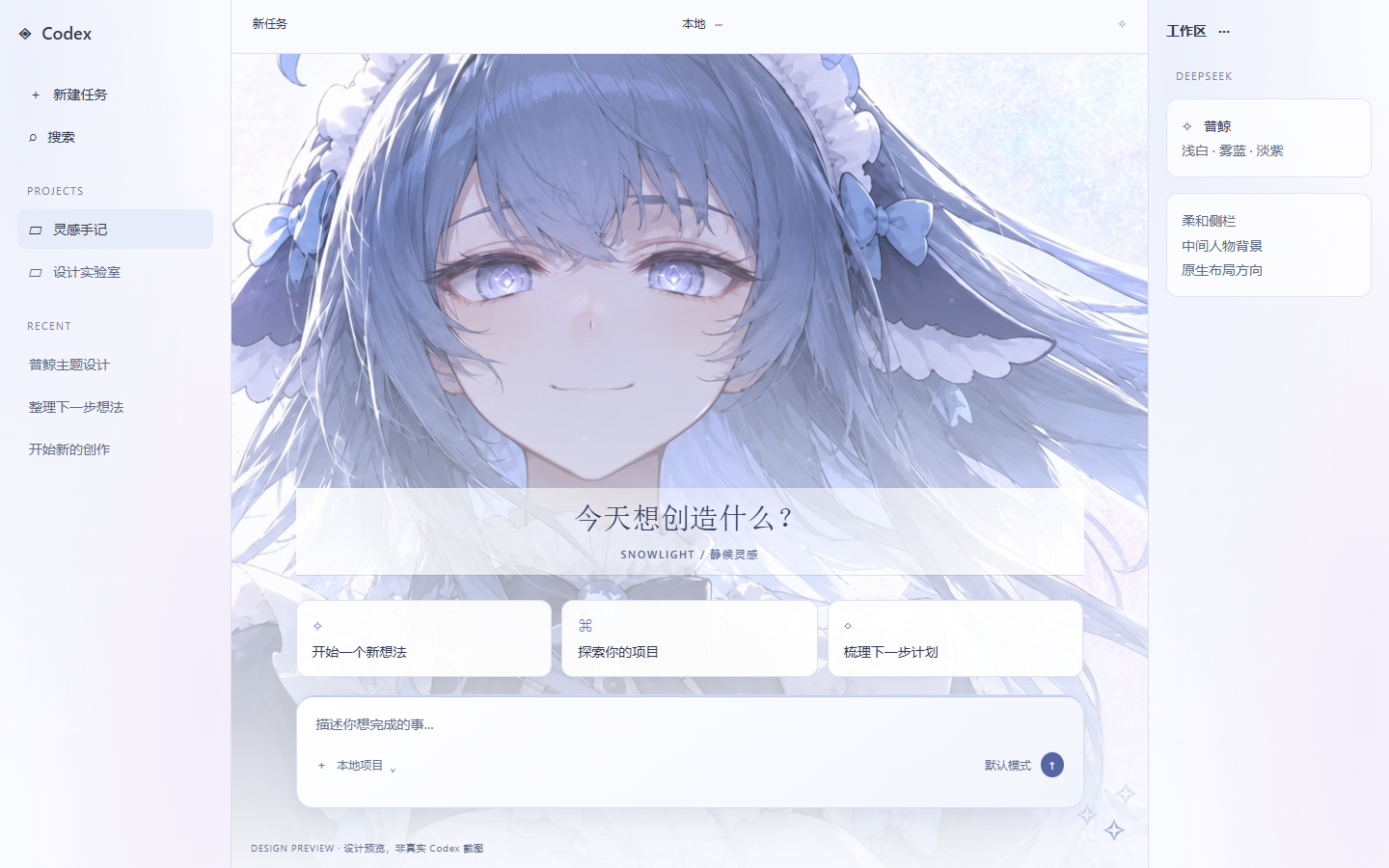
CodexThemes is a community gallery of Codex themes and Codex skins for the Codex desktop app. Each listing comes with a complete workspace preview, so visitors can see how a theme changes backgrounds, colors, panel treatments and visual accents before choosing it. The collection spans many moods, from dark space-inspired looks to light, character-driven designs.
Rather than packaging themes as manual downloads, the site is built around AI agents: users install a Codex theme by handing it to their agent, or bring a reference image or mood and let the agent build a new one. A separate Skins section collects community design references that can be recreated as working themes. Creators can submit their own work, and the project states it is independent and not affiliated with OpenAI.
Who it's for
- Codex desktop app users
- Developers who want a personalized workspace
- Theme designers and creators
- Fans of anime and pop-culture styling
How to use CodexThemes
- 1
Browse the Codex theme gallery
Open the Themes section and look through curated themes, using light, dark and mood filters along with the full workspace screenshots.
- 2
Install a Codex theme with your agent
Pick a theme you like and install it through your AI agent, following the instructions in the site's Docs.
- 3
Create a Codex theme from a reference
Provide a reference image or describe a mood, or choose a community skin, and let your agent turn it into your own theme.
- 4
Submit a Codex theme
Sign in and use the Submit option to share a finished theme with the community.
CodexThemes key features
Curated Codex themes
A selected collection of themes covering different colors, moods and visual styles for the Codex desktop app.
Complete workspace previews
Each theme is shown across the whole Codex workspace so the full effect is visible before installing.
Codex skins as design references
A Skins section gathers community concepts that reimagine the workspace and can be turned into themes.
Agent-based install and creation
Themes are installed and created with the help of an AI agent, starting from an existing listing, an image or a mood.
Light, dark and mood filters
Filters help narrow the gallery to the kind of atmosphere a user is looking for.
Community submissions
Creators can submit their themes so the collection keeps growing; the site is available in multiple languages.
CodexThemes use cases
Personalizing the Codex desktop app
Developers who spend long hours in Codex can swap in a background and color scheme that suits their taste.
Recreating a Codex skin you like
Users who find a skin concept can have their agent rebuild it as a working theme for their own setup.
Designing themes from a mood board
Designers can start from a reference image or mood and generate a custom theme without building it by hand.
Sharing creations with other users
Theme creators can publish their work in the gallery so others can preview and install it.
How CodexThemes is built
CodexThemes runs on the ShipAny TanStack template, which supplies ready-made user sign-in that the site uses for accounts and theme submissions, plus multi-language support; ShipAny's payment, subscription and credit modules are also available to the site.
View the ShipAny TanStack templateCodexThemes FAQ
What is CodexThemes?
CodexThemes is a curated gallery for discovering, previewing and sharing custom themes and skins for the Codex desktop app. It is an independent community project and is not affiliated with OpenAI.
What is a Codex theme?
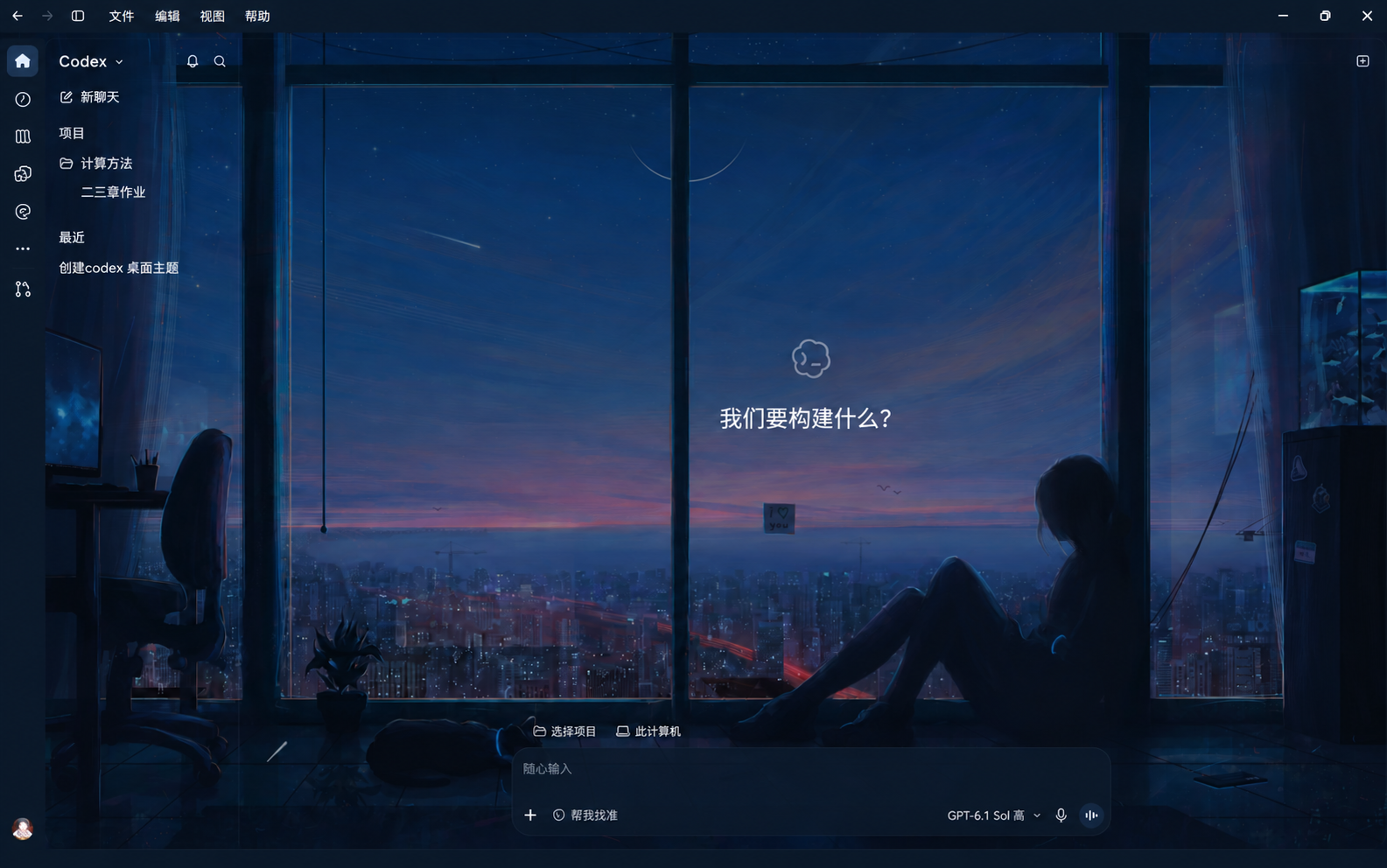
A Codex theme changes the decorative look of the desktop app, including backgrounds, colors, panel treatments and visual accents.
How do I install a Codex theme with CodexThemes?
Choose a theme in the gallery and install it with your AI agent; the site's Docs section explains the process.
Can I create my own Codex theme?
Yes. You can give your agent a reference image or a mood, or start from a community skin, and it builds the theme for you.
How can I submit a Codex theme?
Use the Submit a theme option on the site to share a theme you built with the community.
What is the difference between Codex themes and Codex skins?
Themes are installable looks with workspace previews, while skins are community design references that you can turn into your own theme.
This introduction is based on the public pages of codexthemes.ai, read on October 9, 2026.