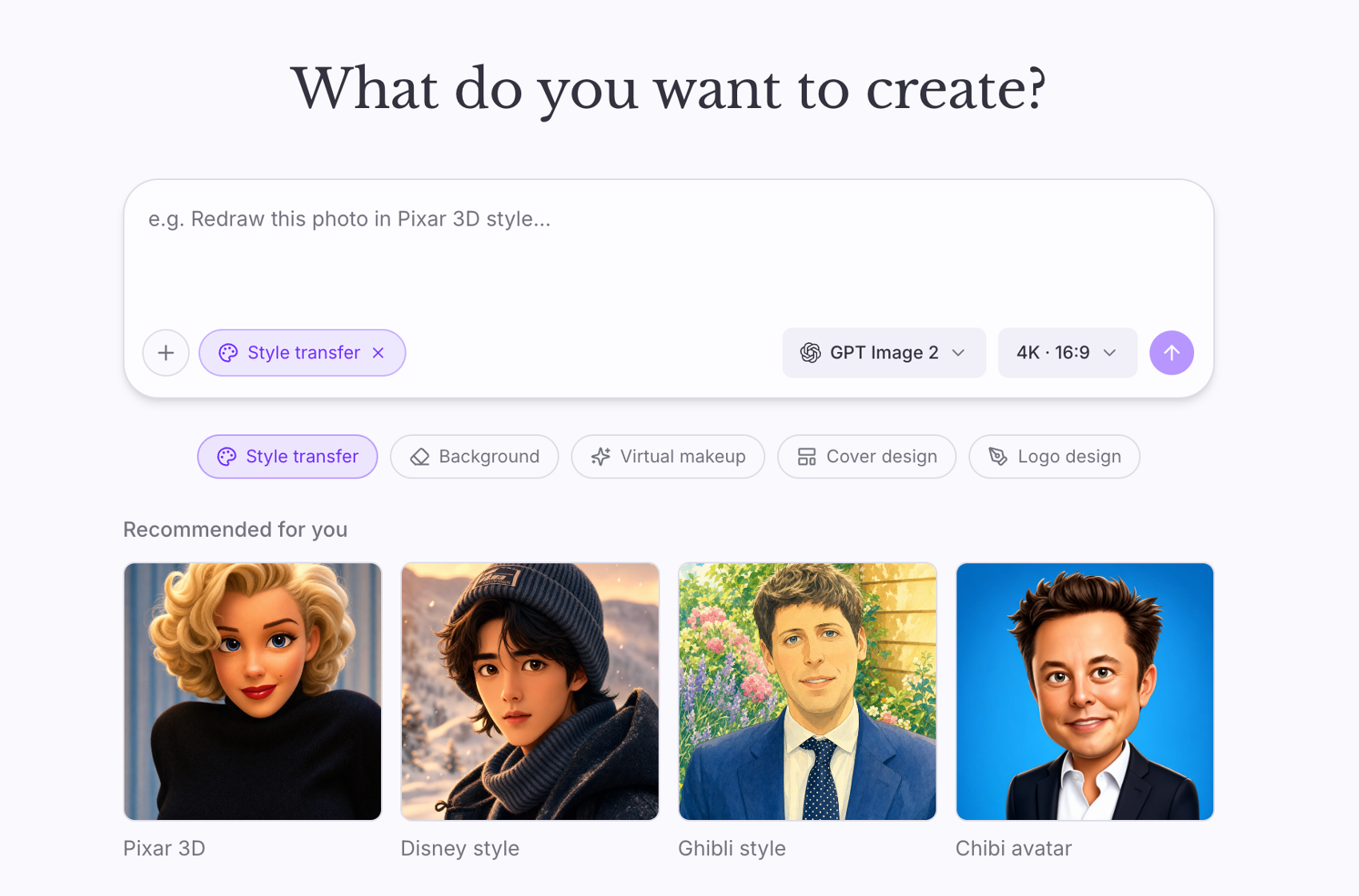




What is ShipAny Image Agent?
ShipAny Image Agent is a complete AI image product, ready to rebrand and ship. Instead of a form, users describe what they want in plain language; an LLM agent decides which tool to call, generates or edits the image, and charges credits for it.
Payments, subscriptions, credits, auth, the admin panel and i18n are already wired — you change the branding, the examples and the prices. It is built on ShipAny (TanStack Start, Drizzle, better-auth) and deploys to Cloudflare Workers with no filesystem and no background workers.
Who it's for
- Founders building a chat-first image editor
- Teams adding an agent UX on top of image models
- Developers who want OpenAI- or Claude-driven tool calling
- Products deployed on Cloudflare Workers
Key features
Agent-driven editing
The chat is an agent loop: the model chooses between generating and editing tools and writes the prompt for them.
OpenAI or Anthropic
Drive the agent with OpenAI, Claude or any OpenAI-compatible gateway such as OpenRouter or Together.
Image providers
Generate and edit with Replicate or Fal, chosen in the admin settings.
Credits per generation
Every image charges credits, with subscriptions and top-ups through Stripe, Creem or PayPal.
Test buttons for every setting
Each settings group makes one real request, so a wrong key shows up before a user hits it.
Serverless by design
Images go straight to R2/S3; nothing depends on disk or background workers.
What's included
- Framework
- TanStack Start, React 19, TypeScript
- Agent LLM
- OpenAI, Anthropic, or any OpenAI-compatible endpoint
- Image models
- Replicate, Fal
- Auth
- better-auth — email/password, Google OAuth
- Payments
- Stripe, Creem, PayPal
- Storage & email
- Cloudflare R2 / S3; Resend or Cloudflare Email
- Deployment
- Cloudflare Workers or Node
Getting started
- 1
Run it locally
pnpm install, copy .env.example and set AUTH_SECRET, run db:push and rbac:init with your admin email, then pnpm dev.
- 2
Configure the AI
In Admin → Settings → AI, pick the chat model and provider, and add your Replicate or Fal key; use the Test buttons.
- 3
Add storage and payments
Set up R2/S3 storage (required on Workers), payments, email and Google OAuth, then deploy.
What you can build with ShipAny Image Agent
Chat-based photo editors
"Remove the background and make it look like a film still" — in one message.
Creative assistants
Iterate on a design through conversation instead of re-prompting.
Brand asset tools
Generate and refine product shots or social images step by step.
FAQ
Why can't it generate anything right after install?
Nothing is baked into env. Sign in as admin and configure the chat model, image provider and storage in Admin → Settings first.
Can I use Claude instead of OpenAI?
Yes. Set the Anthropic base URL and API key; the default provider prefers OpenAI and falls back to Anthropic.
Is object storage required?
On Cloudflare Workers, yes — generated images are uploaded to R2 or S3 because there is no disk.
Technical details (README)
ShipAny Image Agent
A complete AI image product, ready to rebrand and ship. Users describe an edit in plain language; an agent decides which tool to call, generates or edits the image, and charges credits for it. Payments, subscriptions, credits, auth, admin panel and i18n are already wired — you change the branding, the examples and the prices.
Built on ShipAny (TanStack Start + Drizzle + better-auth). It deploys to Cloudflare Workers with no filesystem and no background workers.
Quick start
pnpm install
cp .env.example .env.development     # set AUTH_SECRET at minimum
pnpm db:push                         # creates data/local.db
pnpm rbac:init --admin-email=you@example.com --admin-password=<pick-one>
pnpm dev                             # http://localhost:3000
Then sign in and open /admin/settings — the app cannot generate anything
until you configure it there. Nothing is baked into env.
Configure
Admin → Settings → AI:
| Group | What to set |
|---|---|
| Chat Model | Default provider (auto prefers OpenAI, falls back to Anthropic), and the model id |
| OpenAI | Base URL + API key. Any OpenAI-compatible gateway works — OpenRouter, Together, your own |
| Anthropic | Base URL + API key, if you'd rather drive the agent with Claude |
| Image Generation | Default provider, then the Replicate token or Fal key in the groups below |
Admin → Settings → Storage (Cloudflare R2 / S3). Generated images are uploaded there, and on Cloudflare Workers this is not optional — there is no disk to fall back to.
Every group has a Test button that makes one real request, so you find out a key is wrong before a user does.
Also worth setting: Payment (Stripe/Creem/PayPal), Email (Resend or Cloudflare Email) for verification mail, and Google OAuth.