What is ToolNav AI?
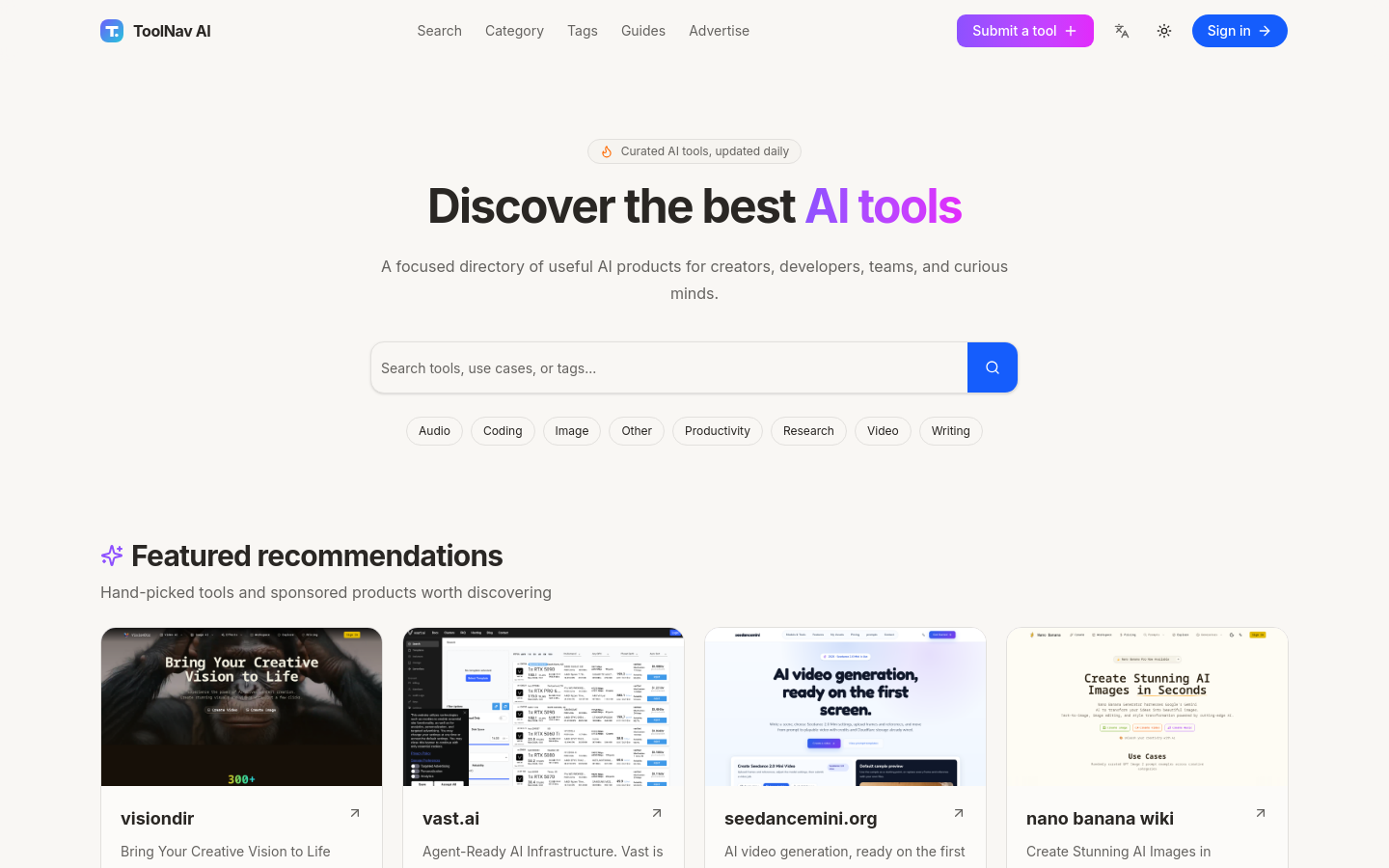
ToolNav AI is a curated AI tools directory built to help creators, developers, teams and curious users discover the best AI tools without sifting through noise. Listings span writing, images, video, coding, research, audio and everyday productivity, and the site describes its collection as updated daily. Each tool entry carries a short description, a category label and a pricing type such as free, freemium or paid.
Visitors can browse featured recommendations, a feed of the latest AI tools, a popularity leaderboard and category shortcuts, or use search and a long list of tags to narrow the full directory. Makers can submit their own tools, and sponsored placements are clearly labeled. The site also offers guides, a language switcher, light and dark themes, and an MCP integration page linked from the footer.
Who it's for
- Creators looking for AI image and video tools
- Developers comparing AI coding tools
- Teams evaluating productivity software
- AI product makers seeking exposure
- Curious users exploring new AI apps
How to use ToolNav AI
- 1
Open the directory
Visit toolnav.ai and start from the homepage sections: featured recommendations, latest AI tools, the popular leaderboard or a category shortcut.
- 2
Search and filter
Use the Explore AI tools section to search, pick a category such as Image, Video or Coding, and narrow results with tags.
- 3
Review a listing
Read each tool's description, category and pricing type (free, freemium, paid or not specified) to judge whether it fits your needs.
- 4
Submit your own tool
If you build an AI product, sign in and use the Submit a tool option to add it to the directory.
ToolNav AI key features
Curated AI tools across eight categories
Tools are grouped into Audio, Coding, Image, Other, Productivity, Research, Video and Writing for quick browsing.
Explore AI tools by category and tag
Search plus a large tag list, covering topics like image-to-video, MCP server, OCR and SEO, helps narrow the full directory.
Popular AI tools leaderboard
A ranked leaderboard shows which tools are drawing the most attention, with entries such as ChatGPT, Cursor, Midjourney and Claude.
Latest AI tools feed
A section dedicated to fresh additions highlights newly listed products.
Featured and sponsored recommendations
Hand-picked tools appear alongside sponsored listings, which are marked as such.
Guides, languages and themes
The site includes guides, a language switcher, a light/dark theme toggle and an MCP integration resource.
ToolNav AI use cases
Finding AI image and video tools
Designers and creators can browse the Image and Video categories to compare generators and editors by pricing type.
Choosing AI coding tools
Developers can check the Coding category and leaderboard to see assistants and editors other users are paying attention to.
Tracking the latest AI tools
Anyone following the AI space can check the latest additions to spot new products as they are listed.
Promoting an AI product
Makers can submit their tool or use the advertise option to reach visitors browsing the directory.
How ToolNav AI is built
ToolNav AI runs on the ShipAny TanStack template, whose ready-made authentication supports sign-in for tool submissions, while its built-in payments and subscription modules suit the site's pricing page and advertising offers.
View the ShipAny TanStack templateToolNav AI FAQ
What is ToolNav AI?
ToolNav AI is a curated AI tools directory that lists practical AI products for writing, images, video, coding, research, audio and productivity, each with a description, category and pricing type.
How do I discover the best AI tools on ToolNav AI?
Start with featured recommendations, the popular leaderboard or the latest AI tools feed, then use search, categories and tags in the Explore section to narrow down options.
Can I browse AI tools by category?
Yes. The directory is organized into Audio, Coding, Image, Other, Productivity, Research, Video and Writing, with tags for finer filtering.
Is ToolNav AI free?
The homepage and listings can be viewed on the site, and the pages do not describe a fee for browsing. A pricing page with paid plans also exists, but it does not explain what those plans include for directory users.
How do I submit my AI tool to ToolNav AI?
Use the Submit a tool link in the site header; signing in is available from the same navigation.
Are sponsored tools marked?
Yes. Paid placements in the featured recommendations section carry a Sponsored label.
This introduction is based on the public pages of toolnav.ai, read on October 28, 2026.