What is Tesla Wrap?
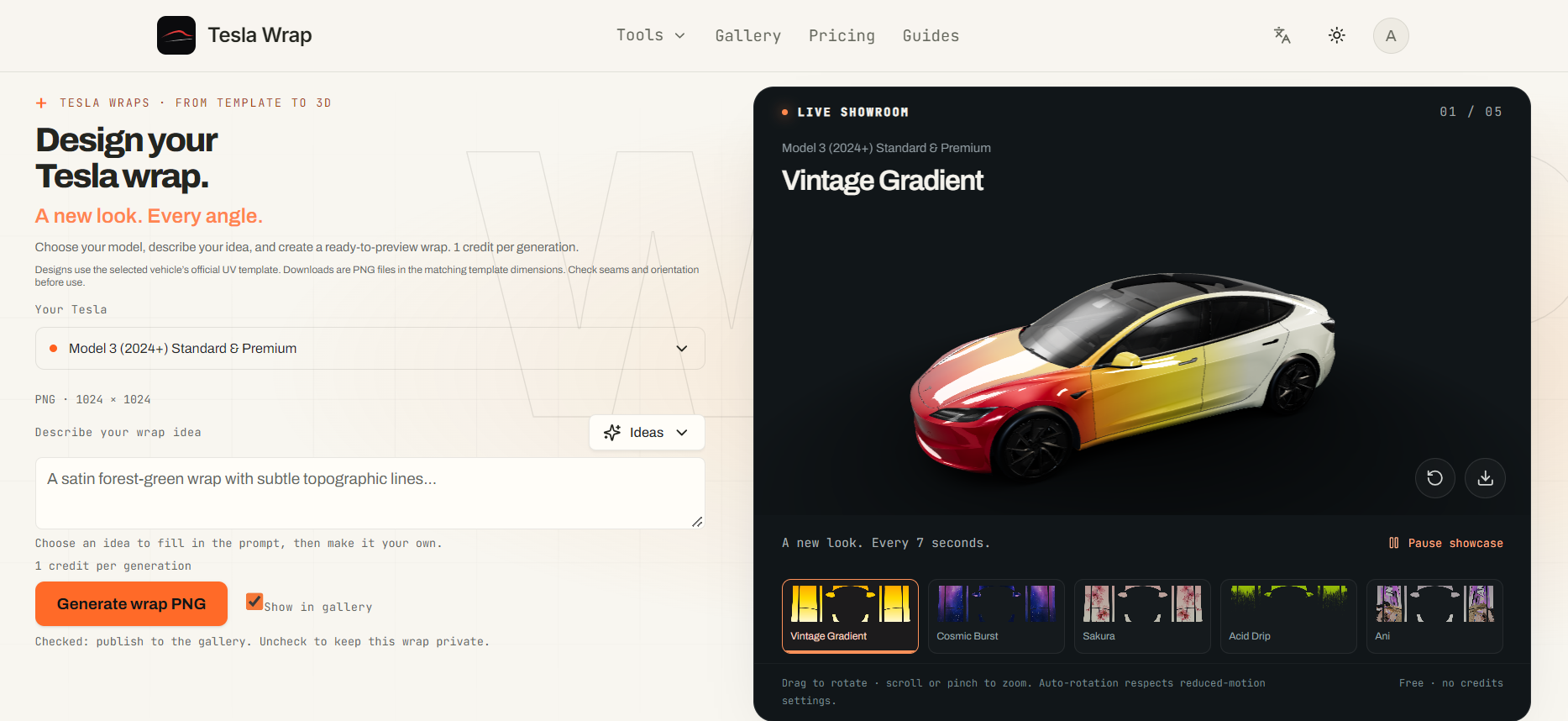
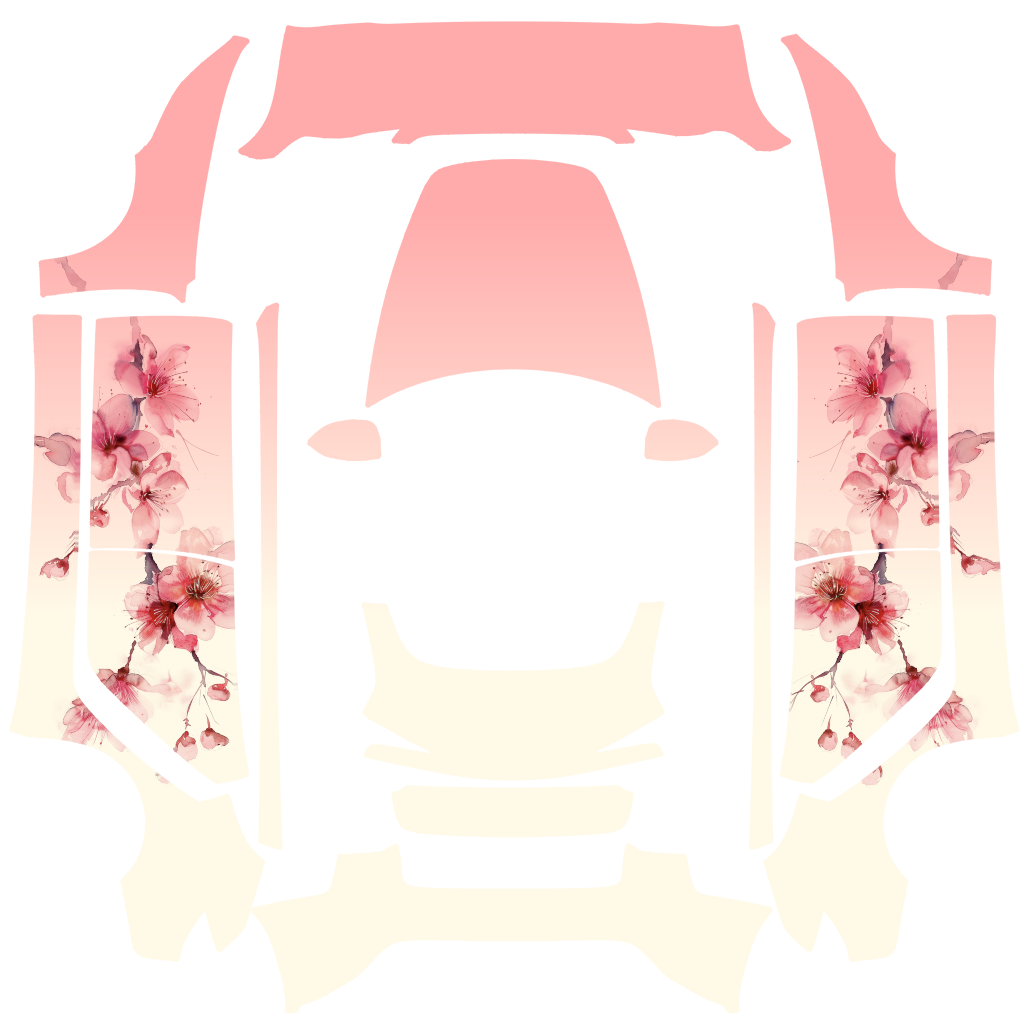
Tesla Wrap is a browser-based tool for designing digital Tesla wraps. Owners pick their exact vehicle version, describe an idea or upload a reference photo, and the AI generator produces a PNG wrap map built on that vehicle's official UV template. The result can be inspected on a 3D model before it is downloaded for the Paint Shop display in the car. The output is digital only; physical vinyl would need separate printing and installation.
Beyond generation, the site brings together an official library covering 12 vehicle variants across Cybertruck, Model Y, Model 3, Model S and Model X, each with its UV template and original Paint Shop example files. A community Tesla wrap gallery shows designs their authors chose to make public, and free tools handle 3D preview, PNG repair and resizing in the browser. New accounts get one free generation, and additional generations use credits from one-time packs without a subscription. The site states it is independent and not affiliated with Tesla, Inc.
Who it's for
- Tesla owners who want a custom Paint Shop look
- Model Y, Model 3 and Cybertruck drivers exploring wrap ideas
- Designers preparing wrap PNGs on official UV templates
- People previewing colors before considering a physical wrap
How to use Tesla Wrap
- 1
Match your vehicle
Select the exact model, year and trim so the generator works from the correct body template and output dimensions.
- 2
Describe or upload
Write a prompt covering palette, subject, style and placement, or use Photo to wrap with a PNG, JPG or WebP reference image.
- 3
Inspect on the 3D car
Rotate and zoom the 3D model to check seams, orientation and both sides, front and rear, and choose whether to publish the design to the gallery or keep it private.
- 4
Download and install
Download the PNG and follow the Paint Shop guide to import it through the Tesla App or USB workflow your vehicle supports.
Tesla Wrap key features
Text-to-wrap Tesla wrap generator
Turns a written description into a wrap map sized to the selected vehicle's official UV template.
Photo to Tesla wrap
Accepts PNG, JPG or WebP references up to 5 MB, with a prompt describing what to keep or change; reference photos are kept out of the public gallery.
Official Tesla wrap templates
A library of UV templates and original Paint Shop example files organized by exact vehicle version, free to download, edit or study.
3D preview and PNG repair
Inspect any map on a 3D car and resize, compress or fix an existing UV image locally in the browser at no credit cost.
Tesla wrap gallery with visibility control
Designs can be published to the community gallery or kept private, and visibility can be changed later in My wraps.
Color & finish studio
Explore colors, finishes and styles on vehicle renders as a free Tesla wrap color preview.

Tesla Wrap use cases
Personalizing the Tesla Paint Shop display
Create a custom digital wrap and load it into the in-car Paint Shop to change how the vehicle appears on screen.
Using the Model Y wrap generator or Cybertruck wrap generator
Generate designs for specific variants such as Model Y (2025+), Model Y L or Cybertruck with its matching template dimensions.
Seasonal and themed designs
Build themed looks such as Halloween wraps with pumpkins, ghosts and midnight colors.
Fixing an existing wrap file
Check and repair a PNG that is misaligned or not appearing by verifying template version, format, dimensions and file size.
How Tesla Wrap is built
Tesla Wrap runs on the ShipAny TanStack template, whose ready-made sign-in, credit system and payment handling fit the site's model of a free starter credit for new accounts followed by one-time credit pack purchases.
View the ShipAny TanStack templateTesla Wrap FAQ
What is Tesla Wrap?
Tesla Wrap is an independent web tool that generates digital wrap PNGs for Tesla vehicles from official UV templates, with 3D preview and PNG repair tools. It is not affiliated with Tesla, Inc.
Is Tesla Wrap free?
New accounts get one free AI generation, and later generations use credits from one-time paid packs with no subscription. Official templates, 3D preview and PNG repair are free.
How do I create a Tesla wrap with the Tesla wrap generator?
Choose your exact vehicle, describe the design or upload a reference photo, then inspect the result on the 3D model and download the PNG.
Which vehicles and Tesla wrap templates are supported?
Templates cover variants of Cybertruck, Model Y, Model 3, Model S and Model X, and you select the year and trim that match your car.
How do I import a wrap into Tesla Paint Shop?
Follow the installation guide using the Tesla App or USB workflow your vehicle and software support, and check the PNG's size, filename and folder location.
Does Tesla Wrap make physical vinyl wraps?
No. It creates digital PNGs for the Paint Shop display; a physical vinyl wrap requires separate printing, cutting and installation.
This introduction is based on the public pages of tesla-wrap.org, read on October 28, 2026.