
What is Save Gmail Emails as PDF?
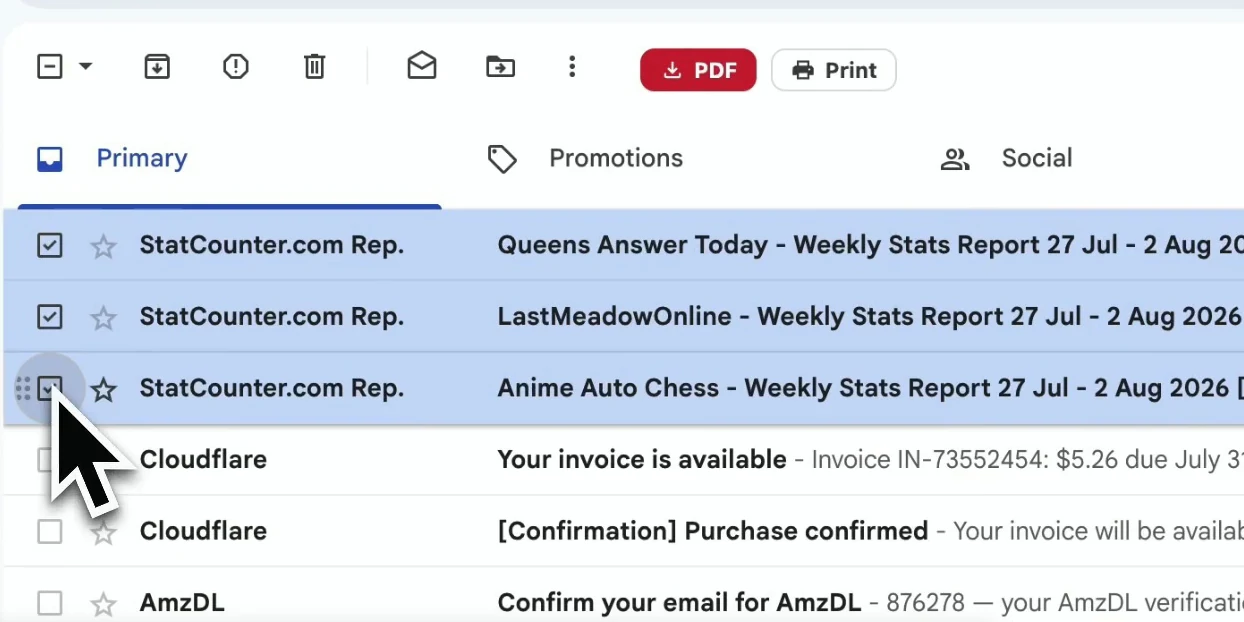
Save Gmail Emails as PDF is a browser extension that converts Gmail to PDF within Chrome or Microsoft Edge. It adds PDF and Print controls to Gmail’s toolbar, letting users export selected messages or collect emails through labels, senders, and search results. It supports personal Gmail and Google Workspace accounts, with PDFs generated locally in the browser rather than uploaded for conversion.
Users can download separate PDFs or combine selected emails into one document for saving and printing. Filename templates use dates, senders, and subjects, while page settings control paper size and orientation. The extension preserves email formatting and inline images, and can keep original attachments in ZIP files alongside the PDFs. These options support filing correspondence, receipts, approvals, and other email records outside the inbox.
Who it's for
- Lawyers and paralegals organizing correspondence
- Accountants and bookkeepers filing receipts
- HR teams and recruiters keeping email records
- Real estate agents assembling transaction files
- Freelancers and agencies documenting approvals
How to use Save Gmail Emails as PDF
- 1
Install for the browser
Add the extension from the Chrome Web Store or Microsoft Edge Add-ons. Open Gmail to access its PDF and Print toolbar buttons; each browser requires its own installation.
- 2
Select the emails
Check individual messages or use a label, sender, or Gmail search to gather the correspondence to export.
- 3
Set the output options
Choose a filename template, paper size, and portrait or landscape orientation. Attachments can be saved alongside the exported PDFs.
- 4
Download or print
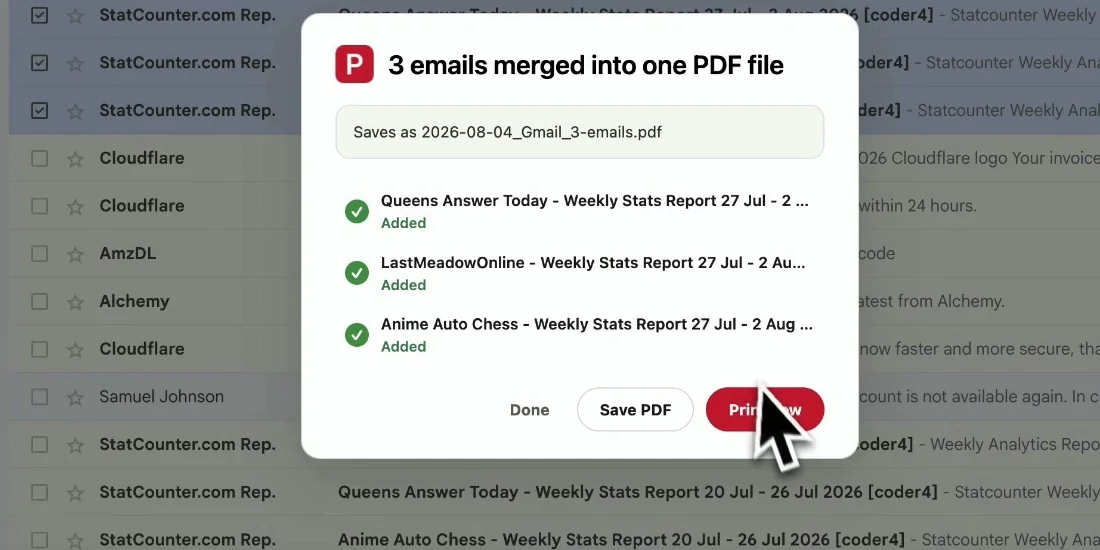
Click PDF to export messages as separate files. Use Print to merge the selection into one PDF, then save the combined document or send it to a printer.
Save Gmail Emails as PDF key features
Bulk export Gmail emails to PDF
Export selected messages or emails gathered from a label, sender, or search result in one batch.
Local Gmail to PDF converter
PDF generation takes place in the browser. The site states that emails and attachments are not uploaded for processing.
Merge and print Gmail emails
Combine up to 50 emails into one PDF for saving or printing, with one email per page.
Filename and page settings
Build filenames from date, sender, and subject fields. Choose portrait or landscape orientation and supported paper sizes, including A4, Letter, and Legal.
Formatting and attachments
Retain email layout, fonts, and inline images. Original attachments can be bundled in ZIP files beside the PDFs.
Chrome and Edge support
Both browsers offer the same export, merge, printing, and attachment functions through their respective extension stores.
Save Gmail Emails as PDF use cases
Save a Gmail thread as PDF
Keep a conversation’s replies together when documenting client decisions, approvals, or correspondence for a case file.
Download Gmail emails for accounting records
Collect invoices, receipts, and payment confirmations from a Gmail label or search, with consistent filenames and accompanying attachments.
Assemble transaction and personnel files
Export property offers, disclosures, candidate conversations, or onboarding emails into files that can be stored outside Gmail.
Document project scope and delivery
Save client briefs, sign-offs, and approval emails as PDFs for project handoffs or supporting invoice documentation.
How Save Gmail Emails as PDF is built
The submission identifies ShipAny TanStack as the template used. The site’s sign-in and subscription offering align with ShipAny’s ready-made authentication, payment, and subscription capabilities; the source does not establish which components were used.
View the ShipAny TanStack templateSave Gmail Emails as PDF FAQ
What is Save Gmail Emails as PDF?
It is a Chrome and Edge extension for exporting Gmail messages to PDF and merging emails for printing. It works with personal Gmail and Google Workspace accounts.
Is Save Gmail Emails as PDF free?
The product offers a free trial and paid subscriptions.
How do I bulk export Gmail emails to PDF?
Select the emails in Gmail, using a label, sender, or search result if needed. Configure the output settings and click the extension’s PDF button.
How do I save a Gmail thread as PDF?
Use the extension’s conversation export workflow to preserve the thread’s replies in order. This is useful when the record needs the full exchange.
How do I print Gmail emails as one document?
Select the messages and click Print in Gmail’s toolbar. The extension merges them into one PDF that can be saved or printed.
Does the Gmail to PDF converter upload my emails?
The site states that conversion runs locally in the browser and that emails and attachments are not uploaded to its servers or other servers.
This introduction is based on the public pages of save-email-as-pdf.com, read on October 9, 2026.