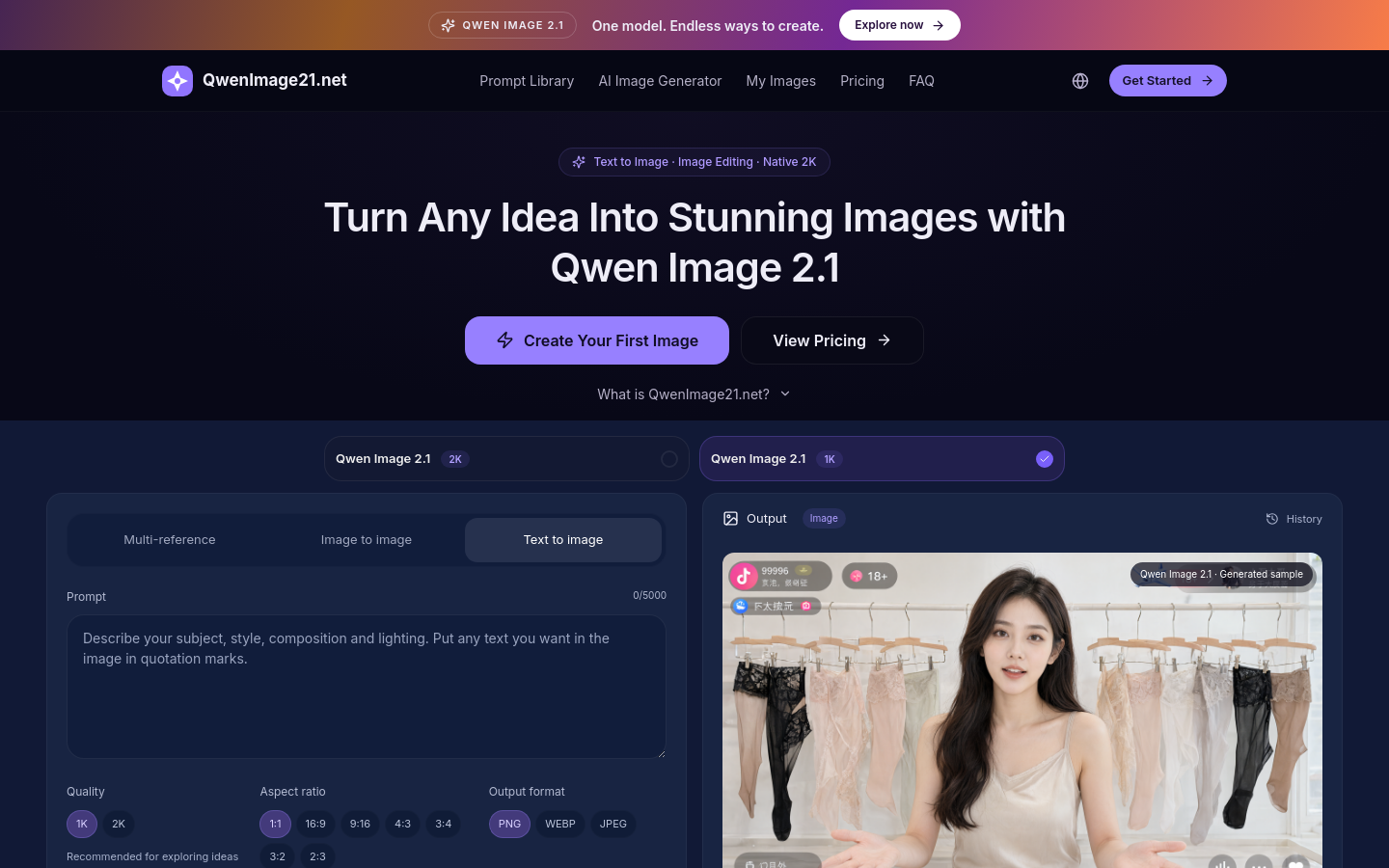
What is QwenImage21.net?
QwenImage21.net is an independent web platform that gives access to Qwen Image 2.1, the model developed by the Qwen team, as both a Qwen AI image generator and an AI image editor. Users can start from a text to image prompt or switch to image to image editing, where they upload a picture and describe what should change and what should stay the same.
Everything happens in one workspace. Prompts can run up to 5,000 characters, and up to 10 reference images can guide objects, style and composition. Output is set to 1K or 2K, with seven aspect ratios and PNG, WebP or JPEG export; transparent backgrounds work with PNG and WebP. A prompt library of Qwen image prompts and an optional prompt-enhance toggle help users get started, and generation is paid for with account credits.
Who it's for
- Marketers creating campaign visuals
- Designers who need isolated assets
- E-commerce sellers making product scenes
- Content creators exploring art directions
How to use QwenImage21.net
- 1
Pick a workflow
Sign in and choose text to image, image to image or multi-reference mode in the generator.
- 2
Add references and a prompt
Upload reference images if needed, then describe the subject, setting, lighting, style and any exact text, or explain the edits you want.
- 3
Set output options
Select 1K or 2K quality, an aspect ratio, a file format and, for PNG or WebP, a transparent background. The estimated credit cost is shown before you generate.
- 4
Generate and download
Review the composition and details, then download the image or adjust the prompt for another version. Past results are kept in the image history.
QwenImage21.net key features
Text to image from long prompts
Write briefs of up to 5,000 characters covering subject, composition, light and visual style.
Image to image editing
Upload an existing image and describe the changes you want and the details to keep.
Up to 10 reference images
Combine several references to steer the objects, look and direction of the result.
1K and 2K image generation
Choose between two resolutions and seven aspect ratios, from 1:1 to 16:9 and 9:16.
Transparent assets and flexible formats
Export as PNG, WebP or JPEG, with transparent backgrounds available for PNG and WebP.
Qwen image prompts library
Browse sample images and reuse their prompts as a starting point, with an optional prompt-enhance setting.
QwenImage21.net use cases
Product imagery
Create product scenes, clean backgrounds and new campaign compositions.
Posters and layouts
Describe a layout and quote the exact text to place in the image, then check the generated lettering before publishing.
Creative concepts
Try art directions, editorial illustrations and moodboard ideas from one brief.
Design assets
Generate isolated elements on transparent PNG or WebP backgrounds for use in larger compositions.
How QwenImage21.net is built
QwenImage21.net is built on ShipAny TanStack, whose ready-made sign-in, Stripe payments and credit system match the site's model of account sign-in, one-time credit packs with no subscription, and per-image credit charges.
View the ShipAny TanStack templateQwenImage21.net FAQ
What is QwenImage21.net?
It is an independent platform for using Qwen Image 2.1 to generate images from text and edit existing images. It is not run by the Qwen team, which develops the model.
Is QwenImage21.net free?
No free tier is described. Generation uses account credits bought in one-time packs, with no subscription or automatic renewal, and the cost is shown before each generation.
How do I edit an image with the Qwen Image 2.1 AI image editor?
Switch to image to image mode, upload your picture and state clearly what should change and what should stay. Focused instructions and relevant references make the intent easier to follow.
How many reference images can I use?
Up to 10. The site suggests explaining the role of each reference in your prompt.
Does it support 2K image generation and transparent backgrounds?
Yes. You can choose 1K or 2K output, and transparent backgrounds are available when exporting PNG or WebP, but not JPEG.
Where can I find Qwen image prompts to start with?
The site has a prompt library and a gallery of samples, and you can reuse any sample's prompt directly in the generator.
This introduction is based on the public pages of qwenimage21.net, read on October 28, 2026.