
What is OpenGame?
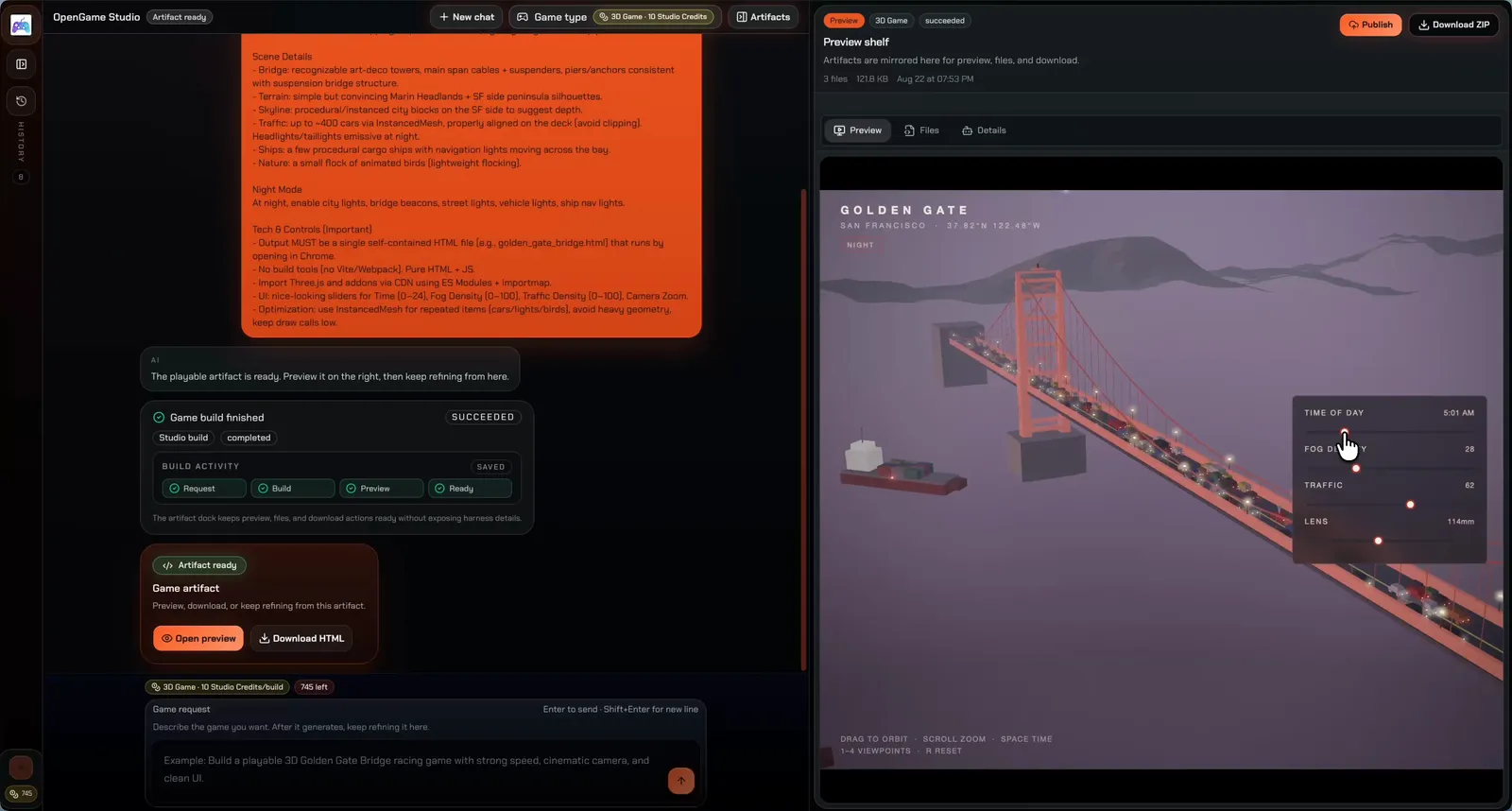
OpenGame is an AI game generator that turns written ideas into playable HTML5 games and 3D browser-game prototypes. Users choose an output mode, describe the controls and objective, and continue in Studio to review a plan before generating. The workspace connects the game brief, build activity, and playable preview, allowing users to test the result and request changes within the same project.
As an AI game maker, OpenGame supports an ongoing revision workflow with saved versions and downloadable project files. A 2D project exports as a single HTML file, while a 3D project exports as a ZIP bundle. Public examples provide games to play and prompts to remix; some flagship examples also involve custom production work. Custom generation requires sign-in and paid Studio Credits, while planning and public example play are free.
Who it's for
- Creators testing browser-game ideas
- Developers exploring 2D and 3D prototypes
- Makers revising gameplay through prompts
- Players looking for examples to remix
How to use OpenGame
- 1
Choose an output mode
Select 2D or 3D and describe a manageable game idea, including its controls, goal, and visual direction.
- 2
Review the plan in Studio
Sign in and discuss the game brief before confirming generation. Planning does not consume generation credits; generating a custom game requires Studio Credits.
- 3
Playtest and request changes
Follow the build activity, open the playable preview, and request changes to controls or mechanics. Regenerated revisions use credits, while previewing saved versions does not.
- 4
Download or publish
Download the HTML file for a 2D game or the ZIP bundle for a 3D project. Publish a link to share or embed the game.
OpenGame key features
2D game generator
Creates single-file HTML5 prototypes from game briefs, with browser previews and downloadable HTML output.
3D game generator
Builds browser-game projects with playable previews and downloadable multi-file ZIP bundles.
AI game builder with prompt-based revisions
Keeps change requests connected to the saved game artifact so users can refine controls, add mechanics, and generate new versions.
Visible build activity and saved versions
Shows progress from the initial request to the ready artifact. Saved versions remain available for playtesting and download without additional generation credits.
Examples, remixing, and publishing
Offers public playable examples and prompts as starting points, alongside tools to publish a game link for sharing or embedding.
OpenGame use cases
Test a focused game loop
Use the browser game generator to explore a platformer, puzzle, shooter, racing, or arcade idea, then playtest the generated prototype.
Remix a playable example
Play a public example, inspect its prompt, and bring its gameplay rules and visual direction into a new Studio project.
Refine and share a prototype
Request gameplay changes, revisit saved versions, and publish a link for others to play or embed.
Continue working with exported files
Download the generated project for inspection, modification, or hosting. Review any external assets and libraries included in the files.
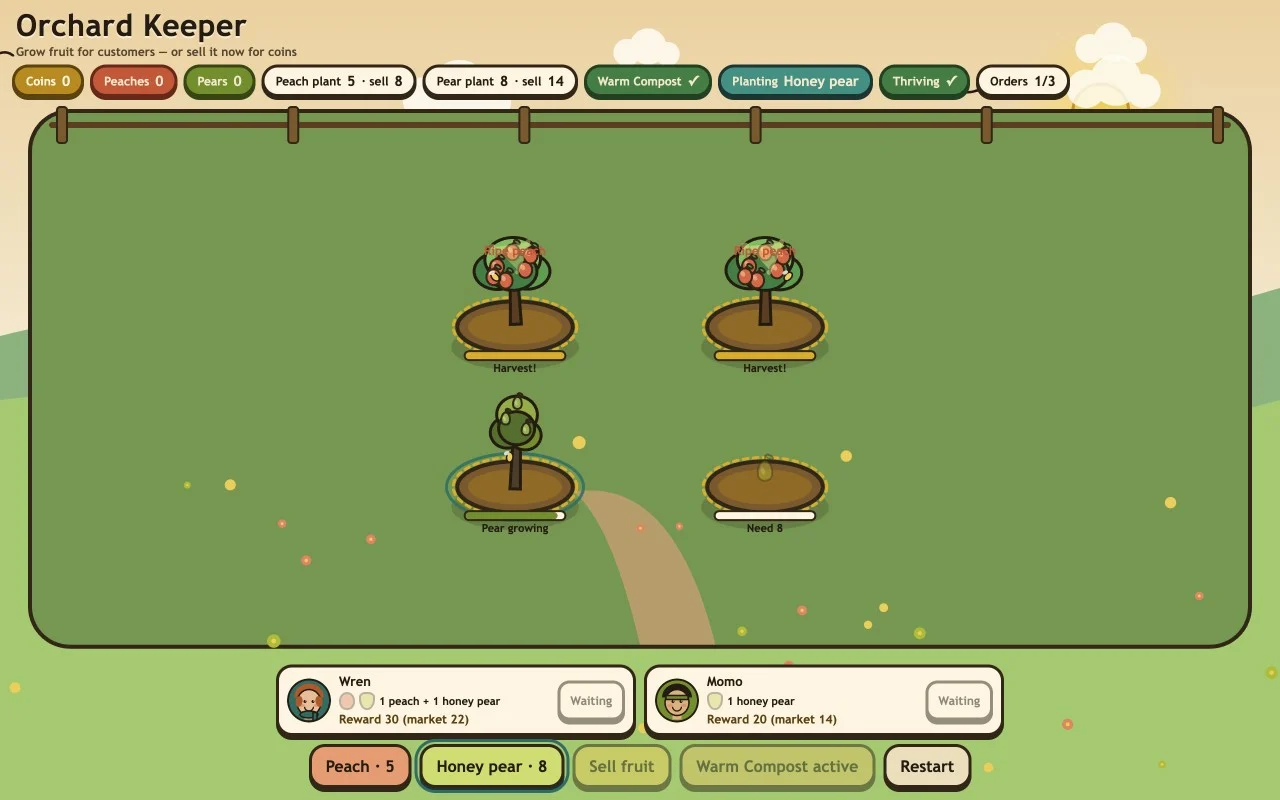
How OpenGame is built
The submitter identifies ShipAny TanStack as the template used for OpenGame. Its sign-in and credit-based purchasing model, including one-time purchases and subscriptions, aligns with ShipAny’s ready-made authentication, payments, subscription, and credit capabilities.
View the ShipAny TanStack templateOpenGame FAQ
What is OpenGame?
OpenGame is an AI game generator and browser-based Studio for creating, previewing, revising, downloading, and sharing 2D HTML5 and 3D game projects.
Is OpenGame free?
Public example games can be played without an account, and game planning is free. Custom generation requires sign-in and paid Studio Credits; previewing and downloading saved versions uses no additional generation credits.
How does OpenGame’s AI game maker handle revisions?
Users request changes in Studio and generate revised versions of the project. Each confirmed regenerated revision consumes credits, and saved versions can be revisited for playtesting.
Can OpenGame generate HTML5 games and 3D games?
Yes. Its 2D mode produces a single HTML file, while its 3D mode produces a multi-file browser-game project downloadable as a ZIP bundle.
Can users create and test games entirely in a browser?
Studio supports planning, generation, preview, and iteration in the browser without a desktop game editor. Generated controls and performance should be tested on the intended devices.
Are all showcase games produced solely by AI generation?
The site describes some flagship games as hand-finished builds with custom production work. Zhaoye — Mountain Gate, for example, combines AI asset exploration, Blender work, and Three.js development.
This introduction is based on the public pages of opengame.app, read on October 9, 2026.