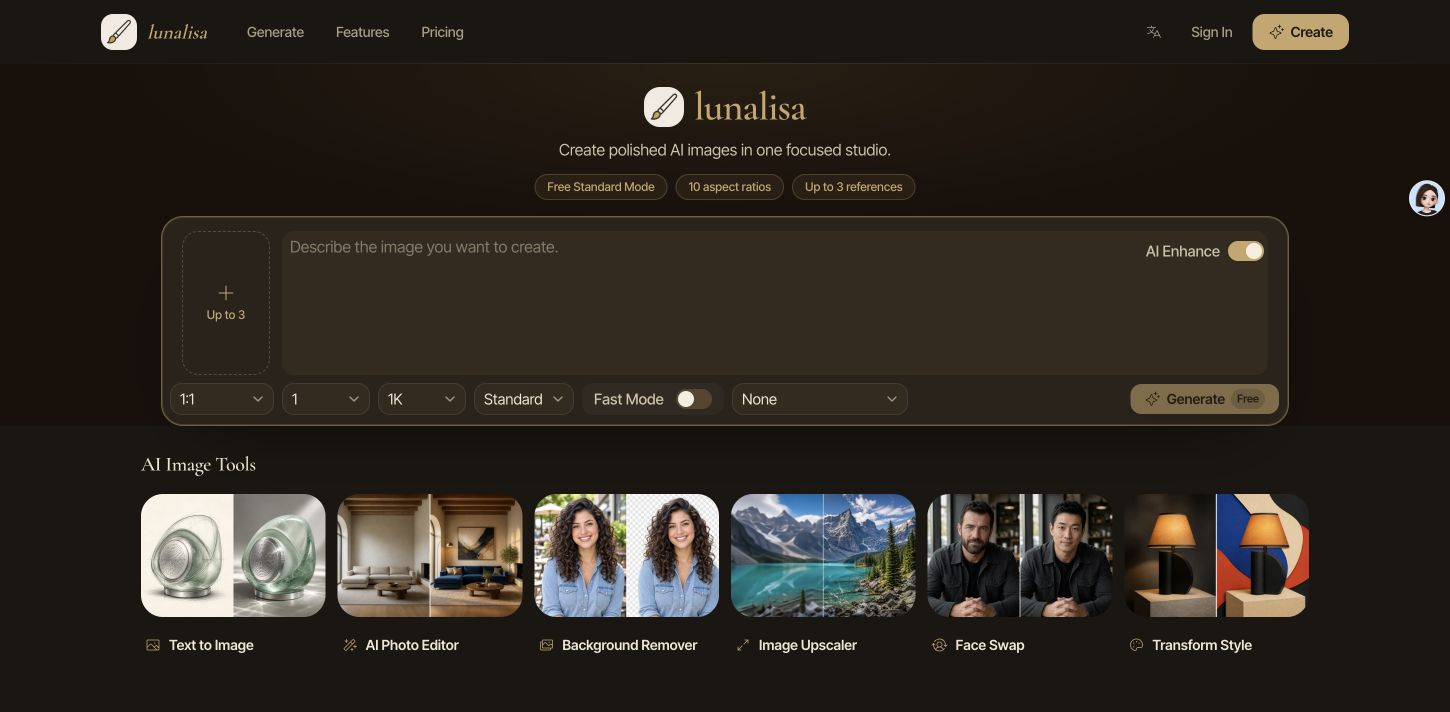
What is LunaLisa?
LunaLisa is an AI image generator and creative studio built around a single prompt-driven workspace. Users write a prompt of up to 2,000 characters, optionally attach up to three reference images, and choose the aspect ratio, number of outputs, resolution and visual style before generating. A basic 1K Standard Mode is available for free AI image generation without signing in, while signed-in users can switch to Fast Mode for higher resolutions and multiple outputs.
Beyond text to image, the site groups several tools next to the generator: an AI photo editor, a background remover, an image upscaler, face swap and style transformation. The studio offers 10 aspect ratios from 1:1 to 21:9, 1K, 2K and 4K output in Fast Mode, batches of up to four images, and one-click style starters such as cinematic, editorial, surreal and minimal. It uses GPT Image 2 for quick passes and a GPT Image 2 VIP option for detailed renders.
Who it's for
- Designers and illustrators
- Concept artists and creative directors
- Product and e-commerce photographers
- Social media content creators
- Casual users trying AI image tools
How to use LunaLisa
- 1
Write a prompt
Open the studio on the homepage and describe the subject, materials, lighting and mood in the prompt box. The AI Enhance option can help expand the prompt.
- 2
Add references and settings
Optionally upload up to three reference images, then pick an aspect ratio, resolution, number of outputs, quality mode and a style starter.
- 3
Generate and compare
Click Generate. Standard Mode creates a free 1K image without an account; after signing in, Fast Mode can produce up to four images at up to 4K for side-by-side comparison.
- 4
Refine with other tools
Switch to the AI photo editor, background remover, image upscaler, face swap or style transform tool to keep working on the image.
LunaLisa key features
Text to image with flexible framing
Generate images from prompts in 10 aspect ratios, from square 1:1 through 21:9 ultrawide, without rewriting the prompt when the format changes.
Reference-guided generation
Attach up to three images per request to steer subject, composition, material or style for both generation and edits.
AI photo editor and face swap
Upload a photo to make AI edits, such as changing furniture and lighting in a room, or swap faces between images.
Background remover and image upscaler
Cut subjects out onto a transparent background and enhance low-resolution photos into sharper, more detailed images.
Batch outputs and resolution choice
Fast Mode supports 1K, 2K or 4K output and up to four images per run, so several directions can be compared at once.
Style starters and account workspace
Apply cinematic, editorial, surreal, minimal, analog or sculptural styles in one click, and manage billing, credits and API keys from a personal workspace.
LunaLisa use cases
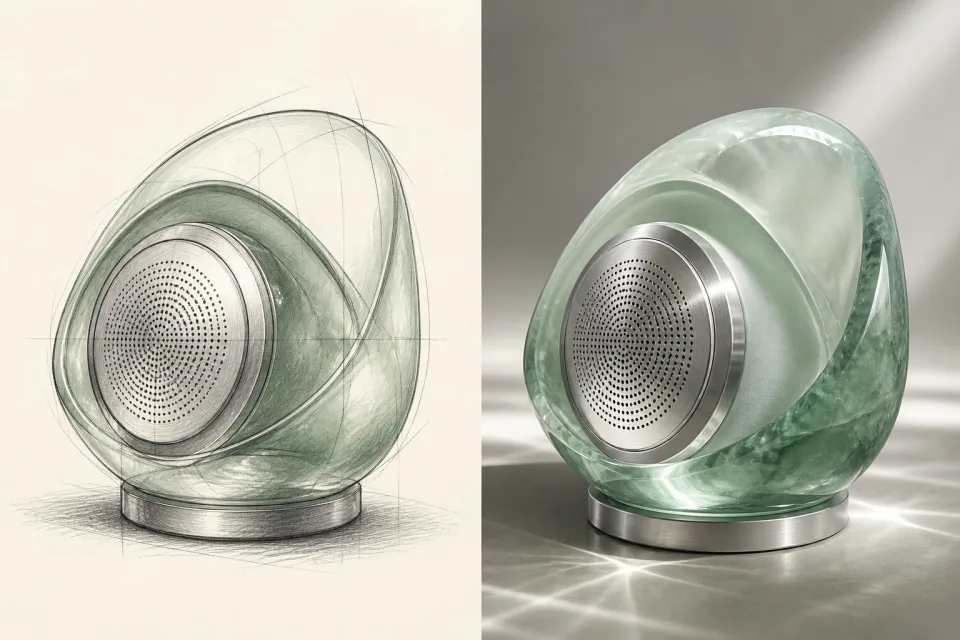
Product visuals from sketches
Turn a rough product sketch or description into a polished product shot, and use the image upscaler to prepare it at higher resolution.
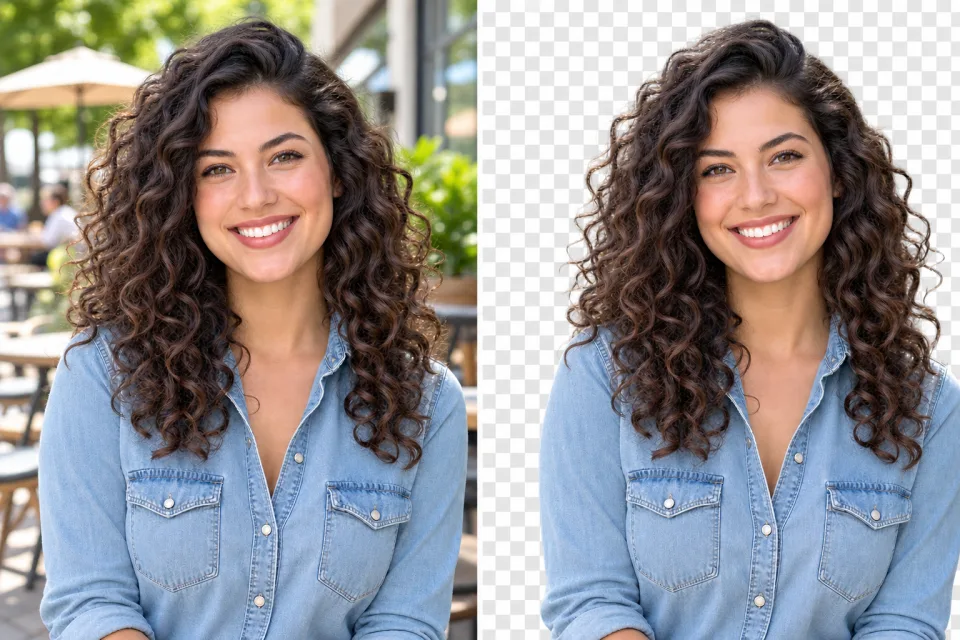
Clean cutouts with the background remover
Remove backgrounds from portraits or product photos to reuse subjects in layouts, listings or social posts.
Concept art and creative direction
Generate several directions in one batch and compare them before choosing a look for a campaign or illustration.
Social content production
Go from a short prompt to ready-to-post visuals in the right aspect ratio for each platform.
How LunaLisa is built
LunaLisa runs on the ShipAny TanStack template, whose ready-made authentication, payments, subscriptions and credit system fit the site's model of free generation without sign-in, welcome credits for new accounts, and credit-based paid plans.
View the ShipAny TanStack templateLunaLisa FAQ
What is LunaLisa?
LunaLisa is an AI image generator and creative studio. It creates images from text prompts and reference photos and also offers photo editing, background removal, upscaling, face swap and style transformation tools.
Is LunaLisa free?
Yes, there is a free option: Standard Mode generates 1K images without signing in, and new accounts receive welcome credits. Higher resolutions, multiple outputs and reference images use credits, and paid plans are listed.
How do I create an image with the LunaLisa text to image generator?
Type a prompt, choose an aspect ratio, resolution, output count and optional style, then click Generate. You can also attach up to three reference images after signing in.
What resolutions and aspect ratios does LunaLisa support?
It offers 10 aspect ratios from 1:1 to 21:9. Standard Mode outputs at 1K, while Fast Mode supports 1K, 2K or 4K.
Can I use LunaLisa images commercially?
The site says paid plans are intended for commercial projects, subject to applicable law, provider terms and third-party rights.
Are my prompts private on LunaLisa?
Prompts are processed to fulfill the request, and connected AI providers may handle data under their own policies.
This introduction is based on the public pages of lunalisa.art, read on October 9, 2026.