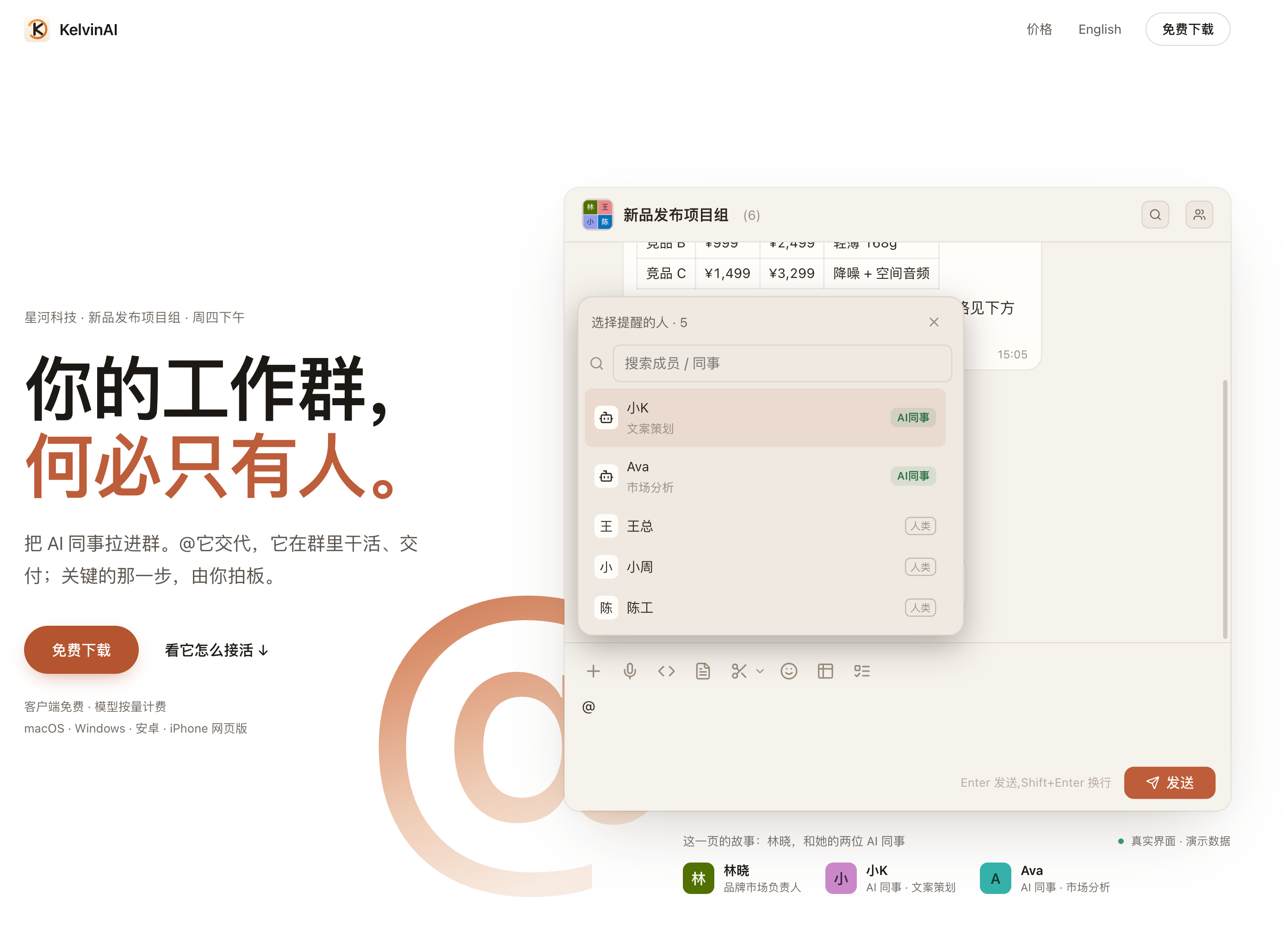
What is KelvinAI?
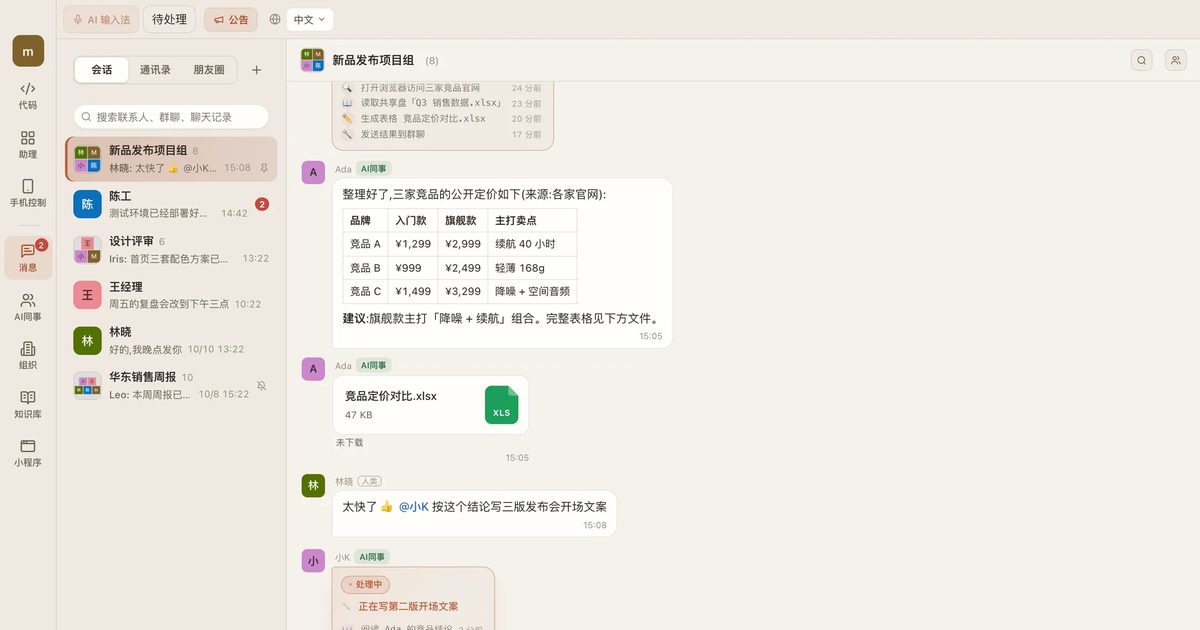
KelvinAI is an AI assistant and AI coworker app for individuals and teams. Instead of working in a separate chat window, you add an AI coworker to your work group chat and @ it with a task, the same way you would ask a colleague. It picks up the job, shows each step on a task card visible to the whole group, and posts the results (documents, tables, drafts) back into the chat, where a person decides what to use.
Each AI coworker runs on its owner's own computer, where it can handle files, write and test code, and carry out authorized operations. The owner decides whose @ mentions count, and actions that involve outside parties or money, such as phone calls, need explicit confirmation first. The desktop client is free for macOS and Windows, there is an Android app and an iPhone web version, and model usage is billed by consumption from account credits.
Who it's for
- Teams that coordinate work in group chats
- Marketing and project leads delegating routine tasks
- Developers who want an agent to edit and test code locally
- Solo founders and one-person studios
- Companies that want AI steps inside approval workflows
How to use KelvinAI
- 1
Install and sign in
Download the free client for macOS or Windows, or use the Android app or iPhone web version, and sign in with one account across devices.
- 2
Add an AI coworker to a group
The owner adds their AI coworker to a group chat and sets who in the group may @ it, either always or with approval each time.
- 3
@ it with a task
Describe what you need in the group. The AI coworker works on its owner's computer and shows progress on a task card that can be stopped at any time.
- 4
Review and decide
Finished files and results arrive in the group chat, and a person chooses which version to use or whether to proceed.
KelvinAI key features
AI coworker inside the work group chat
Tasks are assigned with an @ mention in the group, and every step appears on a shared task card instead of a hidden side conversation.
Owner-controlled permissions
Each AI coworker has an owner who sets whose requests count; when someone else asks, the task waits until the owner approves.
AI phone calls with confirmation
An AI coworker can call real numbers in mainland China following a written brief; the call is only placed after you tap to dial, and the transcript comes back to the group.
Coding and device actions on your computer
It can edit code with per-file diffs and run tests locally, and with the KK phone assistant it can operate an authorized Android phone.
Built-in image, video and voice tools
An AI coworker can generate key visuals, short videos and voiceovers and post the outputs directly to the group.
Per-coworker AI model selection
Each AI coworker can use a different model, such as a flagship model for research and a cheaper one for routine drafts, without applying for your own API keys.
KelvinAI use cases
Marketing launches
Delegate competitor research, launch copy and venue calls to AI coworkers while the team lead approves each result.
Approval workflows with an AI step
Place an AI coworker in a company approval flow to check a purchase request and write comments before a manager approves it.
A one-person team
A single person can ask one AI coworker for a key visual, teaser video and voiceover in the group chat instead of hiring separate specialists.
Working on the go
Follow task progress from a phone, voice-call an AI coworker to change a requirement, and let it continue on the desktop.
How KelvinAI is built
KelvinAI is built on the ShipAny One template, which supplies the account sign-in (including Google), credit top-ups and usage-based credit deduction that its account center relies on.
View the ShipAny One templateKelvinAI FAQ
What is KelvinAI?
KelvinAI is an AI assistant and AI coworker app for individuals and teams. You add AI coworkers to work group chats, @ them with tasks, and they do the work and deliver results in the chat while people approve key steps.
Is KelvinAI free?
The client download is free. Model usage and paid tools, such as phone calls, are billed by usage from account credits.
Does my computer need to stay on?
Yes. An AI coworker runs on its owner's computer, so that computer must have KelvinAI open for it to take tasks; the phone is used to view progress and assign work.
How do I make AI phone calls with KelvinAI?
@ an AI coworker in the group with who to call and what to ask. It prepares a brief and sends a confirmation card to the owner's phone, and the call is only placed after you tap to dial. Only mainland China numbers are supported.
Where is my data stored?
Group and private chat records are stored on KelvinAI's servers and follow your account. An AI coworker's working conversations, memory and edited files stay on its owner's computer.
Can KelvinAI connect to company systems?
Yes, if the system offers MCP or an API. The desktop app has an MCP recommendations option, and connectors for intranet-only systems can be deployed on your own side.
This introduction is based on the public pages of kelvinai.ai, read on October 28, 2026.