What is ViNano AI?
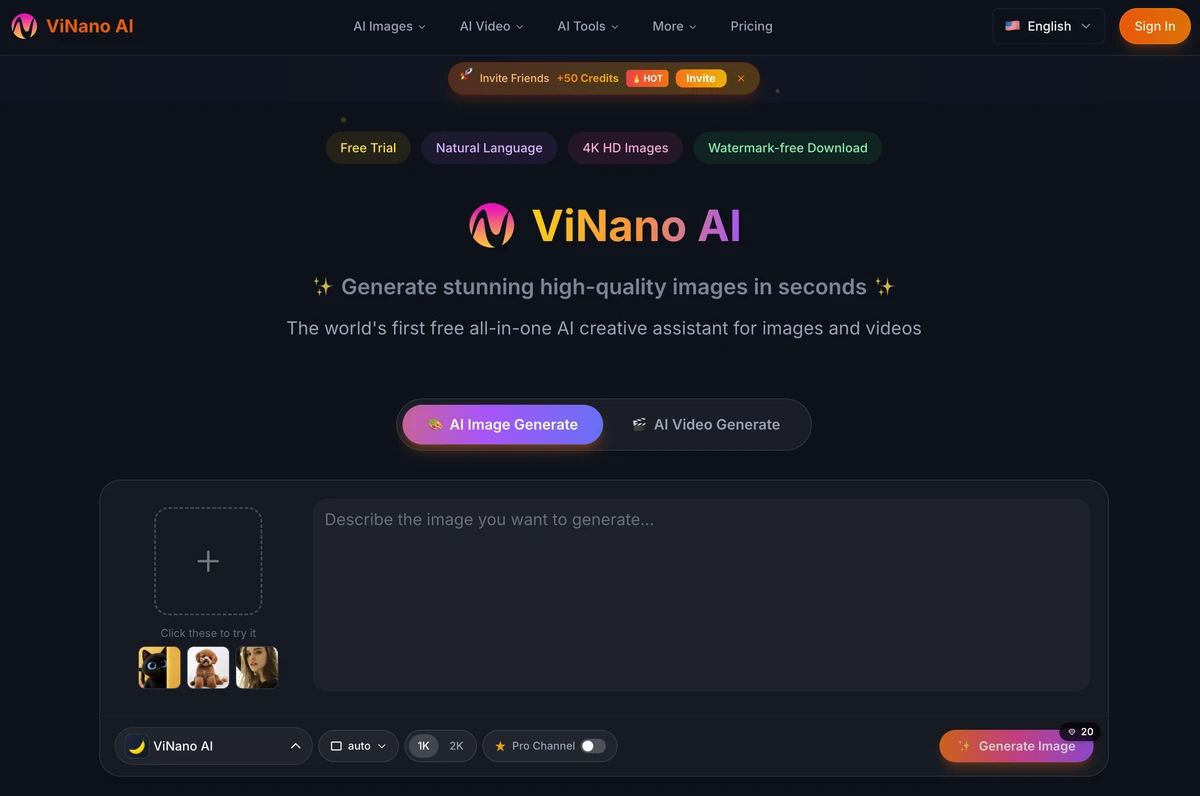
ViNano AI is a browser platform for AI image generation, AI image editing and AI video generation. Users describe an image or scene in a prompt, add reference images when needed, and choose a supported model and its available settings. The platform supports creating new visual assets and revising existing ones, with examples ranging from portraits and illustrations to product shots and concept art.
Its workspace combines several image and video models with tools for background removal, inpainting, cropping and upscaling. Natural-language image editing lets users describe changes and refine the result through updated prompts or references. Multiple reference images can guide more involved edits, including combining photos and changing character details. Output quality, consistency and generation time depend on the selected model, inputs and settings.
Who it's for
- Illustrators and concept artists
- Social media content creators
- E-commerce teams creating product visuals
- Creators exploring images and short videos
How to use ViNano AI
- 1
Choose an image or video workflow
Open the appropriate creation tool and select a supported model. Sign in to access account-based generation.
- 2
Describe the intended result
Enter a prompt describing the image, edit or video. Upload reference images when the workflow calls for existing visual material.
- 3
Review settings and generate
Adjust the available model settings and review the displayed credit cost before submitting. Check task status while generation is in progress.
- 4
Refine and download
Review the output, revise the prompt or references, or use the image editing tools. Check the available download options for the selected model and settings.
ViNano AI key features
Text-to-image creation
Generate portraits, landscapes, illustrations, product shots and other visual assets from written prompts.
Natural-language image editing
Describe changes to an existing image and use reference images to guide the result. Further prompt adjustments may be needed.
Multiple reference images
Use several images in editing workflows to combine photos or guide character details and scene composition. Consistency depends on the model and inputs.
AI video generation
Create videos from text or images through supported models, including Veo and Seedance. Available resolution and download options vary by model and settings.
Image finishing tools
Access inpainting, region replacement, background removal, cropping, image enhancement and resolution upscaling within the platform.
Prompts and creator examples
Browse a prompt gallery and case studies containing prompts and visual results as starting points for new creations.
ViNano AI use cases
Product imagery
Create product shots or revise existing product images with background changes, composition adjustments and targeted edits.
Character art and wallpapers
Develop illustrations, anime-style figures and custom wallpapers using prompts and reference images.
Social media visuals
Generate memes and AI character content for social posts or marketing campaigns, then download results or use shareable links.
Image-to-video experiments
Turn a still image into a video or develop a scene into a short clip with a supported video model.
How ViNano AI is built
The submission identifies ShipAny One as the template used for ViNano AI. Its visible sign-in, free-credit access, credit purchases and subscription model align with ShipAny’s ready-made authentication, payments, subscriptions and credit management capabilities.
View the ShipAny One templateViNano AI FAQ
What is ViNano AI?
ViNano AI is a browser platform for generating and editing images and creating videos using prompts and reference images. It combines supported AI models with image editing tools.
Is ViNano AI free?
The site offers a free tier and trial credits for eligible registrations, alongside paid options. Generation consumes credits according to the chosen model and settings.
How does text-to-image work with ViNano AI?
Users enter a description, choose a supported image model and adjust the available settings before generating. Prompts and settings can be revised to explore different results.
How can users edit an existing image?
Users can upload an image and describe the changes they want. The platform also provides tools for inpainting, replacing regions, changing backgrounds and upscaling.
Does ViNano AI support image-to-video?
Yes, it supports image-to-video and text-to-video through its available video models. Generation time, resolution and download options depend on the model and settings.
Can ViNano AI outputs be used commercially?
Commercial use is subject to the platform’s Terms of Service and applicable third-party rights. Users should check rights to their inputs and intended use; originality and exclusivity are not guaranteed.
This introduction is based on the public pages of vinano.ai, read on October 9, 2026.