What is AI Text Cleaner?
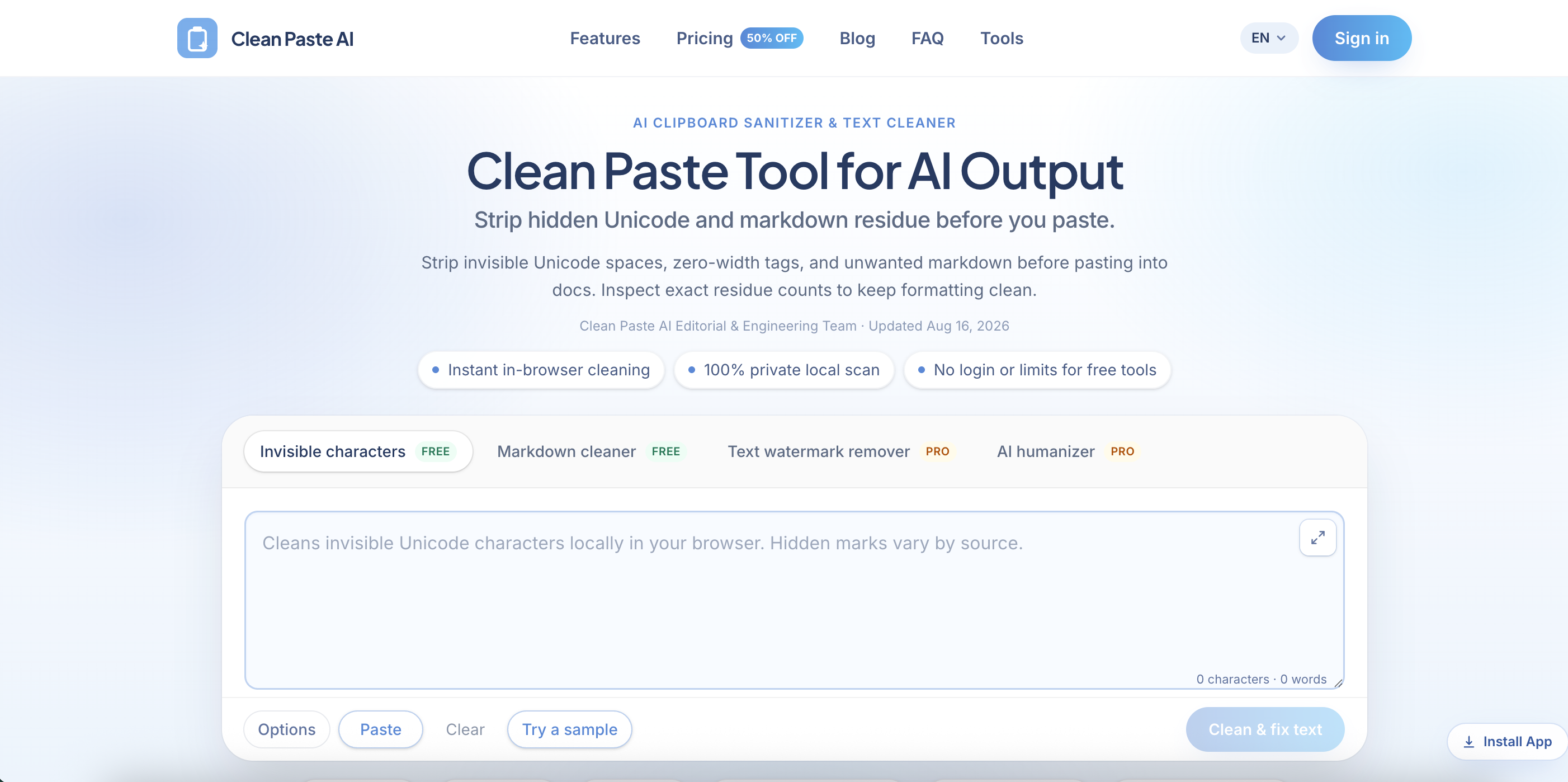
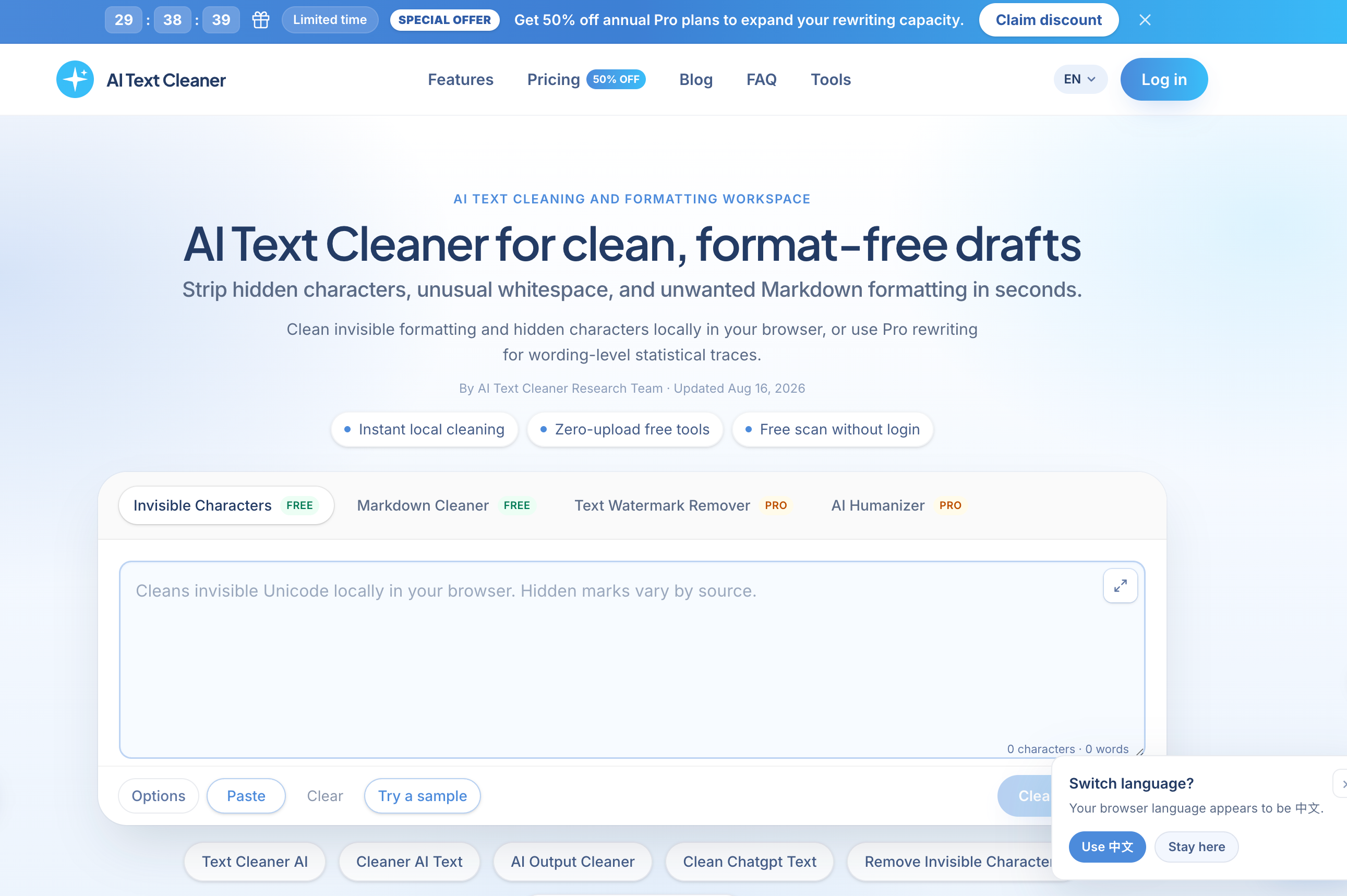
AI Text Cleaner is a browser-based tool for removing invisible characters, hidden Unicode and leftover Markdown formatting from text produced by ChatGPT, Claude, Gemini and other writing assistants. You paste a draft into the workspace, it scans for zero-width spaces, narrow no-break spaces (U+202F), byte order marks and other non-printing code points, and it returns plain text that pastes cleanly into a CMS, email tool or wiki.
The free scanner and Markdown cleaner run entirely on the client, so draft text is not uploaded during free scans. Separately, paid Pro tools rewrite whole sentences, a Text Watermark Remover and an AI Humanizer, for cases where wording, not hidden characters, is the issue. The site separates Unicode residue from statistical token-sampling watermarks, and it says plainly that it does not guarantee getting past AI detectors.
Who it's for
- Content creators and bloggers
- Editors and copy desks
- SEO and content marketers
- Agencies delivering client drafts
- Developers and documentation teams
How to use AI Text Cleaner
- 1
Paste your draft
Copy raw output from ChatGPT, Claude, Gemini or another assistant and paste it into the workspace. A sample text is available if you just want to try it.
- 2
Review hidden artifacts
The local scanner reports counts of invisible characters, non-standard whitespace and Markdown markers found in the text.
- 3
Clean the text
Run the free cleaning step to strip Unicode noise and Markdown syntax without changing your wording.
- 4
Optionally rewrite with Pro
If the wording itself needs work, sign in and use the credit-based Pro rewriting tools.
AI Text Cleaner key features
Remove invisible characters
Detects and removes zero-width spaces, ZWNJ, non-breaking spaces and more than 60 non-printing Unicode code points, all inside the browser.
Remove hidden Unicode characters from pasted output
Finds paste residue such as narrow no-break spaces (U+202F) and byte order marks, which can break CMS layouts, metadata or string comparisons.
Markdown cleaner to strip Markdown
Turns heading hashes, bold asterisks, blockquotes and list markers into plain text that is ready for editing.
Client-side privacy
Free scans and Markdown stripping run locally. Text goes to AI endpoints only when you request a Pro rewrite.
Pro Text Watermark Remover and AI Humanizer
Paid rewriting tools rebuild sentences to change word-choice patterns and repetitive phrasing. They are billed per word in credits.
Model-specific cleaning guides
Guides and dedicated pages cover cleaning ChatGPT and Claude text, unmarkdown workflows and checking for watermarks.
AI Text Cleaner use cases
Clean ChatGPT text before publishing to a CMS
SEO and content teams can remove AI formatting before posting to WordPress or Webflow, so hidden Unicode does not interfere with metadata or schema markup.
Copy editing and review
Editors can strip chat-style formatting from drafts before sending them to human reviewers.
Agency client deliverables
Agencies can clean hidden characters locally for free and use Pro rewrites only on projects that need a different tone.
Documentation and knowledge bases
Engineering teams can normalize exported prompts and technical explanations to avoid character encoding problems in internal docs.
How AI Text Cleaner is built
AI Text Cleaner runs on the ShipAny One template. Its model of free browser tools plus credit-based Pro rewriting, sold as one-time packs or subscriptions through Stripe, matches the sign-in, payments, subscriptions and credits system that ShipAny provides ready-made.
View the ShipAny One templateAI Text Cleaner FAQ
What is AI Text Cleaner?
It is a browser-based text hygiene tool. It removes invisible Unicode characters, non-standard whitespace and Markdown formatting from AI-generated drafts and also offers optional Pro rewriting tools.
Is AI Text Cleaner free?
Yes, the invisible-character remover and the Markdown cleaner are free and work without logging in. The Pro rewriting tools use credits: new accounts get some free credits, and more are available as credit packs or monthly plans.
How do I remove invisible characters with AI Text Cleaner?
Paste your text into the workspace, check the scan results for hidden characters and run the clean step. The cleanup happens locally in your browser and leaves your wording as it was.
Can it strip Markdown from ChatGPT or Claude output?
Yes. The free Markdown cleaner removes heading hashes, bold asterisks, blockquotes and list markers and returns plain text.
Is my text uploaded when I clean it?
No, not during free scans and cleaning, which run entirely in the browser. Text is sent to AI endpoints only when you use a Pro rewriting feature.
Does AI Text Cleaner guarantee bypassing AI detectors?
No. The site states that it does not guarantee bypassing third-party detectors such as Turnitin or GPTZero.
This introduction is based on the public pages of aitextcleaner.pro, read on October 9, 2026.