
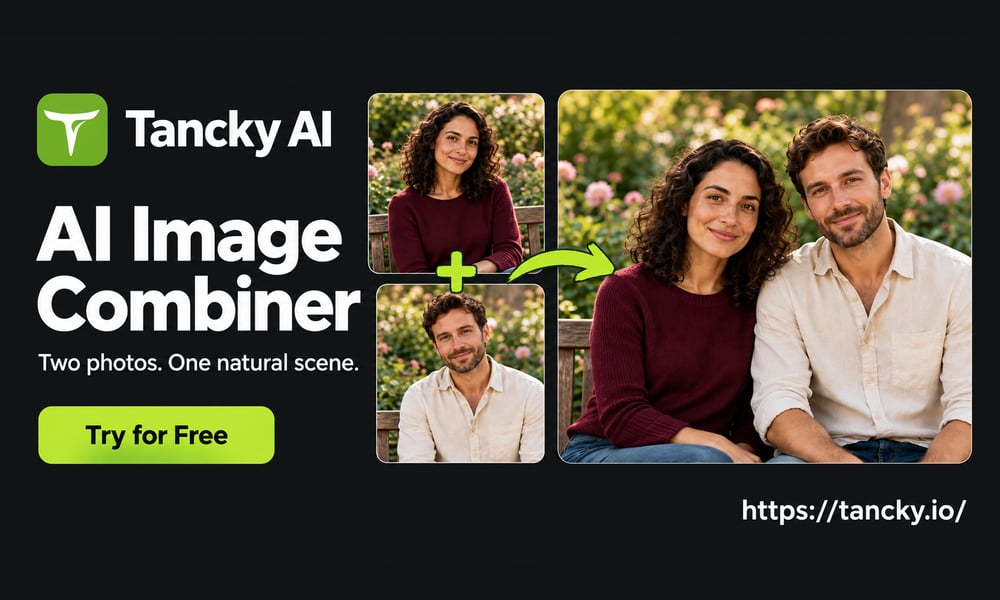
Tancky AI

Visit site
Introduction
An AI image combiner and photo merger that turns two to four separate pictures into a single, natural-looking scene.
Category
AI Image
Built with
ShipAny TanStack
Submitted
Sep 26, 2026
Tancky AI

What is Tancky AI?

Tancky AI is an online AI image combiner and photo merger. Instead of placing pictures side by side like a collage, it takes two to four uploaded photos and generates one composite image, so you can combine images of people, products or places into a scene that looks like it was shot in a single frame. An optional text prompt tells the tool where each subject should go and what lighting to use.

The site says its model adjusts perspective, lighting, shadows and edges across the source images, and aims to keep faces, hair and product labels recognizable, with no manual masking required. Alongside the photo combiner, Tancky AI offers related tools for couple, family and wedding photos and a background remover. New users get free trial credits on signup, and generated images come with commercial usage rights.

Who it's for

  • E-commerce sellers and product brands
  • Content creators and social media teams
  • Designers and art directors
  • Interior designers and home decorators
  • Couples and families making keepsake photos
Before-and-after example: a pink serum bottle photo and a glass-and-water backdrop combined into one skincare product image
A product photo and a backdrop merged into one product scene. Image: tancky.io

How to use Tancky AI

  1. 1

    Upload source images

    Add 2 to 4 photos in JPG, PNG or WebP format, up to 16 MB each. Clear, well-lit photos with similar resolution work best.

  2. 2

    Describe the composition

    Optionally write a prompt about where subjects should sit, how they interact and the lighting mood. You can type @ to reference a specific uploaded image.

  3. 3

    Pick an aspect ratio and generate

    Choose the target aspect ratio and click Generate. The panel shows the credit cost before you submit.

  4. 4

    Review and download

    Check the details of the composite and download the result for personal or commercial use.

Tutorial illustration showing a serum bottle photo and a glass scene being added to the image upload area
Step 1: upload the source images you want to combine. Image: tancky.io
Prompt box reading 'Place the bottle in the glass scene. Match the lighting.' with an arrow pointing to the green Generate button
Step 2: describe the composition, then click Generate. Image: tancky.io

Tancky AI key features

Combine images from up to 4 photos

Merge up to four source pictures into one scene, for example several people in a group shot or a product with a backdrop.

Light and perspective matching

The photo merger aims to align camera angles, color temperature and lighting, and adds cast shadows and reflections so subjects fit the scene.

Face and product detail preservation

According to the site, facial features, expressions, hair texture, packaging shapes and brand logos are kept intact in the output.

No manual masking

Subjects are extracted automatically, so you don't need clipping paths, pen tools or feathering.

Prompt presets

Built-in starting points such as group portrait, portrait background and furniture staging help you set up common merges.

Related photo tools

Dedicated tools for couple, family and wedding photos, plus an AI background remover, are available on the same site.

Tancky AI use cases

Merge photos of people into group shots

Put relatives or partners from separate photos into one portrait, with matching scale, eye level and lighting.

Combine images for e-commerce product scenes

Place product shots on kitchen, desk, outdoor or styled backdrops to make lifestyle images without a studio shoot.

Blend pictures into new backgrounds online

Put a portrait into a travel destination or studio setting for thumbnails, covers or social posts.

Preview furniture in a room

Insert furniture or decor into a photo of a real room to check layout and style before buying or remodeling.

How Tancky AI is built

Built with ShipAny TanStack

Tancky AI is built on the ShipAny TanStack template, which provides ready-made sign-in, payments, subscriptions and a credit system. These support the site's model of free trial credits at signup, followed by one-time credit packs or monthly and yearly subscriptions.

View the ShipAny TanStack template

Tancky AI FAQ

What is Tancky AI?

Tancky AI is an online AI image combiner and photo merger. It generates one composite scene from two to four uploaded photos, guided by an optional text prompt.

Is Tancky AI free to use?

New users receive free trial credits when they sign up. After that, you can buy credit packs or subscribe to a paid plan.

How do I combine photos with Tancky AI?

Upload 2 to 4 JPG, PNG or WebP images, optionally describe how they should fit together, choose an aspect ratio and click Generate.

How is an AI image combiner different from a photo collage?

A collage places pictures in separate frames. The AI image combiner blends the subjects into one scene with shared perspective, lighting and shadows.

Can I use merged photos commercially?

Yes. The site says finished composites include commercial rights for uses such as ads, e-commerce listings and social media.

What happens if a generation fails?

Credits are returned automatically for confirmed failed generations. If a request times out, its final status is checked before any refund.

This introduction is based on the public pages of tancky.io, read on October 9, 2026.

More products built with ShipAny TanStack

View all →

Build your AI product today

Get ShipAny Premium, unlock the ShipAny template code, and launch in as little as an hour.