What is Fabula?
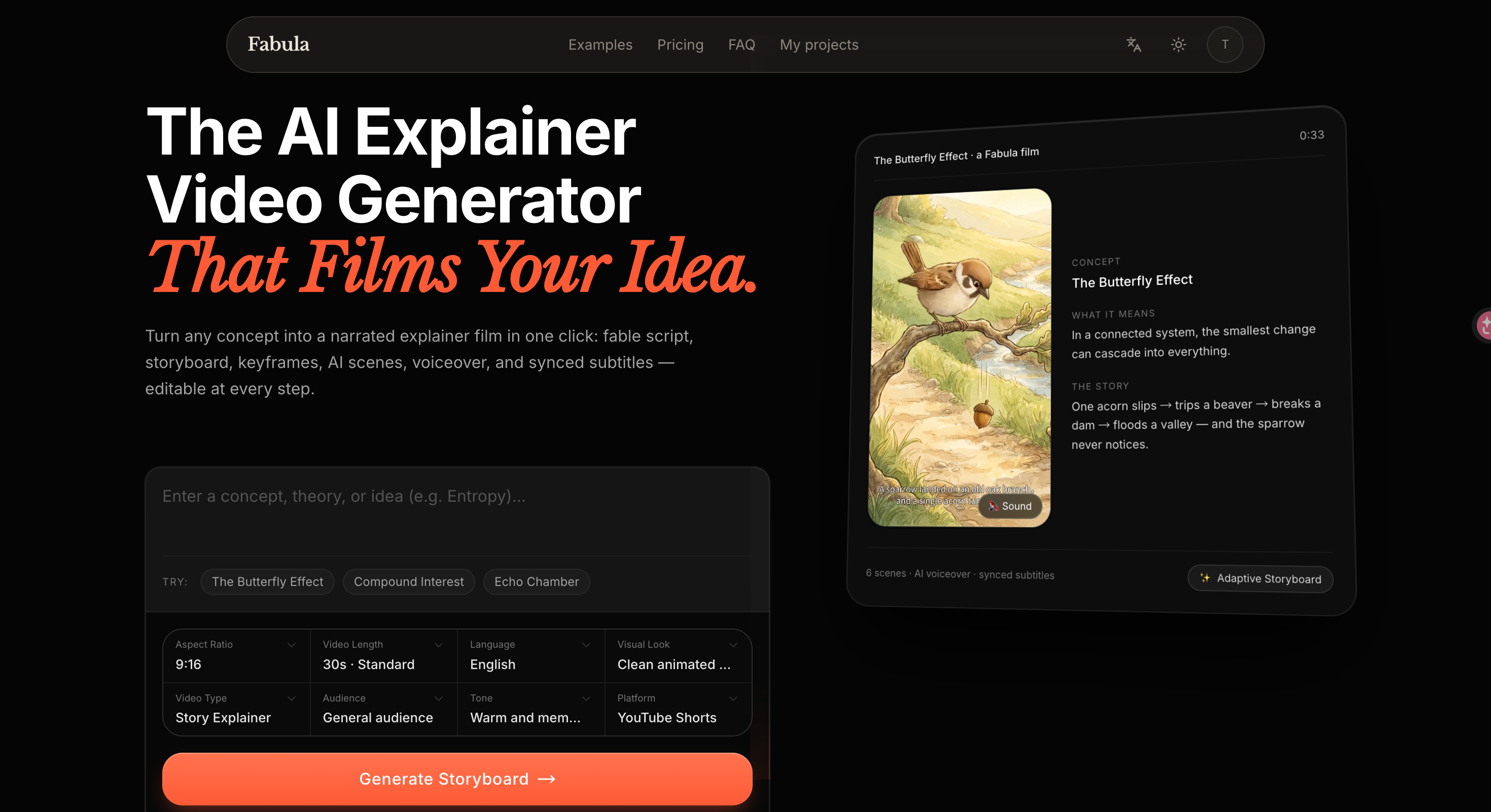
Fabula is an AI explainer video generator for creators who explain ideas through short stories. It takes a concept, lesson outline, product message, or script and develops a concrete fable before revealing the underlying idea. The resulting production package connects the story with scene plans, keyframes, narration, subtitles, and visual prompts, with optional AI video rendering.
Its workflow separates story planning from video production. Users can review and revise the storyboard, scene action, camera movement, narration, captions, and prompts before generating clips. Fabula supports narrated films with synchronized subtitles, multiple aspect ratios, and exports for further production. This makes it useful both for preparing an editable video brief and for producing a finished explainer film.
Who it's for
- Educational video creators
- Teachers and course builders
- Product marketers
- Founders explaining complex ideas

How to use Fabula
- 1
Enter the idea and choose the format
Provide a concept or existing material, then select the aspect ratio, duration, language, visual style, audience, tone, and target platform.
- 2
Generate and review the storyboard
Generate the story and scene sequence. Review how the fable introduces the idea and how the later explanation connects the story to the concept.
- 3
Edit the production details
Revise narration, subtitles, visual prompts, scene action, and camera movement before rendering.
- 4
Render or export
Generate a preview or scene clips when ready, then assemble the narrated film or export the planning package for another production workflow.
Fabula key features
AI storyboard generator
Organizes the story into editable scenes with visuals, action, camera directions, narration, subtitles, and prompts.
AI video script generator
Develops a fable and concept reveal while keeping the voiceover script connected to the visual sequence.
AI video prompt generator
Prepares image and video prompts for each scene, which users can refine before generating keyframes or clips.
Narration and synchronized subtitles
Combines AI voiceover and timed subtitles with the scene sequence to produce narrated explainer films.
Flexible formats and exports
Supports vertical, landscape, and square video formats, alongside Markdown, JSON, and MP4 clip exports.
Planning before rendering
Allows users to inspect the story and storyboard before spending credits on video previews or selected scenes.
Fabula use cases
Educational social videos
Turn abstract concepts into story-based explanations for YouTube Shorts, TikTok, and Instagram Reels.
Classroom and course materials
Prepare lesson scripts, narration, subtitles, and visual plans for classroom explanations or compact course videos.
Product and category explainers
Help marketers and founders explain product ideas or unfamiliar categories through a narrative with a concept reveal.
Script to video generator workflow
Use an existing script or outline as the starting material, review the scene plan, and proceed to optional rendering or production exports.


How Fabula is built
Fabula is built with ShipAny TanStack. Its sign-in and credit-based business model, including subscriptions and one-time purchases, align with the authentication, payments, subscriptions, and credits foundations provided by the template.
View the ShipAny TanStack templateFabula FAQ
What is Fabula?
Fabula is an AI explainer video generator that turns ideas into story-based scripts, editable storyboards, and narrated films with subtitles.
Is Fabula free?
New accounts receive free credits to try the workflow. Paid options are available for further creation, and rendering consumes credits.
How do I use Fabula as an AI storyboard generator?
Enter an idea or existing material and choose the video settings. Generate the storyboard, then edit each scene's visuals, narration, subtitles, and prompts before rendering.
Can I edit the story before generating a video?
Yes. Fabula separates planning from rendering so users can revise the fable, scene sequence, narration, captions, and prompts first.
Does Fabula work as a script to video generator?
Fabula accepts a finished script or outline and turns it into a reviewable scene sequence. Users can then generate AI clips and a narrated film, or export the production package.
What can I export from Fabula?
The site lists Markdown, JSON, and MP4 clip exports. The production package includes story material, narration, subtitle preparation, and image and video prompts.
This introduction is based on the public pages of fabula5.com, read on October 9, 2026.