Clean the Supermarket Tools

Visit site
Introduction
A free, unofficial Roblox Clean the Supermarket toolkit with an item locator, codes, an aisle map and guides for use on a second screen.
Category
Games
Built with
ShipAny TanStack
Submitted
Jul 2, 2026
Clean the Supermarket Tools

What is Clean the Supermarket Tools?

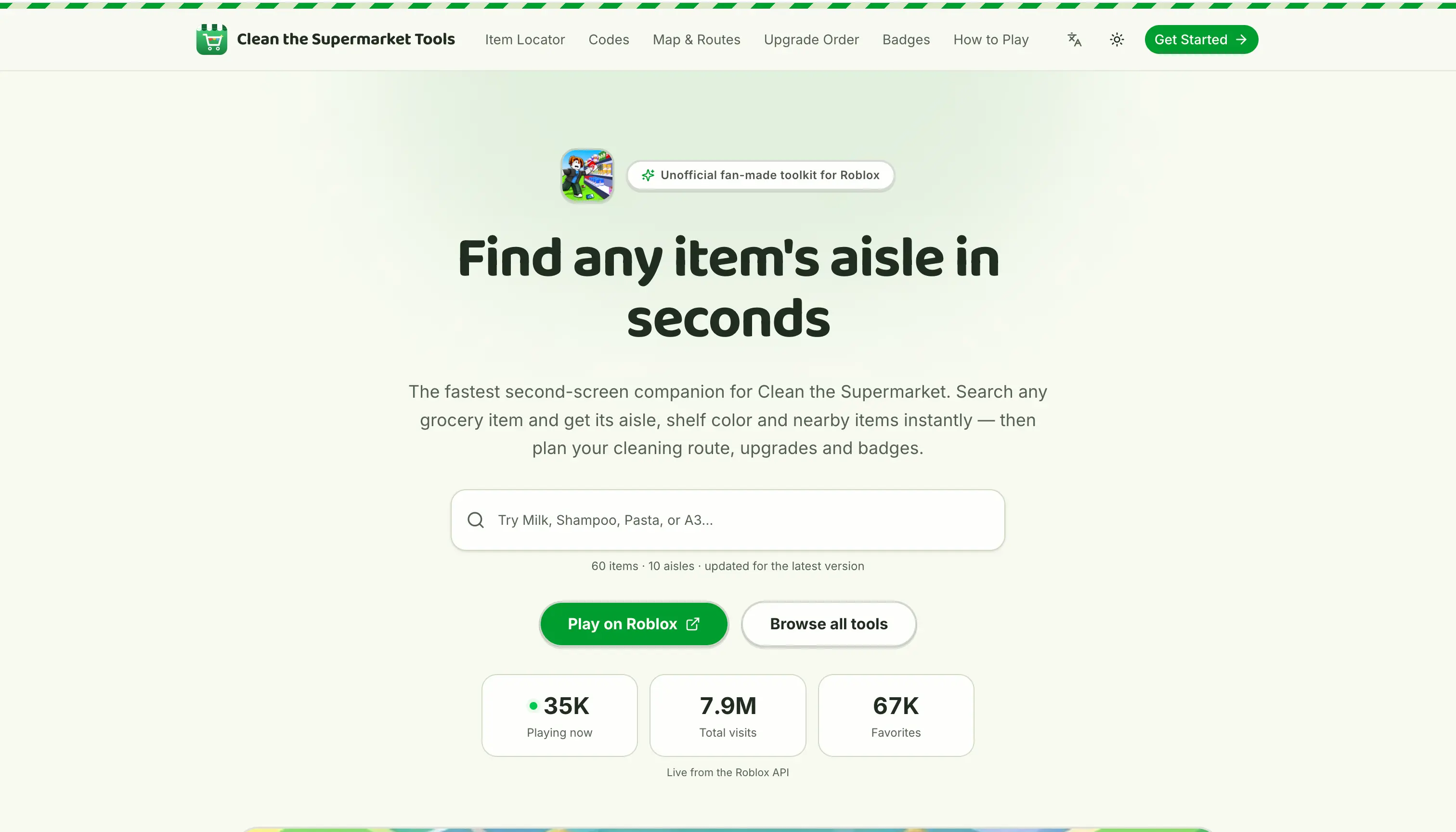
Clean the Supermarket Tools is a free, fan-made set of helpers for the Roblox game Clean the Supermarket. Its main tool is an item locator: players search for a grocery item, an aisle name or a shelf code such as 6A, and it returns the matching aisle number, the shelf codes and items that are easy to mix up with it. The site also has a codes tracker, an aisle map and guides.

The site is designed as a second screen to keep open on a phone during a run. It lists all 12 in-game aisles, from 1 Cans to 12 Beverages, along with their shelf codes and confirmed items, based on the store directory inside the game. It also shows live player, visit and favorite counts from the Roblox API. Other tools cover upgrade priorities, an S-to-C tier list that includes community disagreements, a checklist of 29 badges and a route planner for clearing aisles. The project is unofficial and is not affiliated with Roblox or Tidyverse.

Who it's for

  • Roblox Clean the Supermarket players
  • New players learning the sorting loop
  • Badge hunters and completionists
  • Players looking for active game codes

How to use Clean the Supermarket Tools

  1. 1

    Search for an item

    In the item locator, type an item name like Flour, an aisle like Baking or a shelf code like 6A.

  2. 2

    Read the aisle and shelf codes

    The results show the item's aisle number, its shelf codes and any items it is easily confused with.

  3. 3

    Plan your route

    In the route planner, tick the aisles you still need to clear and the tool returns them in the recommended order.

  4. 4

    Track upgrades and badges

    Use the upgrade order guide to decide what to buy next. Mark the badges you have earned in the badge tracker, which saves your checklist locally.

Clean the Supermarket Tools key features

Clean the Supermarket item locator

Searches confirmed items, aisle names and shelf codes and returns the matching aisle number and shelf codes.

Clean the Supermarket codes tracker

Lists active codes checked against the game and explains how to redeem them.

Aisle map and route planner

Covers all 12 aisles with their shelf codes. The route planner returns the aisles you still need to clear in the recommended order.

Upgrade order and tier list

Suggests a buying order for the Price Scanner, X-Ray, Auto Stacker, Magnet and two passive upgrades. The tier list ranks the upgrades from S to C.

Badge tracker

Lists all 29 official badges with rarity stats from Roblox and keeps a checklist that is saved locally.

Guides and live stats

Includes a how-to-play guide, a Hard Mode event guide and other guides, plus live player and visit counts from the Roblox API.

Clean the Supermarket Tools use cases

Finding an item mid-run

A player holding an unfamiliar product can look up which aisle and shelf it belongs on without leaving the game for long.

Redeeming new codes

Players can check which codes are currently active and how to redeem them.

Choosing what to upgrade

Players can use the upgrade order guide and the tier list to decide which upgrades to buy first.

Collecting badges

Completionists can see which badges are rarest and tick off the ones they have earned.

How Clean the Supermarket Tools is built

Built with ShipAny TanStack

Clean the Supermarket Tools is built on the ShipAny TanStack template. The site is free to use with no visible sign-in or payments, and it relies on the template for its multi-page tools and guides, language switcher and theme toggle.

View the ShipAny TanStack template

Clean the Supermarket Tools FAQ

What is Clean the Supermarket Tools?

It is a free, fan-made website for the Roblox game Clean the Supermarket. It offers an item locator, a codes tracker, an aisle map, a route planner, upgrade guides and a badge tracker.

Is Clean the Supermarket Tools free?

Yes. The site describes its tools as free.

How do I find an item's aisle with the Clean the Supermarket item locator?

Search for the item name, an aisle name or a shelf code. The tool shows the item's aisle number, its shelf codes and items it is easily confused with.

Are there active Clean the Supermarket codes?

The codes tracker lists codes checked against the game and explains how to redeem new ones when they are released.

How many badges does the Clean the Supermarket badge tracker cover?

It covers all 29 official badges, shows rarity stats from Roblox and saves your checklist locally.

Is the site official?

No. It is an unofficial fan-made guide that is not affiliated with, endorsed by or sponsored by Roblox Corporation or Tidyverse.

This introduction is based on the public pages of cleanthesupermarket.xyz, read on October 9, 2026.

More products built with ShipAny TanStack

View all →

Build your AI product today

Get ShipAny Premium, unlock the ShipAny template code, and launch in as little as an hour.