What is SpeechGen AI?
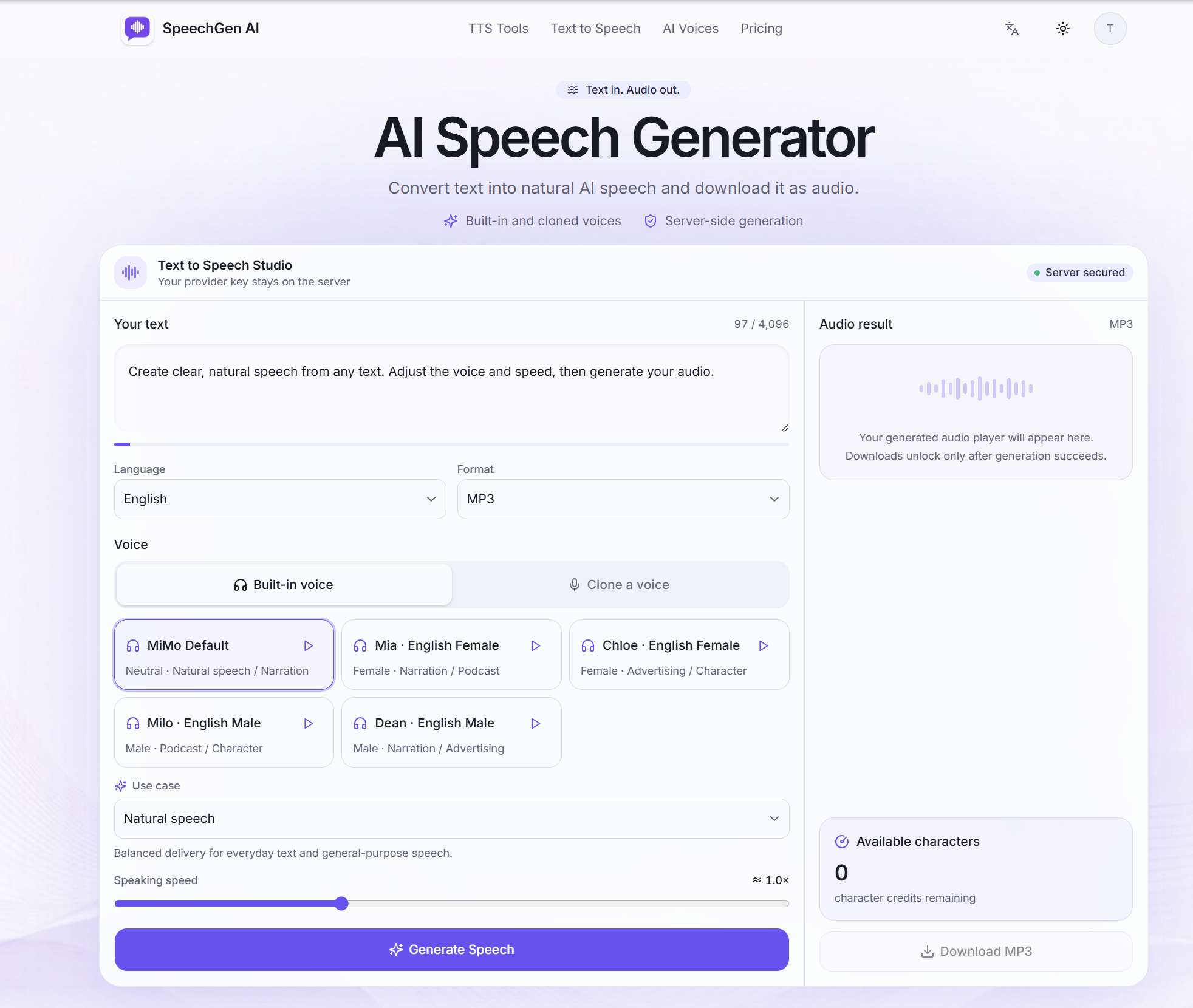
SpeechGen AI is an AI speech generator for online text to speech. Users paste text they have already written, pick a built-in voice or a voice cloned from an authorized recording, set the speaking speed and generate audio that can be played back in the browser and downloaded as an MP3 or WAV file. It supports English and Chinese input.
The service is deliberately narrow: it converts existing scripts into speech rather than writing content. Generation runs on the server, so provider credentials never reach the browser, and signed-in users get their audio history through a private, account-only endpoint. Separate tools cover voice browsing, voice cloning, a free visitor trial and format-specific export, and downloads become available only after a generation succeeds.
Who it's for
- Video creators and YouTubers needing voiceovers
- Podcasters and course creators
- Educators turning lessons into audio
- Marketers narrating product copy
- Audio editors who need WAV source files
How to use SpeechGen AI
- 1
Paste your finished text
Add the script, narration, lesson or product copy you want spoken; the tool converts text but does not write it for you.
- 2
Pick a language and voice
Choose English or Chinese, preview a built-in voice or clone a voice from an authorized recording, and select a use case such as natural speech or narration.
- 3
Set speed and format
Adjust speaking speed between 0.5× and 2× and choose MP3 or WAV as the output format.
- 4
Generate and download
Generate the audio on the server, review it in the built-in player, then download the file once generation succeeds.
SpeechGen AI key features
AI voice generator with built-in voices
Browse built-in English and Chinese voices, listen to samples and compare scenes such as natural speech, narration and singing before generating.
Authorized voice cloning
Create a voice for a generation from a short reference recording, provided the user has permission to use that voice under the site's Voice Use Policy.
Text to MP3 export
Produce compact, widely compatible MP3 files suited to publishing, playback and sharing.
Text to WAV export
Generate uncompressed WAV audio for editing, production, mastering and archiving workflows.
Speed control and voice preview
Preview pronunciation and set a delivery speed from 0.5× to 2× that carries through to the final file.
Private server-side generation
Text-to-speech requests are handled on the server, and signed-in audio history is served through a private account-only endpoint.
SpeechGen AI use cases
Video and YouTube voiceovers
Turn a finished video script into narration and download it as MP3 or WAV for the edit.
Podcasts and online courses
Convert lesson notes or episode scripts into spoken audio with a consistent voice and pace.
Audio production with WAV source files
Export uncompressed WAV speech for further editing, mastering or archiving in an audio workflow.
Trying free text to speech before signing up
Use the one-time visitor allowance to test built-in voices and MP3 download without creating an account.
How SpeechGen AI is built
SpeechGen AI is built on the ShipAny TanStack template, whose ready-made sign-in, payments, subscriptions and credit system fit the site's model of a visitor trial, a signup bonus and paid monthly or one-time character plans.
View the ShipAny TanStack templateSpeechGen AI FAQ
What is SpeechGen AI?
SpeechGen AI is an online AI speech generator that converts text you have written into natural speech using built-in or authorized cloned voices, with MP3 or WAV downloads.
Is SpeechGen AI free?
Visitors get a one-time free character allowance without an account, and signing up adds a bonus allowance valid for 30 days. Paid monthly plans and one-time packs are available for larger volumes.
How do I convert text to MP3 or WAV with SpeechGen AI?
Paste your text, choose a language, voice and speed, select MP3 or WAV as the format, then generate and download the file after the result appears in the player.
Does SpeechGen AI support authorized voice cloning?
Yes. You can clone a voice from a short reference recording, but only for voices you are authorized to use, as set out in the site's Voice Use Policy.
Which languages does the online text to speech support?
The site lists English and Chinese for text input and built-in voices.
How is generated speech handled?
Generation happens on the server so provider keys never reach the browser, and signed-in users' audio history is delivered through a private account-only endpoint.
This introduction is based on the public pages of speechgenai.net, read on October 9, 2026.