What is BabyDance?
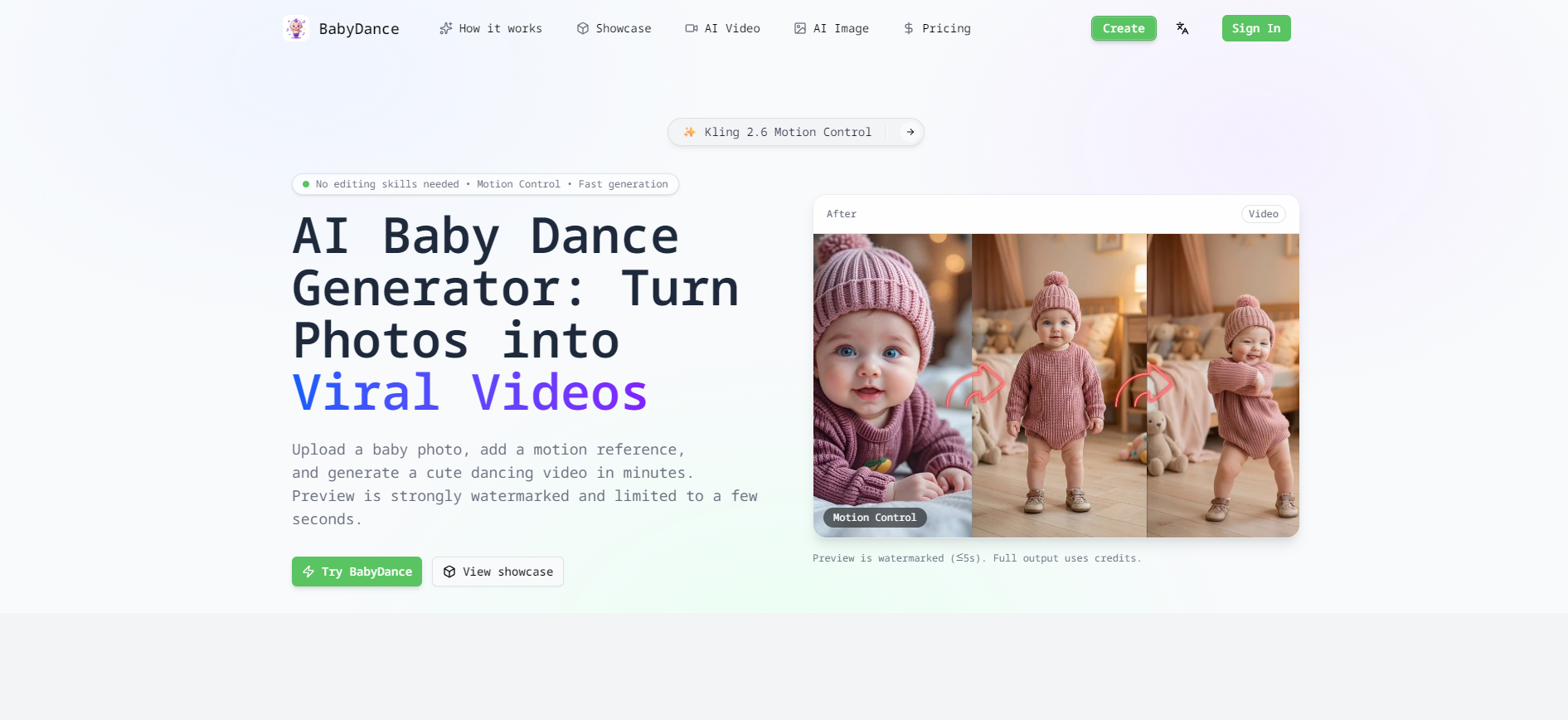
BabyDance is an AI baby dance generator and baby dance maker that turns a still photo into a dancing video. Users upload a clear photo of a baby, pair it with a motion reference video, and the tool generates a clip in which the baby performs the dance. The site describes its generation as using Kling 2.6 Motion Control, and it requires no editing skills.
The workflow follows a one-image-plus-one-motion-video format. Users can pick a dance from the built-in template library or upload their own dance clip; reference videos are capped at 30 seconds for billing. Each generation first produces a short preview of up to about five seconds with a strong watermark, and the full, watermark-free output is generated with credits. Videos stay private by default unless the user publishes them.
Who it's for
- Parents making clips of their babies
- Families creating keepsakes and greetings
- Social media creators on TikTok and Instagram Reels
- People preparing birthday or baby announcement videos
How to use BabyDance
- 1
Upload a baby photo
Add a clear, front-facing photo of the baby. Good lighting and a simple background help keep the face consistent.
- 2
Choose a dance motion
Select a template from the library or upload your own dance video as the motion reference; references are capped at 30 seconds.
- 3
Review the preview
Generate a short watermarked preview to check the result before spending credits on the full version.
- 4
Generate and share
Create the full video with credits, download it and share it on social platforms or with family.
BabyDance key features
Photo to dancing video with Kling 2.6 Motion Control
Combines one character image with one motion reference video to animate the baby in the photo.
Dance template library
A set of ready-made dance templates that can be reused directly as motion references.
Trending AI dance styles for TikTok
Dance ideas aimed at TikTok, YouTube Shorts, Instagram Reels and X.
Face preservation
Designed to keep the baby's face recognizable throughout the dance.
Watermarked previews before full output
A short preview is shown first; the full video without a watermark is generated using credits.
Private by default
Uploaded photos and generated videos are kept private unless the user chooses to publish them.
BabyDance use cases
Dancing baby videos for social media
Make short clips sized for TikTok, Instagram Reels and YouTube Shorts.
Birthday and holiday greetings
Create birthday videos, party invites or seasonal greetings for occasions such as Christmas and Easter.
Baby announcements
Share a baby reveal or pregnancy news with a playful dancing clip.
Family keepsakes and gifts
Turn baby photos into animated memories to send to grandparents, relatives and friends.
How BabyDance is built
BabyDance runs on the ShipAny Two template, whose ready-made sign-in, payments, subscriptions and credits system support the site's credit-based generation, one-time packs and monthly or yearly subscriptions.
View the ShipAny Two templateBabyDance FAQ
What is BabyDance?
BabyDance is an AI baby dance generator that turns a baby photo and a dance motion reference into a short dancing video.
Is BabyDance free?
Generations start with a short, strongly watermarked preview. Full, watermark-free videos require credits, which are available through one-time packs or paid subscriptions.
How do I make a photo to dancing video with BabyDance?
Upload a clear baby photo, choose a dance template or upload your own motion video, review the watermarked preview, then generate the full video with credits.
What AI model does the baby dance maker use?
The site states that it uses Kling 2.6 Motion Control to animate the photo based on the motion reference.
Are my baby dance videos public by default?
No. Photos and videos are kept private by default unless you choose to publish them.
Can I use my own dance video as a reference?
Yes. You can upload your own dance clip as the motion reference; it is automatically capped at 30 seconds for billing.
This introduction is based on the public pages of babydancemaker.com, read on October 9, 2026.