What is MoneyFast?
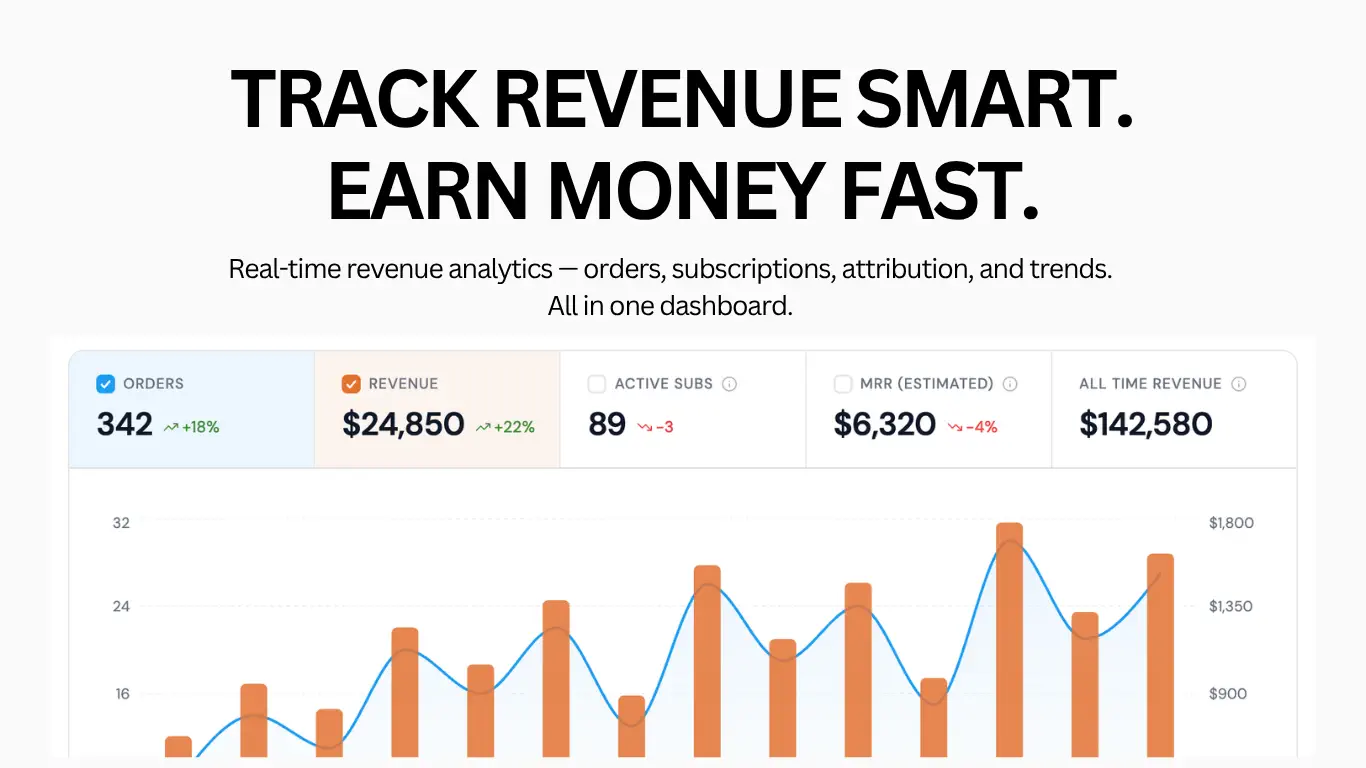
MoneyFast is a revenue analytics dashboard for founders, indie hackers, and SaaS teams using Stripe. It collects payment events through webhooks and presents orders, revenue, subscriptions, refunds, and trends in one place. Users can compare reporting periods and explore breakdowns by product, traffic source, campaign, and geography. Separate websites can be managed from a single account.
Setup uses a Stripe API key or a manually configured webhook, with historical imports available through the API key connection. MoneyFast verifies and deduplicates payment events before storing immutable records. Its attribution tracking connects checkout metadata with visitor information collected by a website script. Additional tools cover custom frontend events, infrastructure costs, email alerts, and weekly reports. Historical subscription figures may differ from Stripe because past states are reconstructed from current records.
Who it's for
- Indie hackers tracking product revenue
- SaaS founders monitoring subscriptions
- Teams managing multiple websites
- Operators evaluating acquisition sources
How to use MoneyFast
- 1
Create a website and connect Stripe
Add your website in MoneyFast, then provide a restricted Stripe API key for automatic setup or configure a webhook manually. The API key connection also enables historical imports.
- 2
Configure checkout attribution
Install the tracking script to capture UTM parameters, referrer, and device information. Pass the collected cookie data into checkout metadata; subscription attribution also requires metadata on subscription_data.
- 3
Import history and review the dashboard
Use the API key connection to import existing checkout sessions and subscriptions. Review incoming payment events, select a reporting period, and examine revenue, subscription metrics, and attribution breakdowns.
MoneyFast key features
Stripe revenue dashboard
Review orders, revenue, refunds, and payment events with period comparisons. Trend charts use hourly, daily, or monthly granularity according to the selected date range.
Subscription tracking and MRR tracking
Follow subscription changes and monthly-normalized recurring revenue. Active subscriber counts represent unique paying customers with positive MRR, with defined exclusions for trials, free plans, metered-only subscriptions, and pending cancellations.
Attribution tracking
Connect visitor source information to orders through the website script and checkout metadata. Explore UTM campaigns, referrers, devices, and geographic breakdowns.
Multiple websites and currencies
Manage separate website dashboards and webhooks within one account. Currency reporting uses Stripe settlement data to reflect amounts settled to the account.
Payment alerts and reports
Receive email notifications for new orders, subscriptions, refunds, and disputes, along with weekly revenue reports.
Custom events and cost records
Track frontend actions such as signups, clicks, and conversions with MoneyFast.track(). Record hosting, database, and API costs to view spending alongside revenue.
MoneyFast use cases
Monitor SaaS subscription performance
Review recurring revenue and subscription changes over a selected period to understand how the paying customer base is changing.
Evaluate revenue by acquisition source
Use attributed orders to compare traffic sources and campaigns, connecting acquisition activity with recorded payments.
Manage a portfolio of products
Keep separate revenue dashboards and webhook connections for multiple websites while managing them from one account.
Review revenue alongside operating costs
Record infrastructure spending and inspect it alongside incoming revenue when reviewing product operations.
How MoneyFast is built
MoneyFast is listed as built with ShipAny Two. Its free-trial and paid-subscription model fits the template’s ready-made authentication, payment, and subscription capabilities.
View the ShipAny Two templateMoneyFast FAQ
What is MoneyFast?
MoneyFast is a revenue analytics dashboard that receives payment events through webhooks. It combines revenue trends, subscription metrics, attribution, and related operational tools.
Is MoneyFast free to try?
The site offers a free trial without requiring a credit card. Paid subscriptions are available.
How do I connect MoneyFast as a Stripe revenue dashboard?
Add a website and connect using a restricted Stripe API key, or configure a webhook endpoint manually. The API key option also supports importing historical checkout sessions and subscriptions.
How does MRR tracking work in MoneyFast?
MRR is the monthly-normalized value of active and past_due subscriptions at the end of the selected period. Trials, free plans, metered-only subscriptions, and pending_cancel subscriptions are excluded.
Why is attribution tracking empty?
The website script must be installed, and its collected cookie data must be passed as checkout metadata. For subscriptions, metadata must also be supplied on subscription_data.
Why can historical subscription tracking differ from Stripe?
Historical subscription snapshots are reconstructed from current subscription records. Earlier plan changes, discounts, cancellation schedules, and delinquency transitions may not be fully recoverable.
This introduction is based on the public pages of moneyfa.st, read on October 9, 2026.