What is Skills.lc?
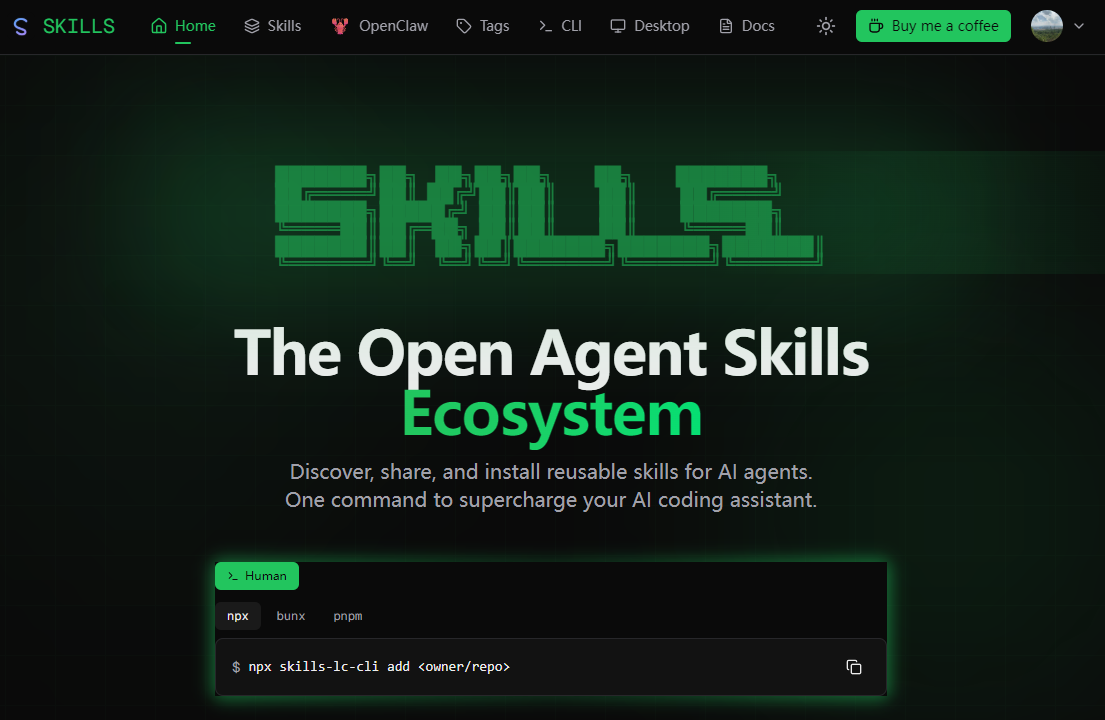
Skills.lc is a searchable catalog of AI agent skills: reusable packages that extend what an AI coding assistant can do. It describes itself as an open agent skills ecosystem and lists hundreds of thousands of skills, each linked to the GitHub-style owner/repo it comes from, along with install counts. Users can browse Claude skills, Cursor skills and skills for other agents, then add one to their setup.
Installation runs through a single CLI command, skills-lc-cli add <owner/repo>, which can be launched with npx, bunx or pnpm. A skills leaderboard ranks entries by new, trending, hot, favorites and all-time installs, and tag and publisher pages help narrow results. The project is open source under the MIT License and supports agents such as Claude Code, Codex CLI, Cursor, Windsurf and Roo Code.
Who it's for
- Developers using Claude Code or Codex CLI
- Cursor and Windsurf users
- Authors publishing SKILL.md-based agent skills
- Teams standardizing AI coding assistant workflows
How to use Skills.lc
- 1
Browse the catalog
Open skills.lc and explore the skills leaderboard, the All Skills list or tag pages to find a skill that fits your workflow.
- 2
Check the skill details
Review the skill's description, its source owner/repo and its install count to judge whether it suits your project.
- 3
Install with one command
Run npx skills-lc-cli add <owner/repo> (or the bunx or pnpm equivalent) in your terminal to add the skill to your agent.
- 4
Use it in your agent
Start your AI coding assistant, such as Claude Code, Codex CLI or Cursor, and let it use the newly added skill.
Skills.lc key features
Large catalog of AI agent skills
Hundreds of thousands of agent skills are indexed, each tied to its source repository and shown with install figures.
Skills leaderboard
Rankings for new, trending, hot, favorite and all-time popular skills make it easier to see what other developers install.
One-command CLI install
The skills-lc-cli tool adds a skill from an owner/repo reference and works with npx, bunx or pnpm.
Claude skills, Cursor skills and more
Skills are presented for multiple agents, including Claude Code, Codex CLI, Cursor, Windsurf and Roo Code.
Tags and publisher pages
Tag browsing and per-publisher pages show a publisher's skills, repositories and total installs.
Open source and API
The project is released under the MIT License, and the site links to API docs, a CLI and a desktop section.
Skills.lc use cases
Extending an AI coding assistant
A developer finds a skill for a recurring task, such as security auditing or documentation, and installs it into Claude Code or Cursor.
Sharing SKILL.md skills
Skill authors who keep skills in a public repository can have them discovered and installed by other users through the catalog.
Tracking popular agent skills
Users check the leaderboard to see which skills are trending or newly added across the open agent skills ecosystem.
How Skills.lc is built
Skills.lc is built on the ShipAny Two template, which supplies the site foundation, including ready-made auth, payments and account features. The visible site centers on free browsing and CLI installs rather than a paid model.
View the ShipAny Two templateSkills.lc FAQ
What is Skills.lc?
Skills.lc is an open directory of AI agent skills where people can discover, share and install reusable skills for AI coding assistants like Claude Code, Codex CLI and Cursor.
Is Skills.lc free?
The source pages describe no paid plans. The project is open source under the MIT License and offers a "Buy me a coffee" link for support.
How do I install agent skills with Skills.lc?
Run npx skills-lc-cli add <owner/repo> in your terminal. You can also use bunx or pnpm in place of npx.
Does Skills.lc have Claude skills and Cursor skills?
Yes. The site lists skills for Claude Code and Cursor, as well as Codex CLI, Windsurf and Roo Code.
How does the skills leaderboard work?
The leaderboard sorts skills into New, Trending, Hot, Favorites and All Time views, and shows install counts for each entry.
This introduction is based on the public pages of skills.lc, read on October 9, 2026.