
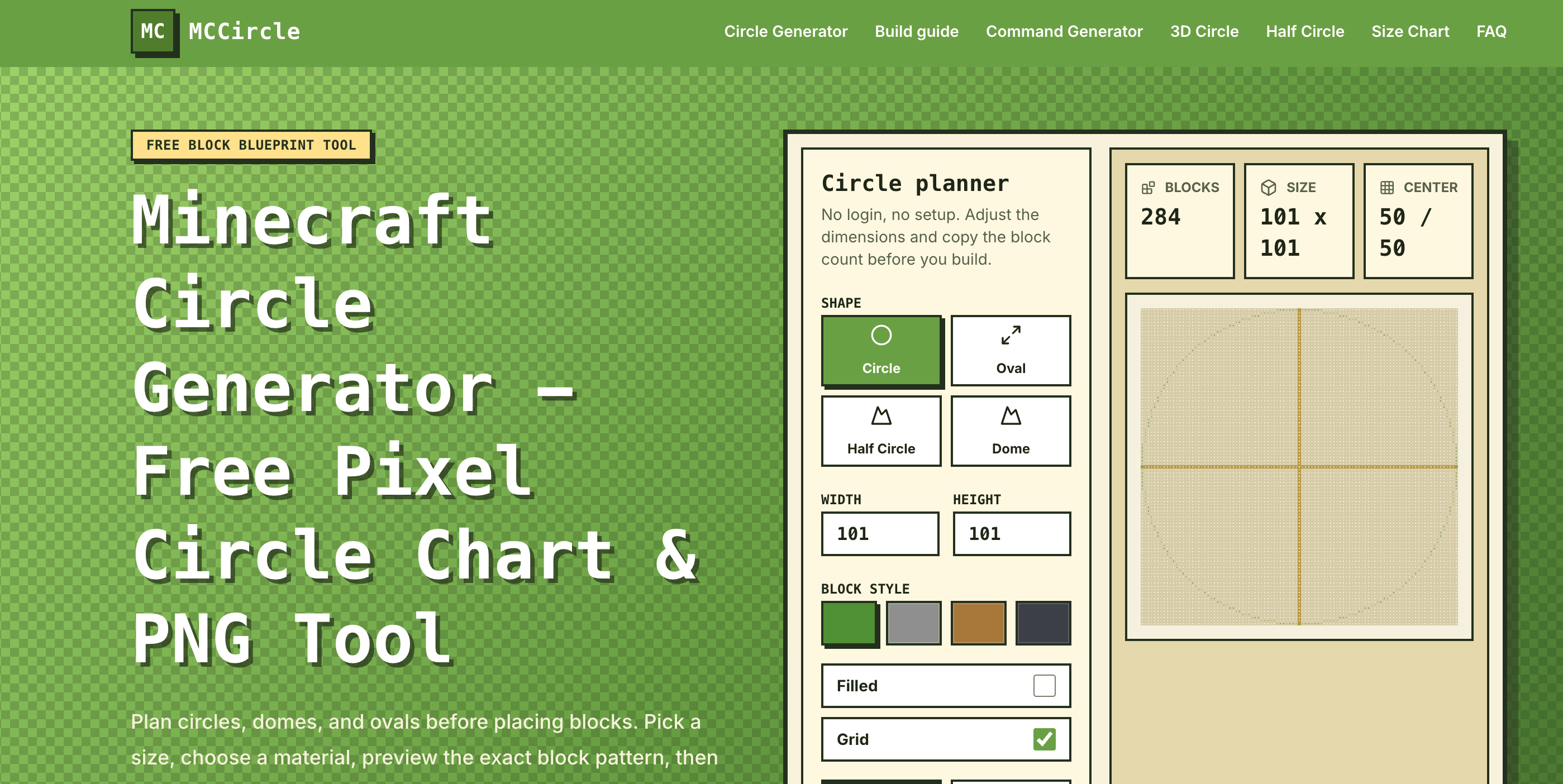
What is MCCircle?
MCCircle is a free Minecraft circle generator that runs in the browser. Players set a width and height between 3 and 128 blocks and get a Minecraft circle chart showing which blocks to place. The planner also handles ovals, half circles and domes, and lists the block count, center position, number of 64-block stacks and circumference. MCCircle supports both Java and Bedrock players.
The circle comes from an ellipse equation mapped onto Minecraft's square grid, and the edge is tuned for building in the game rather than for an exact vector shape. Players can pick outline or filled mode, toggle grid lines, and download the result as a PNG Minecraft circle blueprint. No account, signup or payment is needed. The site also includes separate tools for spheres, cylinders, cones, arches, thick circles, numbered charts and commands.
Who it's for
- Minecraft survival players planning bases
- Builders working on megabuilds and towers
- Pixel art and map art creators
- Java and Bedrock players new to building circles
How to use MCCircle
- 1
Pick a shape and size
Choose Circle, Oval, Half Circle or Dome, then type a width and height or click a quick size such as 15, 21 or 31.
- 2
Choose the block style
Pick outline or filled mode and turn grid lines on or off. The preview changes as soon as you edit any input.
- 3
Check the material count
Read the block total, stack count, center coordinates and circumference so you know how much material to gather.
- 4
Export the blueprint
Download the grid as a PNG, or copy the chart or a share link, and keep it open next to the game while you place blocks.
MCCircle key features
Minecraft circle generator for 3–128 blocks
Makes circles, ovals, half circles and domes on a block grid, with quick presets for common diameters.
Minecraft circle chart with block counts
Lists the block count, 64-block stacks, center position and circumference for the current shape.
Pixel circle maker with outline or fill
Shows only the edge blocks for walls and borders, or fills the shape in for floors, roofs and pixel-art discs.
PNG Minecraft circle blueprint export
Saves the grid as a PNG in the selected material color, with grid lines if you want them.
Size chart and related shape tools
Includes a reference chart of common diameters and outline counts, plus sphere, dome, cylinder, arch, cone and command generators.
Free with no account
Runs in the browser and does not ask for login, registration or payment.
MCCircle use cases
Survival base planning
Work out the footprint and block count for a round base before a long mining or gathering trip.
Towers, wells and fountains
Use outline charts for small builds such as 7x7 wells or 15x15 towers.
Megabuilds and arenas
Plan large circles, such as a 51x51 megabuild. Build one quadrant from the chart, then mirror it across the other three.
Pixel art with a pixel circle generator
Use filled mode to get square-grid discs for pixel art in Minecraft or other block-based projects.
How MCCircle is built
MCCircle is built on the ShipAny Next template. The tool is currently free and needs no sign-in, so the template's ready-made auth, payment and credit features are not visible on the site.
View the ShipAny Next templateMCCircle FAQ
What is MCCircle?
MCCircle is a free browser tool that generates Minecraft circles, ovals, half circles and domes as block charts. You can download the result as a PNG blueprint.
Is MCCircle free?
Yes. It works without an account, subscription or payment. The site says it plans to add lightweight ads in the future.
How do I make a circle in Minecraft with the MCCircle circle chart?
Pick a diameter and mark the center block in your world. Then place the colored blocks row by row, building one quadrant and mirroring it across the other three.
Should I enter the radius or the diameter in the Minecraft circle generator?
Width and height are the full diameter. If you only know the radius, double it and add one to get a single center block.
Do even-number circles work in Minecraft?
Yes. Even diameters have a two-block center line instead of a single middle block, which suits builds such as double doors.
Can I download a Minecraft circle blueprint?
Yes. You can export the grid as a PNG that uses the current material color and includes grid lines if you turn them on.
This introduction is based on the public pages of mccircle.org, read on October 9, 2026.