
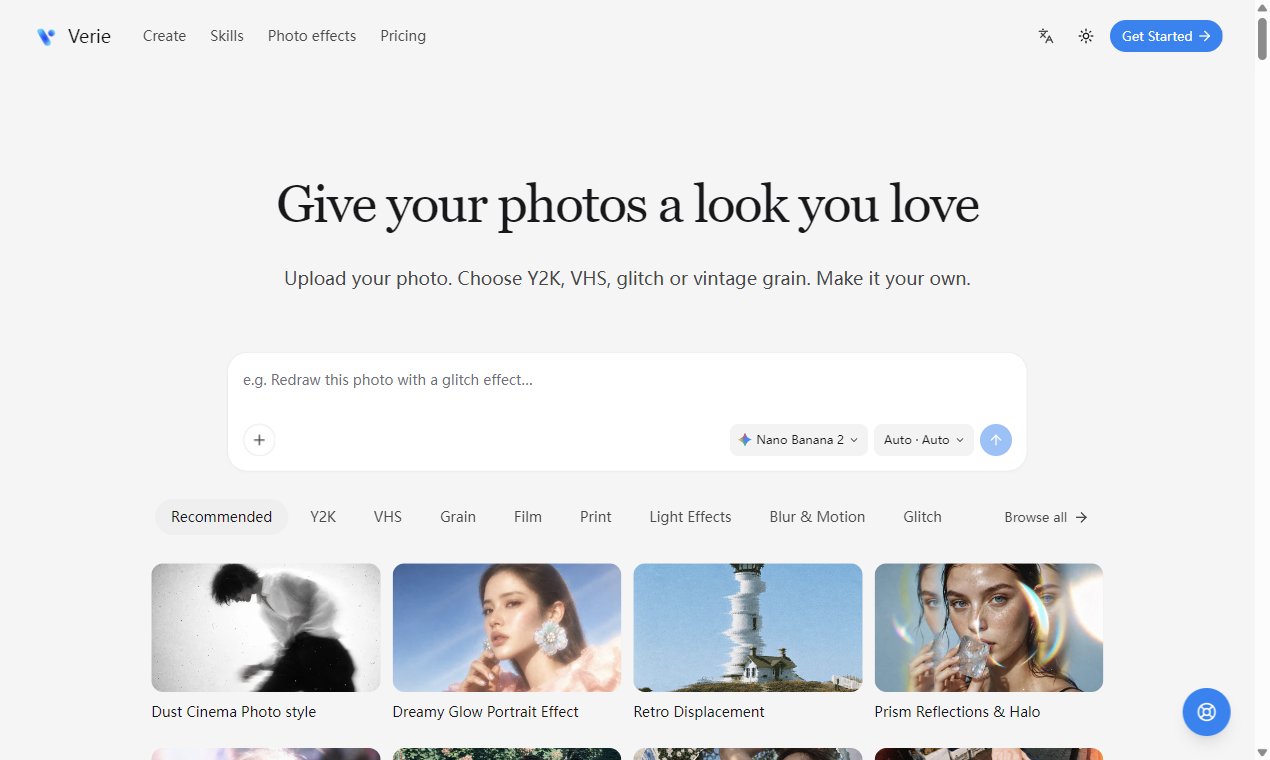
What is Verie?
Verie is an AI photo filter app that runs in the browser. Users pick a style from its catalog of photo effects online, such as a Y2K filter, a VHS filter, an RGB glitch photo effect or a grain and vintage print treatment, then sign in and upload a photo. Each style lists its own options and shows a credit estimate before generation, and the finished image can be reviewed and downloaded in the same workspace without Photoshop or a plugin.
Every effect is built on a saved recipe called a Skill, which defines the starting style, supported inputs and settings so users do not have to write a detailed prompt. After the first result, users can keep going in a conversation, asking for a softer glow, a subtler treatment or details to preserve. The workspace also offers basic brightness, contrast and saturation adjustments that do not use generation credits, plus a separate camera angle changer for producing a new viewpoint of a photo.
Who it's for
- People refreshing portraits and profile pictures
- Social media creators preparing posts
- Musicians and designers making cover art
- Casual users who want retro photo looks without Photoshop
How to use Verie
- 1
Choose a look
Browse the photo effects and their before-and-after examples, then open the style you want, such as Y2K Digicam, VHS, Glitch or Grain.
- 2
Upload your photo
Sign in, add an image, pick the options available for that style and check the credit estimate.
- 3
Generate and review
Generate the effect, compare the result with the original and download the version you want.
- 4
Refine through conversation
Send a follow-up request in the same conversation, for example a softer glow or a different mood, to get another version.
Verie key features
Y2K filter and VHS filter styles
The Y2K Digicam style adds soft haze, grain and pink-lilac color, while the VHS style adds scan lines, colored static and analog jitter to still photos.
Glitch photo effect and vintage photo effect
The glitch style creates red-cyan color offsets and interference lines; the grain style uses a Standard Print treatment with fine grain and a vintage paper finish.
Skills as saved visual recipes
Each effect comes with a Skill that sets the starting style, supported inputs and available settings, so no detailed prompt is required.
Conversational follow-up edits
After the first output, users can describe changes or details to keep, and each new version can be compared with the original.
Light and color adjustments
Brightness, contrast and saturation can be adjusted with a live preview, without spending generation credits, and saved as a separate version.
Camera angle changer
A dedicated page lets users choose camera direction, height and framing, review a credit quote and then generate a new view of a photo.
Verie use cases
Dreamy portraits and profile pictures
Apply a Y2K filter to a clear portrait for a nostalgic, softly colored profile picture.
Retro cover art and social posts
Use the VHS filter on a street scene, room or portrait to give a thumbnail or cover image a tape-inspired feel.
Bold or textured print looks
Choose the glitch photo effect for strong digital distortion, or the grain effect for a quieter vintage print texture.
Iterating on a second version
Ask for a subtler treatment or describe what to preserve, then pick the version that fits the project.
Verie FAQ
What is Verie?
Verie is a browser-based AI photo filter app. You upload a photo and apply styles such as Y2K, VHS, glitch or vintage grain, then refine the result through conversation.
Is Verie free?
Browsing effects and examples costs nothing, and eligible new accounts get starter credits. Generating images uses credits, and paid subscriptions and one-time credit packs are available.
How do I apply AI photo filters online with Verie?
Open an effect, sign in and upload your photo. Pick the style's options, check the credit estimate, then generate and download the result in your browser.
Can I add a VHS filter to a video?
No. Verie's VHS effect only works on still photos, adding scan lines and colored static to images like portraits, thumbnails or covers.
Will a photo effect change my face or other details?
It can. AI effects can change details as well as color and texture, so the site recommends saying what you want preserved and comparing faces, text and shapes with the original.
Do my photos appear in the public gallery automatically?
No. Uploading a photo or creating a result does not publish it. Public examples are chosen separately.
This introduction is based on the public pages of verie.app, read on October 28, 2026.