
What is Unicorn Coloring Pages?
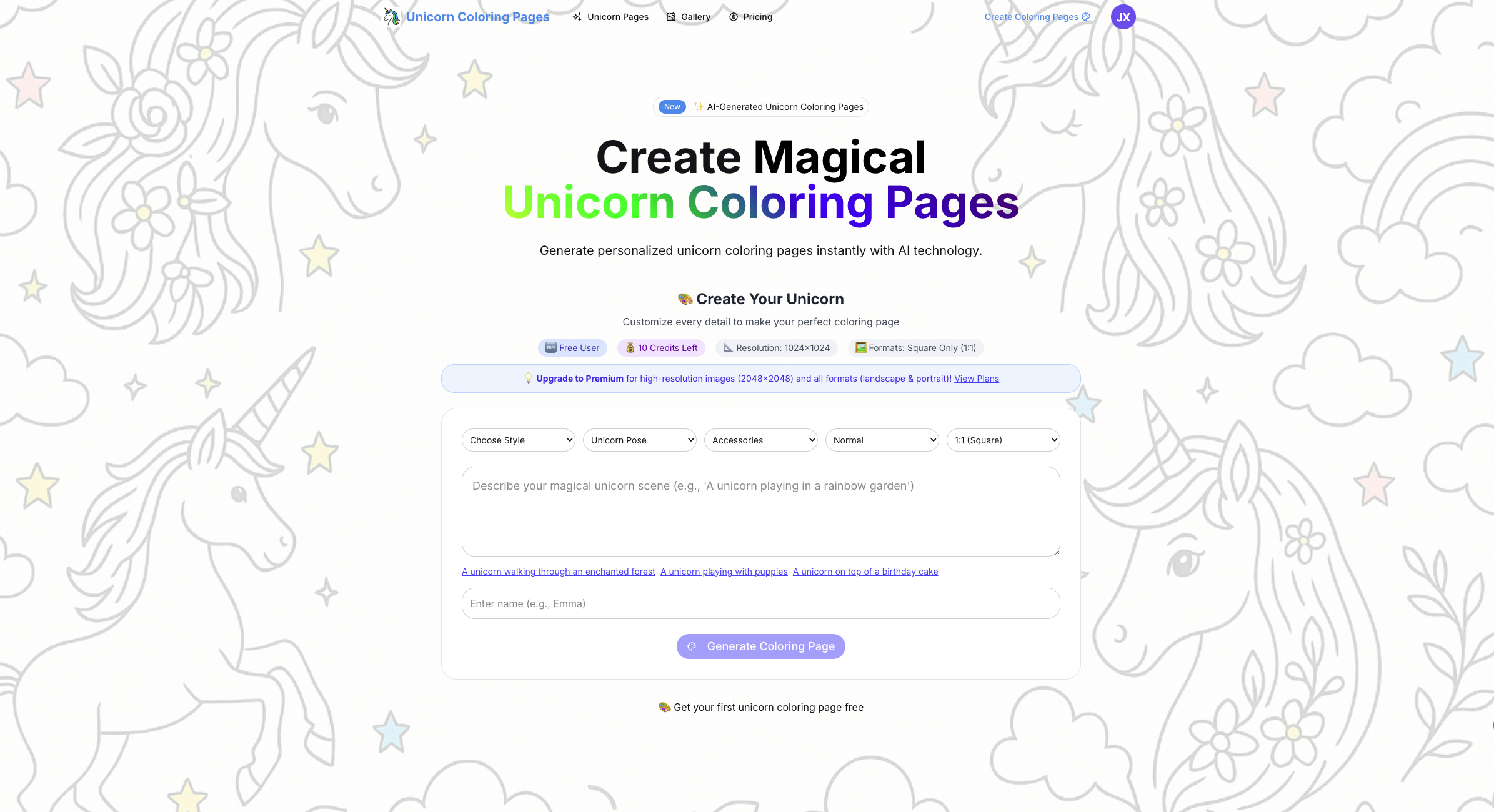
Unicorn Coloring Pages is a website for creating unicorn coloring pages with AI and downloading designs for printing or digital coloring. Users can describe a scene, add a child's name, and select visual details before generating an illustration. The site also offers free downloadable pages without registration, while creating custom AI coloring pages requires signing in.
Its customization options include themed settings, unicorn poses, accessories, and background complexity. Personalized coloring pages can incorporate names or occasion messages instead of relying solely on a fixed collection of illustrations. Users generate and preview a design, then download it in a supported format. The service is intended for children and adults, with suggested uses including classroom activities, birthday favors, and family coloring sessions.
Who it's for
- Parents preparing coloring activities
- Teachers and preschool educators
- Birthday party organizers
- Adults who enjoy coloring
How to use Unicorn Coloring Pages
- 1
Choose a starting design
Browse the available coloring pages or sign in to create a custom AI design.
- 2
Customize the illustration
Describe the scene and specify a name or message. Choose a theme, unicorn pose, accessories, background complexity, and available image proportions.
- 3
Generate and preview
Generate the coloring page with AI and preview the result before downloading.
- 4
Download and color
Download a PDF for printing or a PNG/JPG for digital coloring. The site also lists a built-in digital coloring tool.
Unicorn Coloring Pages key features
Personalized coloring pages
Names and custom messages can become part of the artwork, allowing designs to reflect a child or a particular occasion.
Custom scenes with AI
Text descriptions guide the design beyond preset scenes, including requested characters, activities, and settings.
Magical unicorn art themes
Theme choices include magical forests, fairy castles, rainbow skies, space unicorns, and ice kingdoms.
Pose, accessory, and complexity controls
Users can select poses such as standing or flying, add accessories such as wings or a flower crown, and choose simple, normal, or complex backgrounds.
Printable unicorn pages
The site lists PDF downloads for printing and PNG/JPG downloads for digital use, with support for standard home printers.
Digital coloring
A built-in coloring tool is listed for users who want to color their pages digitally.
Unicorn Coloring Pages use cases
Coloring pages for kids at home
Parents can create pages featuring a child's name and preferred scene, with simpler backgrounds available for younger children.
Birthday party favors
Organizers can create coloring pages with individual guests' names or a birthday message.
Classroom coloring activities
Teachers can personalize pages for individual students and vary complexity to suit different grade levels.
Family and adult coloring
Families can print designs for a shared activity, while adults can choose more detailed backgrounds for their own coloring sessions.
Unicorn Coloring Pages FAQ
What is Unicorn Coloring Pages?
It is a website that uses AI to create customizable coloring illustrations. Users can add names, describe scenes, and choose visual options before generating a page.
Is Unicorn Coloring Pages free?
The site offers free downloadable pages without signup and a free tier for custom generation. Paid options are also available, and generating custom pages requires signing in.
How do I create AI coloring pages with a child's name?
Sign in, specify the child's name and desired scene, and select the available design options. Generate the page and preview it before downloading.
How do I download and print unicorn coloring pages?
The site lists PDF downloads for printing at home on regular paper. PNG and JPG formats are also available for digital coloring.
Can I adjust coloring pages for kids and adults?
The generator offers simple, normal, and complex background settings. The site presents these options as suitable for different ages and coloring preferences.
Can I choose landscape or portrait designs?
The generator lists square, landscape, and portrait proportions. Landscape and portrait options require an upgrade.
This introduction is based on the public pages of unicorn-coloring-pages.com, read on October 9, 2026.