
What is SiteSnapper?
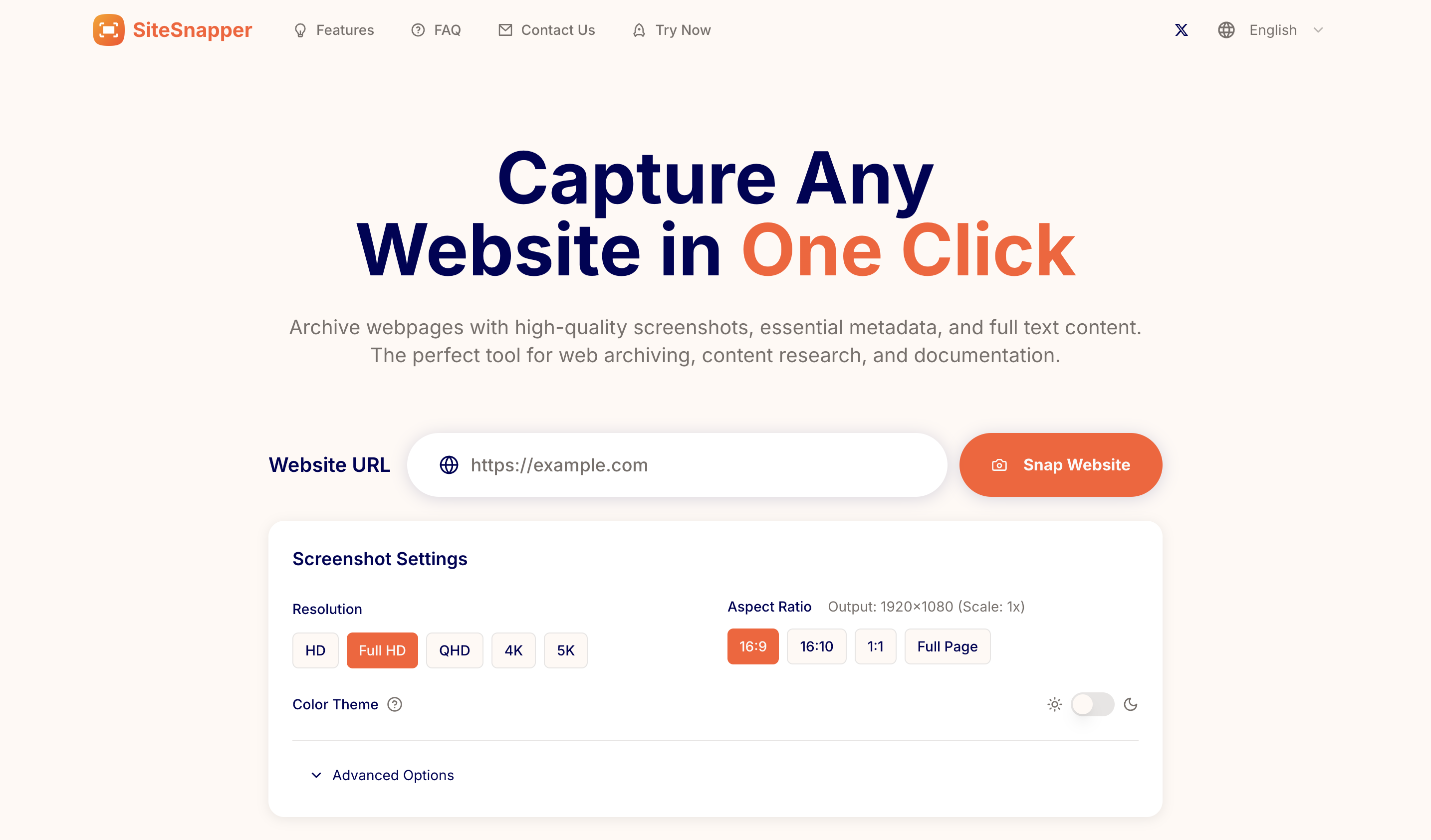
SiteSnapper is a web archiving and website capture tool that collects a webpage’s visual appearance, metadata and full text content from a supplied URL. Users enter a website address, choose capture settings and run the capture to obtain screenshots alongside extracted information. The product brings these outputs together for researchers, content curators and digital professionals who need to preserve or review web content.
As a screenshot tool, SiteSnapper offers device emulation, full-page capture and resolutions ranging from HD to 5K. Users can select light or dark themes and adjust advanced settings, including a wait time, an element to click and custom CSS applied before capture. Screenshots can be downloaded as PNG or JPEG files, while extracted metadata and text can be copied for use elsewhere.
Who it's for
- Web content researchers
- Content curators
- Digital preservation professionals
- Website designers and reviewers
How to use SiteSnapper
- 1
Enter a webpage URL
Paste the address of the webpage into the Website URL field.
- 2
Choose capture settings
Select a resolution, aspect ratio or full-page capture, and color theme. Use device emulation when a desktop, phone or tablet view is needed.
- 3
Adjust and run the capture
If needed, configure a wait time, an element click or custom CSS before selecting Snap Website.
- 4
Export the results
Download the screenshot as PNG or JPEG, and copy the extracted metadata and webpage text.
SiteSnapper key features
Screenshots and full-page capture
Capture a webpage’s appearance, including content below the fold, with resolution options from HD to 5K.
Metadata extraction
Collect webpage titles, descriptions and brand assets such as logos or icons alongside the screenshot.
Full text content extraction
Extract webpage text for subsequent analysis, searching and archiving.
Device and theme settings
Capture desktop, phone and tablet views, with support for light and dark themes.
Advanced capture controls
Set a wait time, click a specified element or inject custom CSS before taking the screenshot.
Download and copy options
Export screenshots in PNG or JPEG format and copy metadata or text content with one click.
SiteSnapper use cases
Digital preservation
Save a webpage’s screenshot, metadata and text together as a record of its content.
Content research
Collect webpage text and identifying information for later review and analysis.
Content curation
Gather titles, descriptions and logos for content directories or bookmarking workflows.
Website appearance documentation
Capture long pages and different device or theme views to document how a website looks.
SiteSnapper FAQ
What is SiteSnapper?
SiteSnapper is a web archiving tool that captures webpage screenshots, extracts metadata and collects webpage text from a URL.
How do I capture a full webpage with SiteSnapper?
Enter the webpage URL and choose Full Page in the capture settings. This option includes content below the fold.
How can I customize website capture?
Settings include resolution, device emulation and light or dark themes. Advanced options allow a wait time, a specified element click and custom CSS before capture.
What files and content can I export?
Screenshots can be downloaded as PNG or JPEG files. Extracted metadata and webpage text can be copied.
Is there a daily capture limit?
The homepage states a limit of 50 captures per user per day.
This introduction is based on the public pages of sitesnapper.app, read on October 9, 2026.