
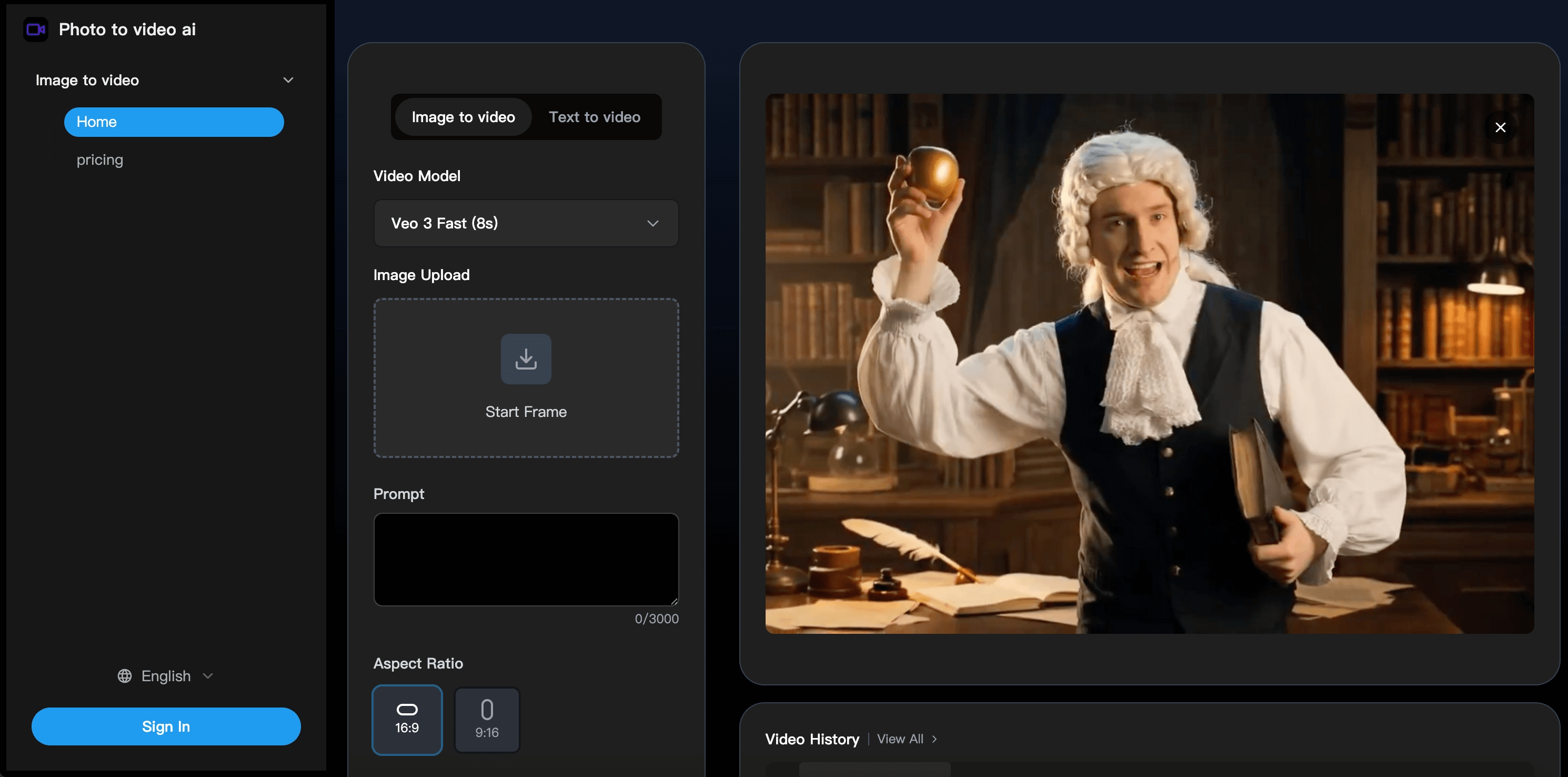
What is Photo to Video AI?
Photo to Video AI is a web-based image to video AI service that animates still pictures. Users upload a photo, add an optional prompt describing the motion, choose an aspect ratio and resolution, and the AI video generator returns a short MP4 clip, typically within 1-3 minutes according to the site. A separate text to video mode is also available in the same generator panel.
The tool differs from single-model apps by letting users pick between several video models, including Google Veo 3, Seedance, Hailuo and Video STD. Output can be set to 16:9 or 9:16 and to 720p or 1080p, which suits YouTube as well as vertical formats for TikTok and Instagram. The site also links to related image tools such as an AI figure generator.
Who it's for
- Social media creators
- Marketers making short video ads
- People animating family or travel photos
- Hobbyists exploring AI video models
How to use Photo to Video AI
- 1
Upload your image
Sign in, open the Image to video tab and upload a start frame in JPG or PNG format; clear, well-lit images give the best results.
- 2
Pick a model and settings
Choose a video model such as Veo 3 or Seedance, write a prompt describing the motion (for example 'gentle zoom in'), and set the aspect ratio and resolution.
- 3
Generate the video
Start generation and wait a few minutes while the model processes the image; results appear in your video history.
- 4
Preview and download
Review the result and download it as an MP4 file ready to post on social platforms.
Photo to Video AI key features
Image to video AI generator with multiple models
Users can switch between Google Veo 3, Seedance, Hailuo and Video STD, each suited to different motion styles and effects.
Text to video mode
Besides animating photos, the generator includes a text to video tab for creating clips from a written prompt.
Prompt-guided camera movement
Descriptive prompts can steer pans, zooms and rotations, while the AI also infers suitable motion from the image itself.
Social-ready formats
Videos are exported as MP4 in 720p or 1080p, with 16:9 and 9:16 aspect ratios for horizontal and vertical platforms.
Fast and Quality modes
Fast Mode returns clips in a few minutes for quick previews, while Quality Mode takes longer to produce more detailed animation and smoother motion.
Privacy handling
The site states that uploaded photos are deleted automatically within 24 hours and that transfers use SSL encryption; payments are handled by Stripe.
Photo to Video AI use cases
Social media posts and reels
Transform an image into a video for Instagram reels, TikTok posts or YouTube Shorts without editing software.
Animating personal memories
Bring family portraits or travel photos to life as short animated keepsakes.
Marketing and advertising clips
Videos generated from your own photos may be used commercially, for example in social campaigns, subject to the site's terms.
Experimenting with AI video models
Compare how Veo 3, Seedance and other models animate the same picture to explore different visual styles.
Photo to Video AI FAQ
What is Photo to Video AI?
Photo to Video AI is an online AI video generator that turns uploaded still images into short animated MP4 videos using models such as Veo 3, Seedance, Hailuo and Video STD.
Is Photo to Video AI free?
The site mentions free credits for trying the service, and additional credits are available through paid plans. Signing in is required to generate videos.
How do I transform an image into a video with Photo to Video AI?
Upload a JPG or PNG as the start frame, choose a model, add an optional motion prompt, set aspect ratio and resolution, then generate and download the MP4.
How long does image to video AI generation take?
The site says videos are usually ready in 1-3 minutes; Quality Mode takes longer, around 5-8 minutes, and times vary with server load.
Can I use the generated videos commercially?
According to the site, videos made from your own photos can be used commercially, such as in marketing and advertising, with specifics set out in its terms.
Does Photo to Video AI offer refunds?
No refunds are offered for completed video generations because of processing costs; the site suggests trying the free credits before buying more.
This introduction is based on the public pages of phototovideoai.net, read on October 9, 2026.