
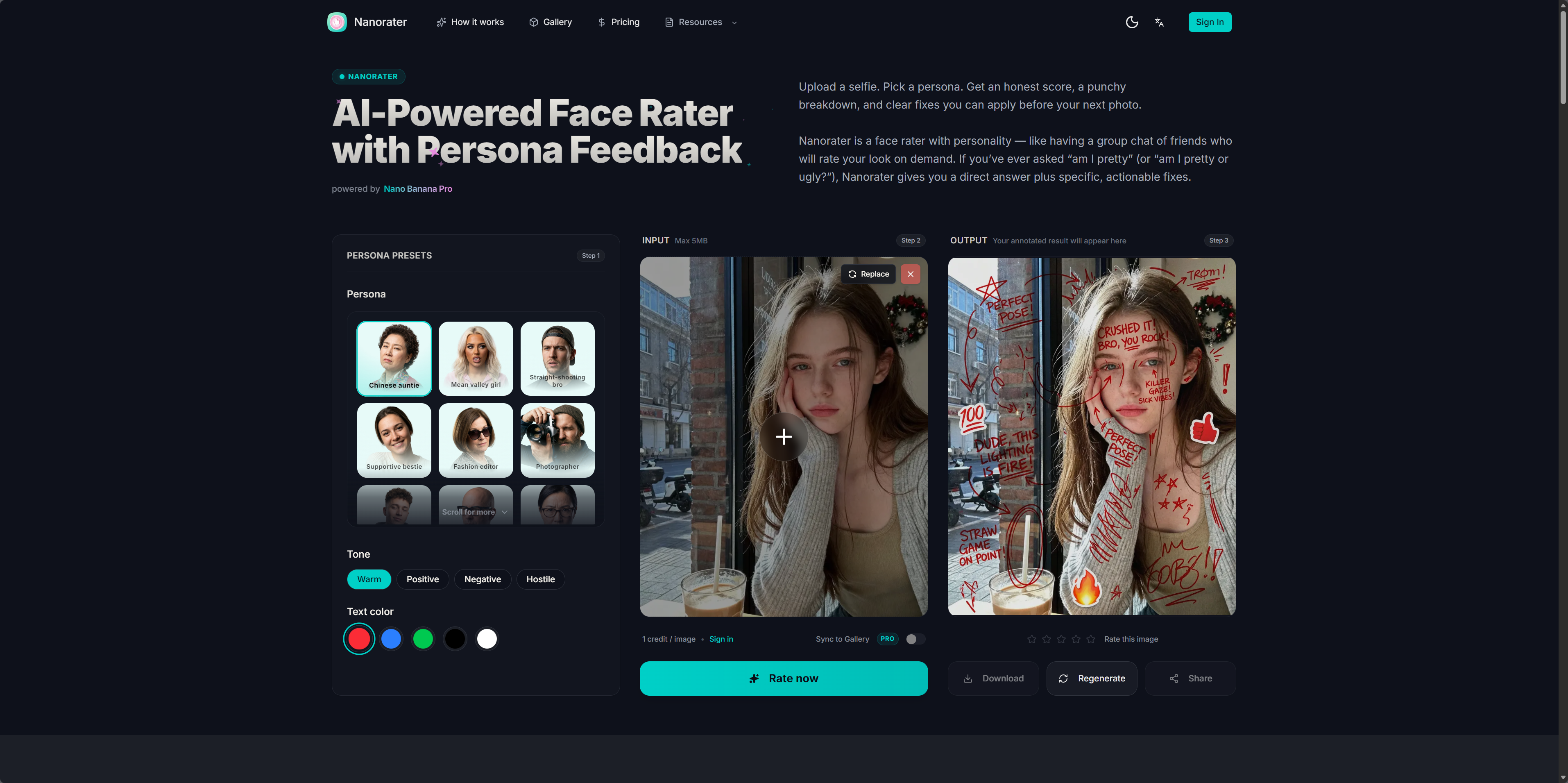
What is Nanorater?
Nanorater is an AI face rater and photo-based attractiveness test for selfies, portraits and profile pictures. It combines a browser-based face map with a separate AI review that assigns a score from 0 to 100. The report explains visible strengths and limitations and suggests a practical change for a retake. Its face rater evaluates how one image presents a face, rather than ranking people or measuring personal worth.
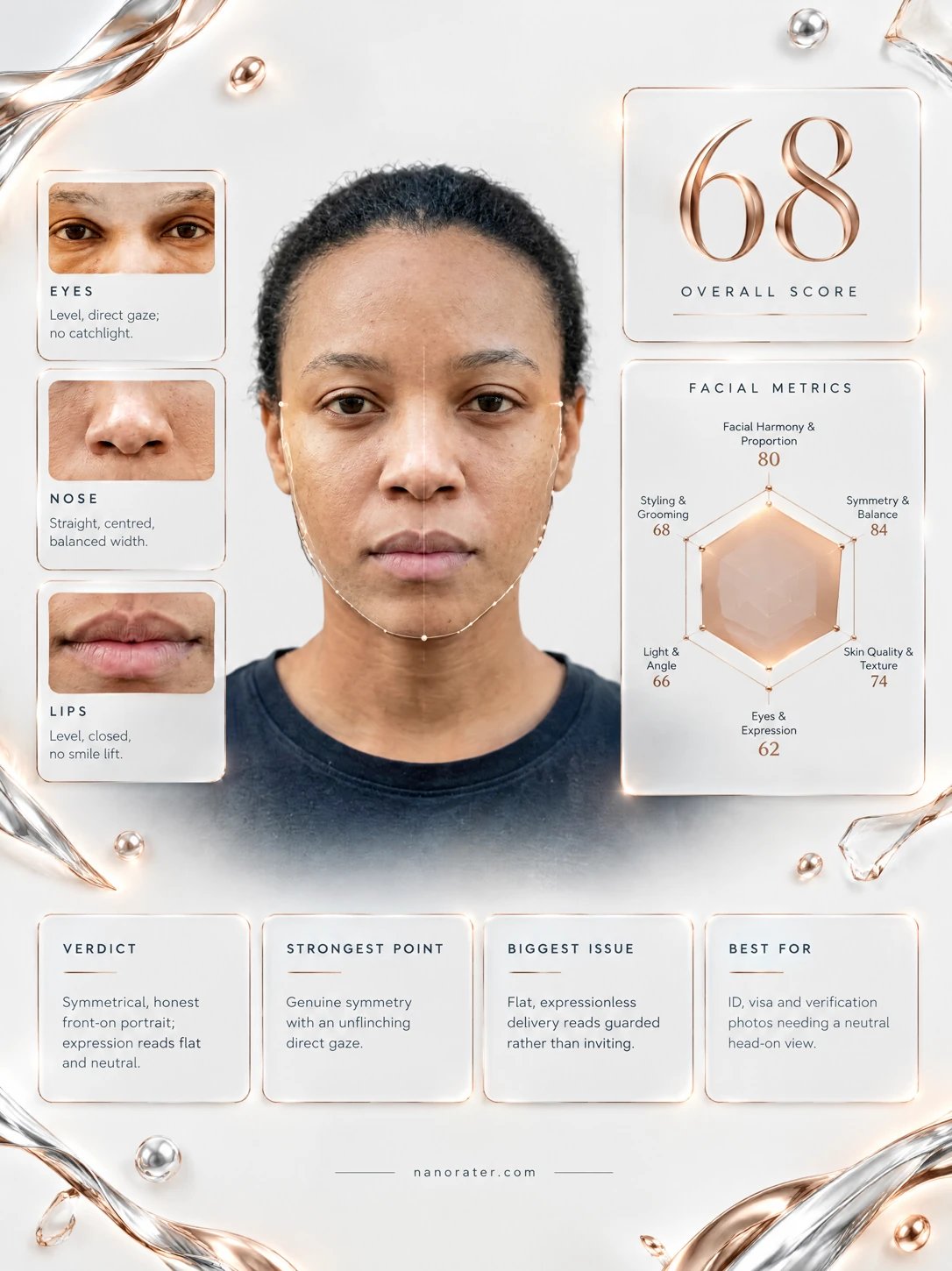
The face map measures mirror balance, facial thirds, fifths and length-to-width without uploading the photo. The AI review uploads the image and considers six dimensions, including expression, lighting and grooming. It also examines shooting conditions before scoring. Professional mode provides neutral feedback, while Doodle mode offers personas that change the wording without changing the score. Results can be presented as a shareable report image.
Who it's for
- People reviewing selfies and portraits
- Users choosing profile photos
- People improving lighting, angle or expression
- Users interested in facial geometry
How to use Nanorater
- 1
Choose a clear photo
Select a recent, unfiltered image with the face visible. Supported formats are JPG, PNG and WebP, with a maximum file size of 10 MB.
- 2
Inspect the face map
Review the browser-generated geometry overlay, including mirror balance, thirds, fifths and length-to-width. This analysis does not upload the photo.
- 3
Request the AI review
Get the photo score and its explanation. Use Professional mode for neutral wording or Doodle mode for persona feedback.
- 4
Retake with one change
Apply a suggestion, such as softer front light or an eye-level camera, then review another photo. Keep other conditions similar to make the comparison more useful.
Nanorater key features
Browser-based face map
MediaPipe Face Landmarker identifies 478 facial points for four geometry measurements. The map runs locally in the browser and compares measurements with a reference set.
Face rating across six dimensions
The AI assesses facial harmony, symmetry and balance, skin quality, eyes and expression, light and color, and styling and grooming, with evidence behind the assessment.
Photo-condition analysis
A separate pass examines camera angle, eye level, lighting direction, background and crop before scoring, helping the report identify photographic limitations.
Persona feedback
Doodle mode offers persona-based wording, while Professional mode uses a neutral visual review. The selected tone does not change the numerical score.
Visual reports and retake advice
Results include a dimension scorecard, verdict and practical retake guidance. A shareable studio report image brings the assessment into a visual format.
Nanorater use cases
Review a profile photo
Use the report to understand how lighting, crop and expression affect the impression of a profile picture.
Improve a selfie
Identify a fixable factor, change it in the next shot and compare the feedback while keeping camera distance and crop similar.
Explore facial proportions
Inspect measured geometry in the browser, keeping in mind that angle, lens and expression can change the measurements.
Nanorater FAQ
What is Nanorater?
Nanorater reviews face photos using a local geometry map and a separate AI assessment. It provides a photo score, explanations and suggestions for a retake.
Is Nanorater free?
Nanorater offers free access and paid options. The instant face map requires no account, and the first AI result can be requested without signing up.
How do I rate my face with Nanorater?
Choose a clear, unfiltered photo and request the AI review. Front-facing images with soft light and an eye-level camera give the tool a clearer view.
Is the AI attractiveness test a scientific beauty measurement?
No. It is structured feedback about one photograph, and the AI can be biased or vary by a few points between runs. The score does not establish someone’s attractiveness in person.
Does Nanorater upload my photo?
The instant face map processes the photo in the browser without uploading it. Requesting the AI score uploads the photo, which may be stored for results and history; the site’s Privacy Policy covers retention and deletion.
Can an attractiveness test help compare two photos?
It can help explain differences in lighting, angle, expression and styling. Small score differences may be noise, so the written evidence is useful when comparing shots.
This introduction is based on the public pages of nanorater.com, read on October 9, 2026.