
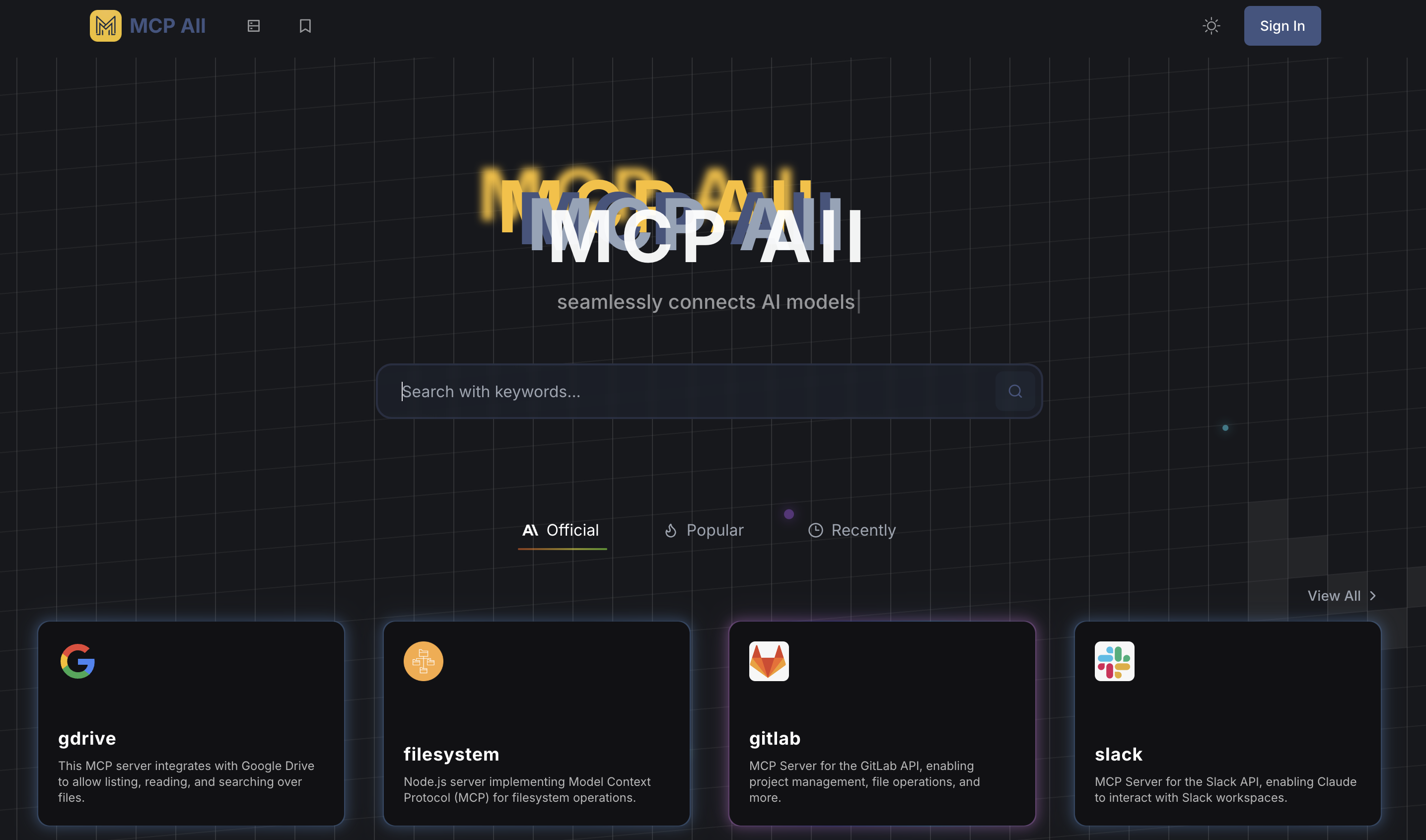
What is MCP All?
MCP All is an MCP server navigation site built around Anthropic's open-source Model Context Protocol. It lists MCP servers grouped into official, popular and recent sections, and aims to help users discover servers, set them up and connect AI assistants such as Claude Desktop and Cursor to data sources and tools.
What sets MCP All apart, according to the site, is a configuration tutorial written for each listed MCP, aimed at beginners, along with bookmarking so users can save favorite MCPs. The platform also describes guided setup, data source connectors, security controls and monitoring for MCP server management, and says users without a technical background can use it.
Who it's for
- Developers exploring MCP servers
- Claude Desktop and Cursor users
- Beginners new to the Model Context Protocol
- Teams connecting AI assistants to internal data
How to use MCP All
- 1
Sign in
Log in to your MCP All account from the homepage.
- 2
Browse MCP servers
Look through the official, popular and recent MCP server listings, or view the full list, and read the configuration tutorial for the server you want.
- 3
Configure data sources and tools
Follow the guided setup to choose which data sources and tools your AI assistant can access.
- 4
Connect your AI client
Link the server to an MCP-compatible client such as Cursor or Claude Desktop. The site says the whole process usually takes under 10 minutes.
MCP All key features
MCP navigation and listings
Browse MCP servers grouped as official, popular and recent, with per-server configuration tutorials written for beginners.
MCP bookmarking
Save and organize favorite MCP configurations so you can find and reuse them later.
Guided MCP server deployment
A wizard-style interface walks users through setting up an MCP server.
Data source integration
The site lists support for document libraries, SQL and NoSQL databases, REST APIs, internal knowledge bases and custom tools, plus pre-configured connectors for systems such as Salesforce, SAP and Microsoft 365.
Security controls and monitoring
The site describes encryption, access controls, audit logs and real-time monitoring of server health and usage.
Claude Desktop and Cursor integration
Works with MCP-compatible AI assistants, including Claude Desktop and Cursor.
MCP All use cases
Finding an MCP server for a task
Developers can browse the directory to find an MCP server and follow its setup tutorial.
Getting started with the Model Context Protocol
Beginners can use the step-by-step tutorials to configure their first MCP without deep technical knowledge.
Connecting AI assistants to internal data
Teams can give Claude Desktop or Cursor access to internal documents, databases and APIs through MCP servers.
Keeping a personal MCP collection
Frequent users can bookmark MCP configurations they rely on for quick reuse.
MCP All FAQ
What is MCP All?
MCP All is a navigation and management platform for MCP servers built on Anthropic's Model Context Protocol. It helps users discover, set up and organize servers that connect AI assistants to data sources and tools.
How do I connect an MCP server to Claude Desktop or Cursor with MCP All?
Sign in, follow the guide to set up an MCP server, configure the data sources and tools you want, then connect the server to an MCP-compatible client such as Claude Desktop or Cursor.
How is MCP All different from other MCP navigation sites?
The site says it offers a beginner-friendly configuration tutorial for each MCP, bookmarking for favorite MCPs, and security and monitoring features.
Do I need a technical background to use MCP All?
No. The site describes a wizard-based setup intended for non-technical users, while also mentioning APIs and development tools for advanced customization.
What data sources does MCP All support?
According to the site, it supports document libraries, SQL and NoSQL databases, REST APIs, internal knowledge bases and custom tools, with pre-configured connectors for systems like Salesforce, SAP and Microsoft 365.
Does MCP All support remote MCP servers?
The site says Claude Desktop can currently connect to local MCP All servers, and that remote MCP server connections are planned for an upcoming enterprise version.
This introduction is based on the public pages of mcpall.com, read on October 9, 2026.