
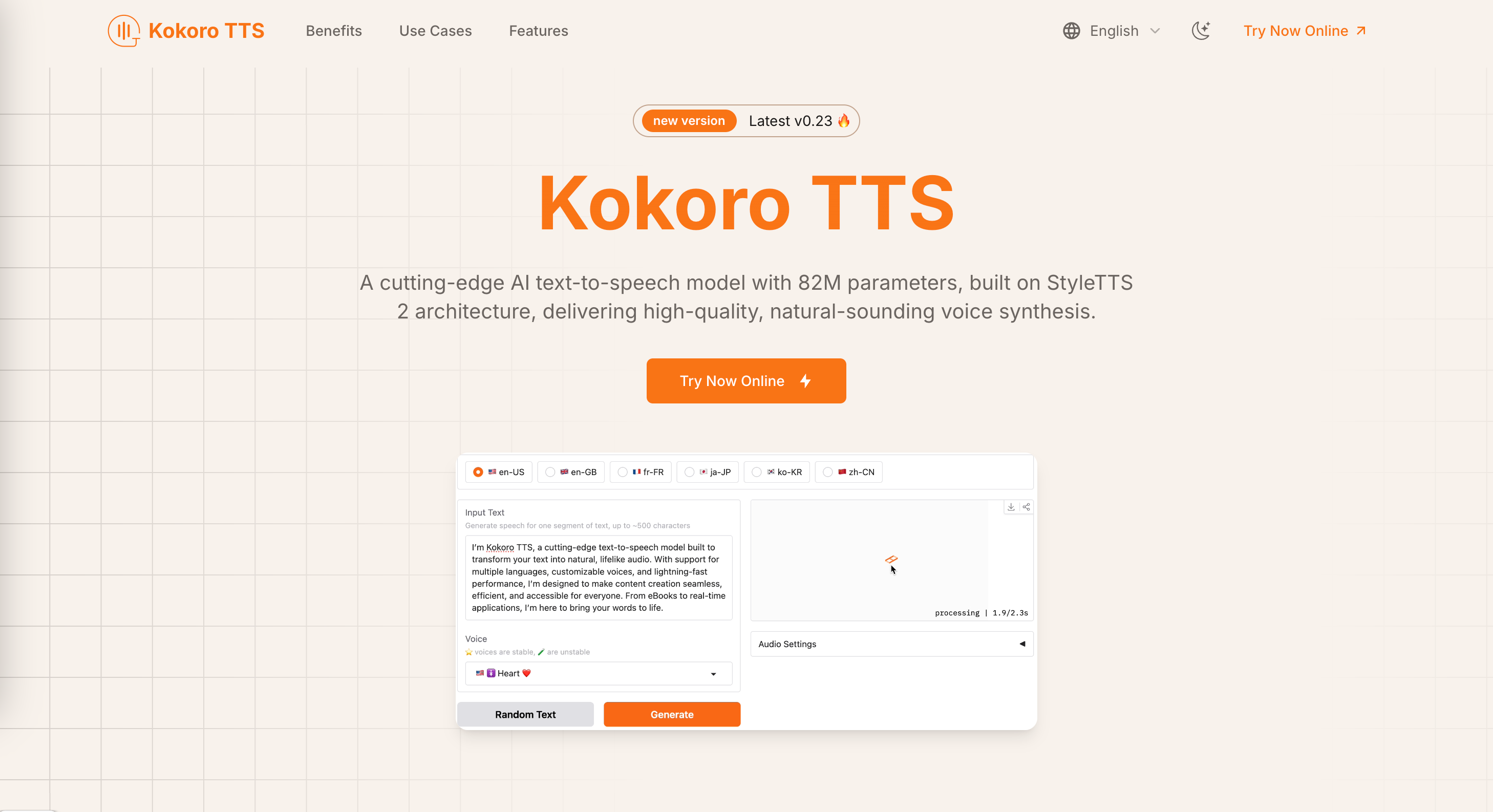
What is Kokoro TTS?
Kokoro TTS is an AI text-to-speech model with 82M parameters, built on the StyleTTS 2 architecture. This site lets visitors try Kokoro TTS online and convert written text into natural, lifelike voices. The model is open-source under the Apache 2.0 license, so it can be used in both personal and commercial projects, and developers can get it from Hugging Face along with a Colab notebook for setup.
What sets Kokoro apart is its size: the site says that with only 82 million parameters it ranks above larger models such as XTTS and MetaVoice, while running on either CPU or GPU. It offers voicepacks for American and British English, automatic chapter detection for long texts, and an OpenAI-compatible speech endpoint. The site lists French, Korean, Japanese and Mandarin too, but its FAQ says the model is currently optimized for English. A companion Chrome extension, VoiceRead, reads webpages aloud.
Who it's for
- Audiobook and e-book creators
- Podcasters and video producers
- Educators and corporate trainers
- Developers building voice features
- Accessibility professionals
How to use Kokoro TTS
- 1
Open Kokoro TTS online
Go to kokorottsai.com and choose "Try Now Online" to open the web-based text-to-speech demo.
- 2
Enter text and pick a voice
Paste the text you want spoken and choose one of the available voicepacks, such as Bella, Sarah or Adam.
- 3
Generate the speech
Run the speech synthesis and listen to the generated audio in your browser.
- 4
Self-host or use the extension
Developers can clone the model from Hugging Face and follow the Colab notebook. To listen to any webpage, install the VoiceRead Chrome extension instead.
Kokoro TTS key features
Compact 82M parameter model
The model has 82 million parameters, which keeps resource use low and lets it run on both CPU and GPU setups.
Natural, lifelike voices in multiple voicepacks
You can choose from several voicepacks, including Bella, Sarah and Adam, in American and British English.
Automatic content segmentation
It detects chapters and sections automatically, so long e-books and articles become well-organized audio.
OpenAI-compatible speech endpoint
Its speech endpoint follows the OpenAI API format, so developers can drop it into existing applications.
Flexible deployment
The model can be deployed with Docker or ONNX, and GPU acceleration speeds up audio generation.
Listen to any webpage with VoiceRead
The VoiceRead Chrome extension reads selected text, full articles or pasted content aloud in Chrome's Side Panel.
Kokoro TTS use cases
Turning e-books into audiobooks
Publishers and individuals can convert e-book libraries, including niche titles, into narrated audio with chapter detection.
Training materials and tutorials
Teams can create voiceovers for training videos and tutorials without recording sessions.
Accessible digital content
Text to speech gives people who prefer or need audio a spoken version of blogs, articles and other written content.
Podcasts from written scripts
Creators can turn written scripts into podcast audio.
Kokoro TTS FAQ
What is Kokoro TTS?
Kokoro TTS is an open-source AI text-to-speech model with 82M parameters, built on the StyleTTS 2 architecture. It produces natural-sounding speech from text.
Is Kokoro TTS free?
Yes. The model is released under the Apache 2.0 license, which allows free personal and commercial use. The VoiceRead Chrome extension also comes with a free monthly character allowance.
How does an 82M parameter model compare to larger TTS models?
The site says Kokoro ranks above larger models such as XTTS (467M parameters) and MetaVoice (1.2B parameters), and credits its efficient architecture and high-quality training data.
Which languages does Kokoro TTS support?
The site lists American and British English, French, Korean, Japanese and Mandarin. Its FAQ notes that the model is currently optimized for English.
How do I run Kokoro TTS myself?
Clone the Kokoro TTS repository from Hugging Face and follow the setup instructions or the Colab notebook. It runs on CPU or GPU and supports Docker and ONNX deployment.
How long can the input text be?
Kokoro TTS processes up to 510 tokens in a single pass.
This introduction is based on the public pages of kokorottsai.com, read on October 9, 2026.