

What is Image to Image AI?
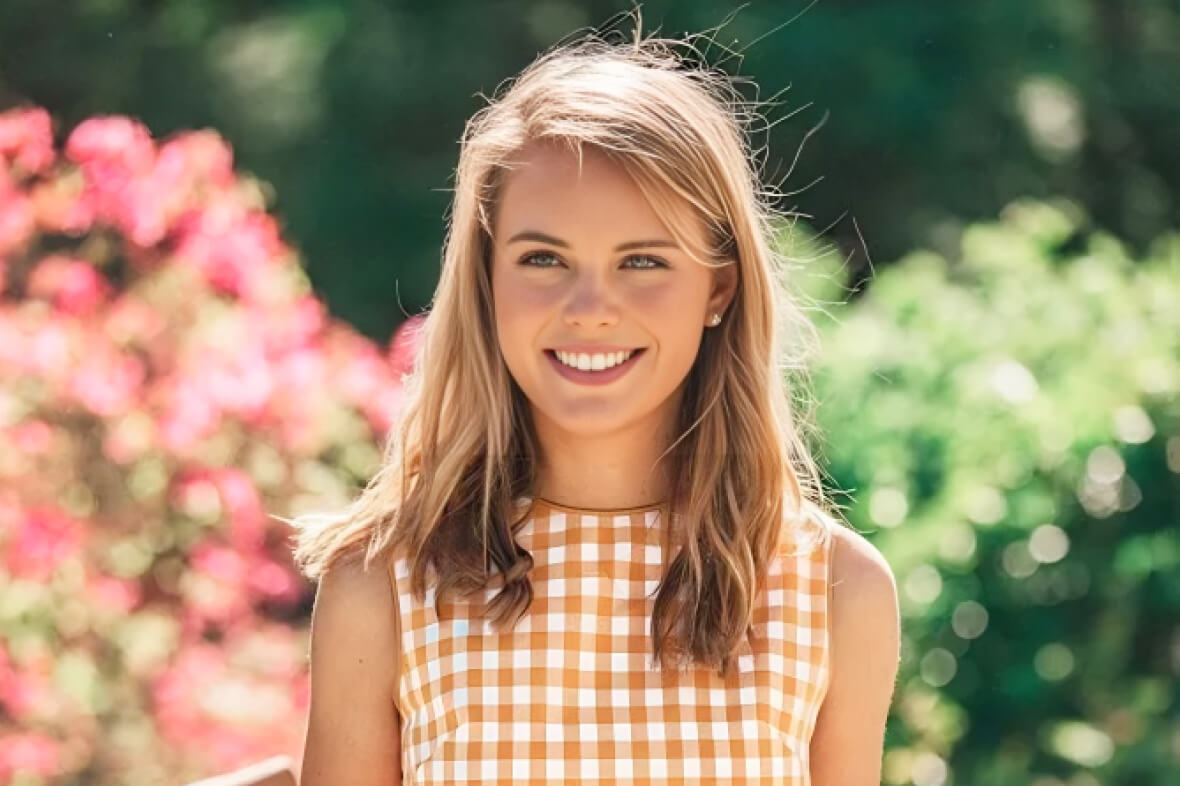
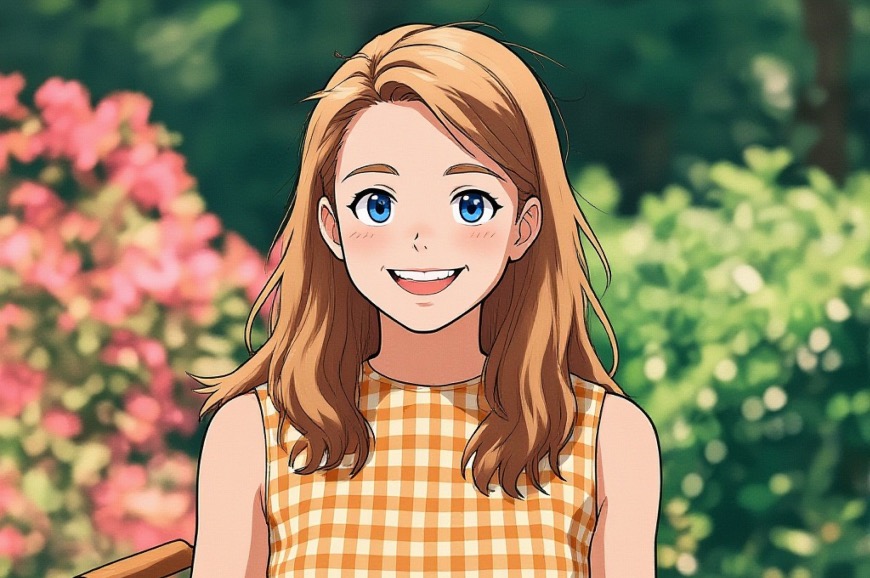
Image to Image AI is a free online img2img AI generator that takes an existing picture and creates a new version of it. You upload a photo, pick settings and a style, and describe what you want. The AI then reworks the image to match, so you can go from a realistic photo to something like an anime-style illustration while keeping the composition. The site says it now runs on Flux 1.1, and a basic version can be tried without signing up.
Instead of creating a picture from a blank canvas, the tool starts from your own image. That gives you more say over the subject and layout of the result. It covers several styles, from realistic portraits to abstract art and fantasy landscapes, and you can customize the settings. Results come out in high resolution and are ready to download. A free version with limited usage is available, and paid plans add more generations and allow commercial use of the images.
Who it's for
- Digital artists and illustrators
- Graphic designers
- Photographers
- Content creators and marketers
- Indie game developers
How to use Image to Image AI
- 1
Upload an image
Upload the photo you want to change, or drag and drop it onto the page. Several file formats are supported, and you can also start from one of the sample images.
- 2
Choose settings and a style
Pick from the available styles and settings to control the transformation. You can experiment with different effects.
- 3
Write an image-to-image prompt
Add a prompt describing what you want, then start the generation. The AI uses the prompt and your settings to rework the image.
- 4
Download and share
Download the finished image in high resolution and use it or share it wherever you like.
Image to Image AI key features
Transform images with AI from your own photo
New images build on the picture you upload, so the subject and composition carry over into the result.
Multiple style options
You can choose from several styles, such as realistic portraits, anime-style illustration, abstract art and fantasy scenes.
Customizable settings
Detailed settings and prompts let you control how strongly and in what direction the image changes.
High-resolution output
Generated images download in high resolution, so they work across different projects and platforms.
Fast processing
The generator is tuned for speed, and the site says most images are ready within minutes.
Community support
A Discord community is there for tips, feedback and sharing creations. Paid users also get email support.
Image to Image AI use cases
Photo to illustration
Turn a portrait photo into a stylized version, such as an anime-style drawing, while keeping the pose and setting.
Design and marketing visuals
Make variations of existing images for campaigns, social posts and other content.
Game and concept art
Indie developers and artists can start from reference images to explore unique graphics and art directions.
Creative photo editing
Photographers can try new looks on their shots that go beyond standard editing.
Image to Image AI FAQ
What is Image to Image AI?
Image to Image AI is an online img2img generator. It uses AI to transform an uploaded image into a new one based on the settings, style and prompt you choose.
Is Image to Image AI free?
Yes. A free version with basic features and limited usage is available, and the site says no sign-up is needed to try it. Paid plans add more usage.
How do I transform an image with AI using Image to Image AI?
Upload your photo and choose a style and settings. Then enter an image-to-image prompt describing the result you want and download the generated image in high resolution.
What kinds of images can this AI image generator create?
According to the site, it can produce abstract art, realistic portraits, fantasy landscapes and more, depending on the style and settings you pick.
How long does it take to generate an image?
It depends on how complex the transformation and settings are. The site says most images are generated within minutes.
Can I use the generated images commercially?
Images generated on the paid plans can be used commercially. The site's Terms of Service have the details.
This introduction is based on the public pages of image-to-image.com, read on October 9, 2026.