
What is GPT Image Generator?
GPT Image Generator is a web-based AI image generator built around the GPT-4o image model. Users write a prompt of up to 2,000 characters, or upload one or two reference images, then pick a preset style and an aspect ratio to produce anime style images, brick style builds, 4-panel comics, memes, ads posters and other artwork.
Besides GPT-4o, the GPT-4o image generator also offers Flux Kontext Pro, Google Imagen 4 and Minimax Image 01; the first two support image-to-image, the others text to image only. The site points to ChatGPT 4o image generation's strengths in readable text and consistent characters across panels. Generation takes roughly 10 to 180 seconds depending on the model, and results stay in the user's dashboard.
Who it's for
- Anime and illustration fans
- Comic and meme creators
- Marketers making ads and posters
- Game and UI designers sketching concepts
- Beginners new to AI art
How to use GPT Image Generator
- 1
Sign in and choose a model
Sign in, then select GPT 4o Image or another available model; each has its own capabilities and generation time.
- 2
Enter a prompt or upload a reference
Describe the image in plain language, or upload up to two JPEG, PNG, GIF or WEBP images (up to 10MB) for image-to-image generation.
- 3
Set style and aspect ratio
Pick a preset such as Anime, Figure, Pixel, Sketch, Cube, Brick or 3D Card, and choose 1:1, 3:2 or 2:3.
- 4
Generate and view results
Click Create and wait 10–180 seconds; the finished images appear on the page and in your dashboard history.
GPT Image Generator key features
Text to image and image-to-image
Generate from a written description, or upload a reference photo and restyle it with a prompt.
Anime style images and other presets
Built-in styles include Anime, Figure, Pixel, Sketch, Cube, Brick and 3D Card, alongside free-form styles described in the prompt.
Multiple AI models
Choose between GPT 4o Image, Flux Kontext Pro, Google Imagen 4 and Minimax Image 01 depending on the task.
Text rendering in images
Uses GPT-4o's text handling for captions, dialogue and poster copy that stays readable.
Character consistency across panels
Keeps characters consistent across multiple panels, useful for comics and story sequences.
Generation history
Past results are kept in the dashboard so images can be revisited and downloaded later.
GPT Image Generator use cases
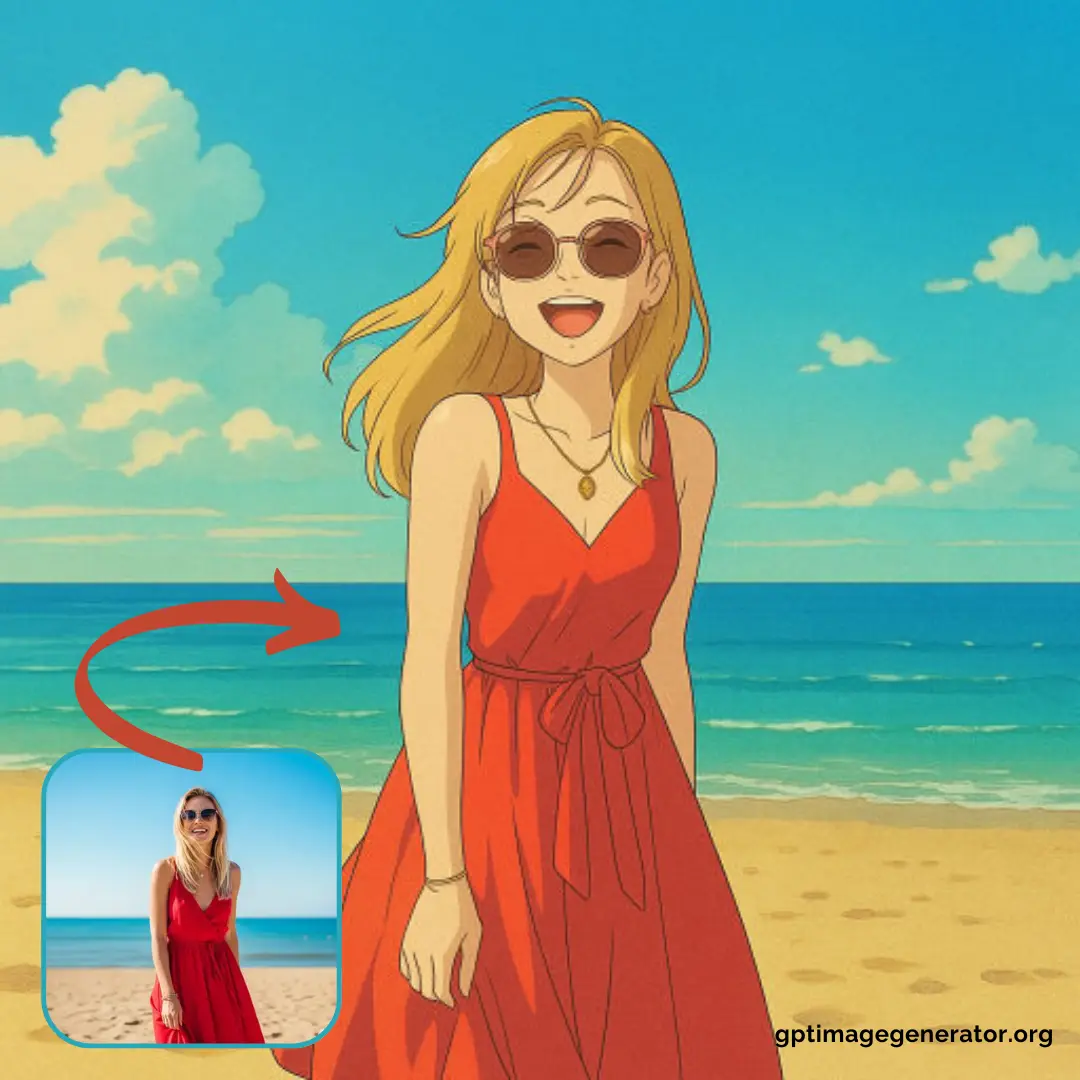
Turning photos into anime-style art
Upload a portrait or snapshot and convert it into a Japanese anime-style illustration.
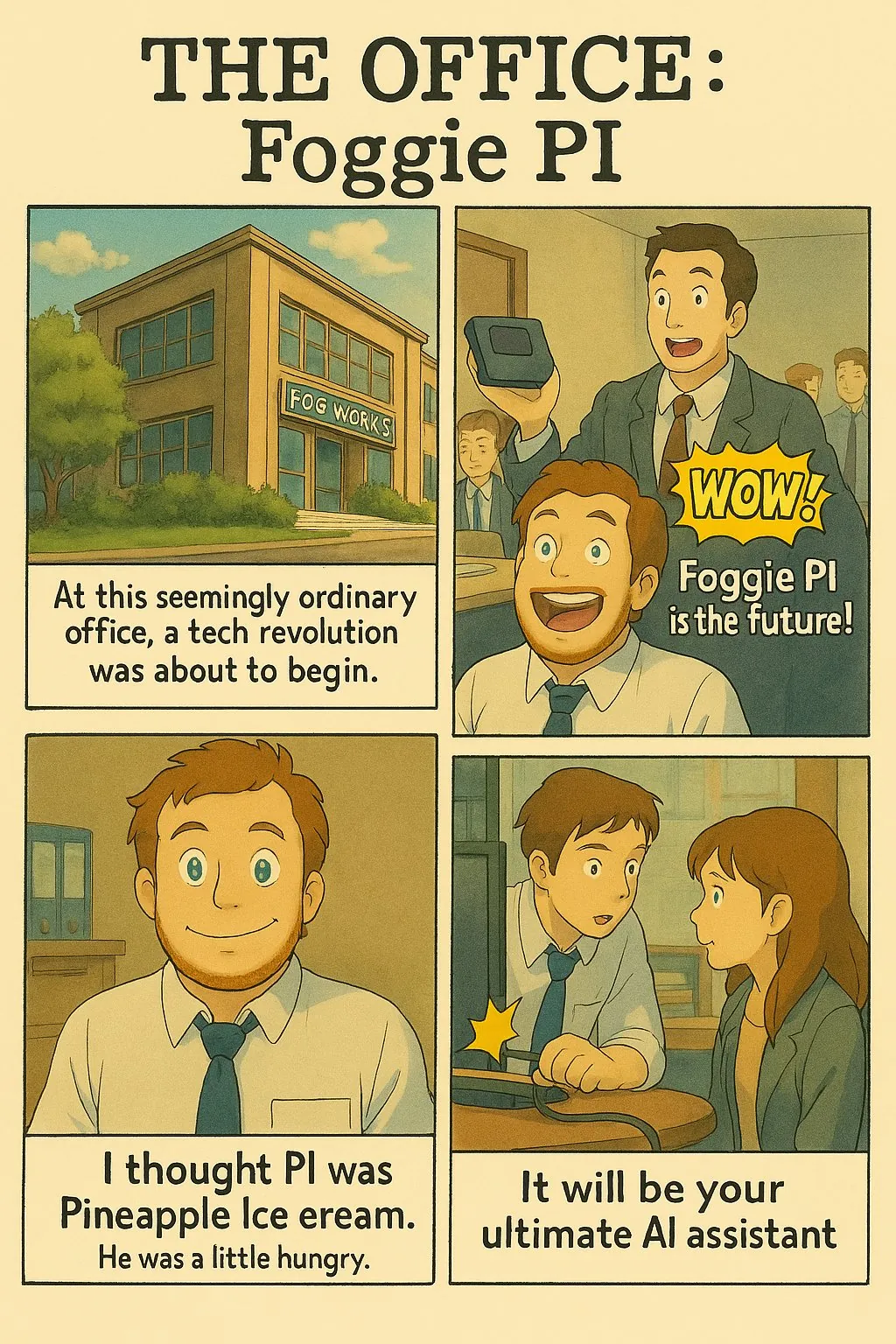
Making 4-panel comics with dialogue
Describe the story, number of panels and dialogue to get a comic with readable text.
Brick style images and figure renders
Create building-block or collectible figure versions of characters and scenes using the presets.
Ads, posters and memes
Produce marketing visuals, meme templates and UI or game concept mockups from simple prompts.
GPT Image Generator FAQ
What is GPT Image Generator?
GPT Image Generator is an online AI image generator based on GPT-4o that creates images from text prompts or reference photos in styles such as anime, brick, comic and pixel.
Is GPT Image Generator free?
New users get free credits after signing in, with no credit card needed to try it. Paid subscription and one-time plans are available for more generations.
How do I create anime style images with GPT Image Generator?
Pick the Anime style or describe it in your prompt, for example 'Japanese classic anime style'. The site recommends uploading a reference image for more accurate results.
Can I make 4-panel comics with the GPT-4o image generator?
Yes. Describe the comic idea, the number of panels and the dialogue; the tool aims to keep characters consistent and render text clearly.
Which models does this AI image generator support?
It supports GPT 4o Image and Flux Kontext Pro (both with image-to-image), plus Google Imagen 4 and Minimax Image 01 for text to image only.
What should I do if ChatGPT 4o image generation fails?
Check the OpenAI status page for outages, then retry or switch to another model.
This introduction is based on the public pages of gptimagegenerator.org, read on October 9, 2026.