
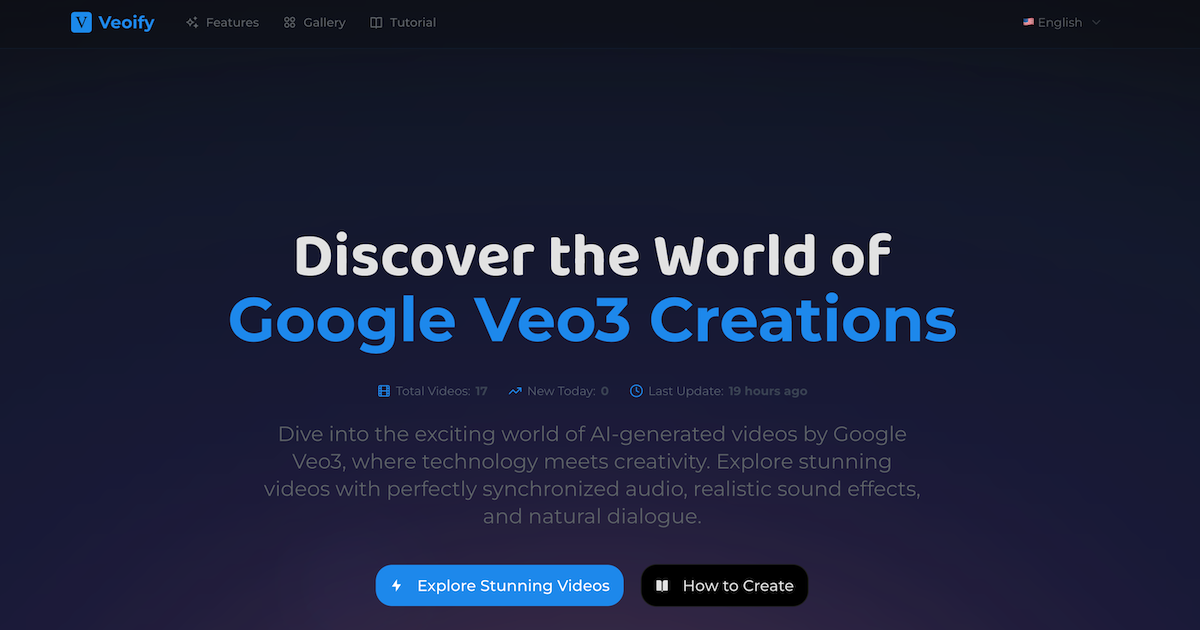
What is Veoify?
Veoify is a website that gathers Google Veo3 creations in one place. It collects popular Veo3 videos shared by creators on social media and shows each one with its author, caption, posting date and engagement counts, so visitors can see what AI-generated videos made with Google's model look like, including their synchronized audio, sound effects and dialogue.
Alongside the gallery, Veoify explains what Google Veo3 is and how it differs from silent AI video generation: native audio, lip sync matched to speech, physics-aware motion, and prompts from text or images. It also outlines the steps for creating a clip, mentions access through Google's Flow app and Vertex AI, and answers common questions such as the current 8-second clip length and commercial use.
Who it's for
- Creators curious about Google Veo3
- Filmmakers and video editors exploring AI tools
- Social media content makers
- Marketers evaluating AI video generation
- Newcomers looking for a Veo3 primer
How to use Veoify
- 1
Open the gallery
Visit veoify.com and use the Explore Popular Videos button or the Gallery menu to browse collected Veo3 videos.
- 2
Review each video's details
Each entry shows the creator's handle, the original caption, the posting date and view and like counts, giving context for the clip.
- 3
Read the Veo3 explainer
Scroll through the sections on what Google Veo3 is, its key features and the FAQ to understand its capabilities and limits.
- 4
Follow the creation steps
Use the How to Create section and the Tutorial pages to learn the workflow: sign in to Veo3, write a text or image prompt, add audio instructions, then generate and download the clip.
Veoify key features
Popular Google Veo3 videos
A gallery of Veo3 clips drawn from creators' social posts, listed with author, caption, date and engagement figures, plus a counter of total videos collected.
Synchronized audio explained
Explains how Veo3 adds sound effects, ambient noise and dialogue natively, and how lip sync matches speech to mouth movement.
How to create videos with Google Veo3
A four-step walkthrough from signing in through prompting, audio customization and reviewing the generated clip.
Key Veo3 feature overview
Summaries of physics-based motion, text and image prompts, Flow app integration and enterprise access through Vertex AI.
Veo3 FAQ
Answers on clip length, commercial use, the types of audio Veo3 can generate, social media sharing and ease of use for beginners.
Blog and tutorials
Resource pages such as Getting Started with Google Veo3 and How to Use Veo3 for further reading.
Veoify use cases
Getting inspiration for AI-generated videos
Browse what other creators have produced with Veo3 to collect ideas for prompts, scenes and storytelling styles.
Evaluating AI video generation tools
Watch real Veo3 output with sound before deciding whether the model fits a filmmaking, marketing or social media project.
Learning the Veo3 workflow
Use the step-by-step guide and FAQ to understand prompting, audio instructions and current limits such as 8-second clips.
Veoify FAQ
What is Veoify?
Veoify is a website that collects popular Google Veo3 videos shared by creators and pairs them with explanations of how Veo3 works, a creation guide and an FAQ.
What is Google Veo3?
According to Veoify, Google Veo3 is Google's AI video generation model that produces clips with synchronized audio, including sound effects, ambient noise and dialogue, from text or image prompts.
How do I create videos with Google Veo3?
Veoify describes four steps: sign in to get Veo3 access, enter a text or image prompt, add instructions for sound effects or dialogue, then generate, preview and download the clip.
How long can Google Veo3 videos be?
Veoify states that Veo3 currently focuses on 8-second videos, with longer formats expected in future updates.
Can Google Veo3 videos be used commercially or on social media?
Veoify says Veo3 supports commercial use through suitable subscriptions and enterprise access, and that its videos can be shared on social media platforms.
Does Veoify generate the videos itself?
The pages present Veoify as a gallery and guide to Google Veo3 creations; the videos shown were made by creators using Veo3 and posted on social media.
This introduction is based on the public pages of veoify.com, read on October 9, 2026.