

What is Ai Image BG?
Ai Image BG is an AI image background generator and browser-based collection of AI image tools. Its three main functions cover text-to-image creation, background removal, and photo enhancement. Users can describe an image they want to create or upload an existing photo for processing. The site presents these tools together for creative work, product imagery, marketing materials, and social media content.
The drawing interface includes a prompt field, prompt optimization, content exclusions, quality controls, and image size settings. A featured gallery lets users select an example to reuse its prompt. For existing images, the site describes transparent, solid-color, and blurred background options, alongside restoration and colorization functions. It offers free access and paid subscriptions, although its homepage and pricing page give conflicting descriptions of free usage.
Who it's for
- E-commerce sellers preparing product images
- Designers creating artwork and backgrounds
- Marketers producing campaign visuals
- Social media creators editing photos

How to use Ai Image BG
- 1
Choose an image tool
Open the site's Image Tools area and select AI Drawing, Background Remover, or Image Enhancer according to the task.
- 2
Enter a prompt or upload an image
For drawing, describe the desired subject and style. Select a featured example to reuse its prompt, or upload an existing image for removal or enhancement.
- 3
Adjust the available settings
For generation, set the image size and quality options, and use prompt optimization or content exclusions where available. For background processing, choose the desired background treatment.
- 4
Run the selected operation
Select Generate for AI drawing or start the chosen image-processing operation. Review the resulting image to check whether it matches the intended use.
Ai Image BG key features
Text-to-image generation
The drawing tool turns written descriptions into images. Listed styles include realistic photography, anime, oil painting, watercolor, sketches, abstract art, and 3D rendering.
Background removal and replacement
The site describes automatic background removal with transparent, solid-color, and blurred background options for uploaded images.
Image enhancement and restoration
Enhancement tools are described as improving image quality, reducing blur, and refining details. The homepage also lists old-photo restoration and black-and-white photo colorization.
Prompt controls and reusable examples
The generation interface includes prompt optimization, content exclusions, a random prompt option, and image size controls. Featured images can be selected to reuse their prompts.
AI image processing across devices
The site states that its tools work on computers, tablets, and mobile devices. Its FAQ lists common input formats including JPG, PNG, WEBP, HEIC, and GIF.
Ai Image BG use cases
E-commerce product imagery
Sellers can remove distracting backgrounds from product photos and apply transparent or solid-color backgrounds for product displays.
Marketing and social media visuals
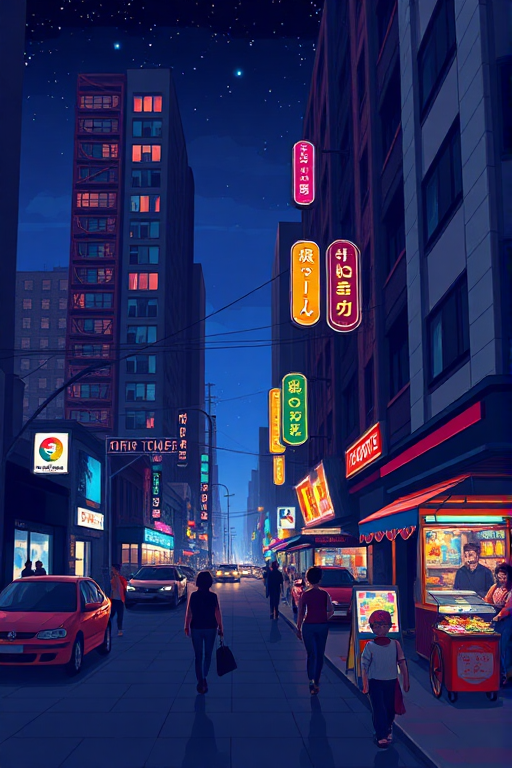
Creators can generate illustrations and background artwork from prompts, or enhance existing photos for campaign materials and social posts.
Creative concepts and scene exploration
Designers can use the drawing tool to explore portraits, landscapes, fantasy scenes, and product concepts in different visual styles.
Photo restoration
Users can apply the site's enhancement functions to blurry or older photos, including the listed option to add color to black-and-white images.
Ai Image BG FAQ
What is Ai Image BG?
Ai Image BG is a web-based collection of AI tools for generating images from text, removing backgrounds, and enhancing existing photos.
Is Ai Image BG free?
The site offers free access and advertises paid subscriptions. Its homepage and pricing page disagree about free usage limits, so unlimited free generation cannot be confirmed from the supplied pages.
How do I use the AI image background generator?
Enter a description in AI Drawing to create background artwork. To process an existing photo, upload it to the background tool and choose from the available background options.
How does background removal work in Ai Image BG?
The site describes automatic removal after an image upload. It lists transparent, solid-color, and blurred background treatments.
What can the image enhancement tool do?
The site lists quality improvement, blur correction, and detail enhancement. It also describes restoring old photos and colorizing black-and-white images.
Can Ai Image BG images be used commercially?
The site's FAQ allows personal and commercial use subject to its terms. The pricing FAQ asks free users to credit aiimagebg.com as the source.
This introduction is based on the public pages of aiimagebg.com, read on October 9, 2026.