Update Website Agreement
Update the privacy policy and terms of service in ShipAny One before launch, and configure their routes.
Before officially launching your website, please update the website agreements in the app/(legal) directory according to your website's services.
Update Privacy Policy
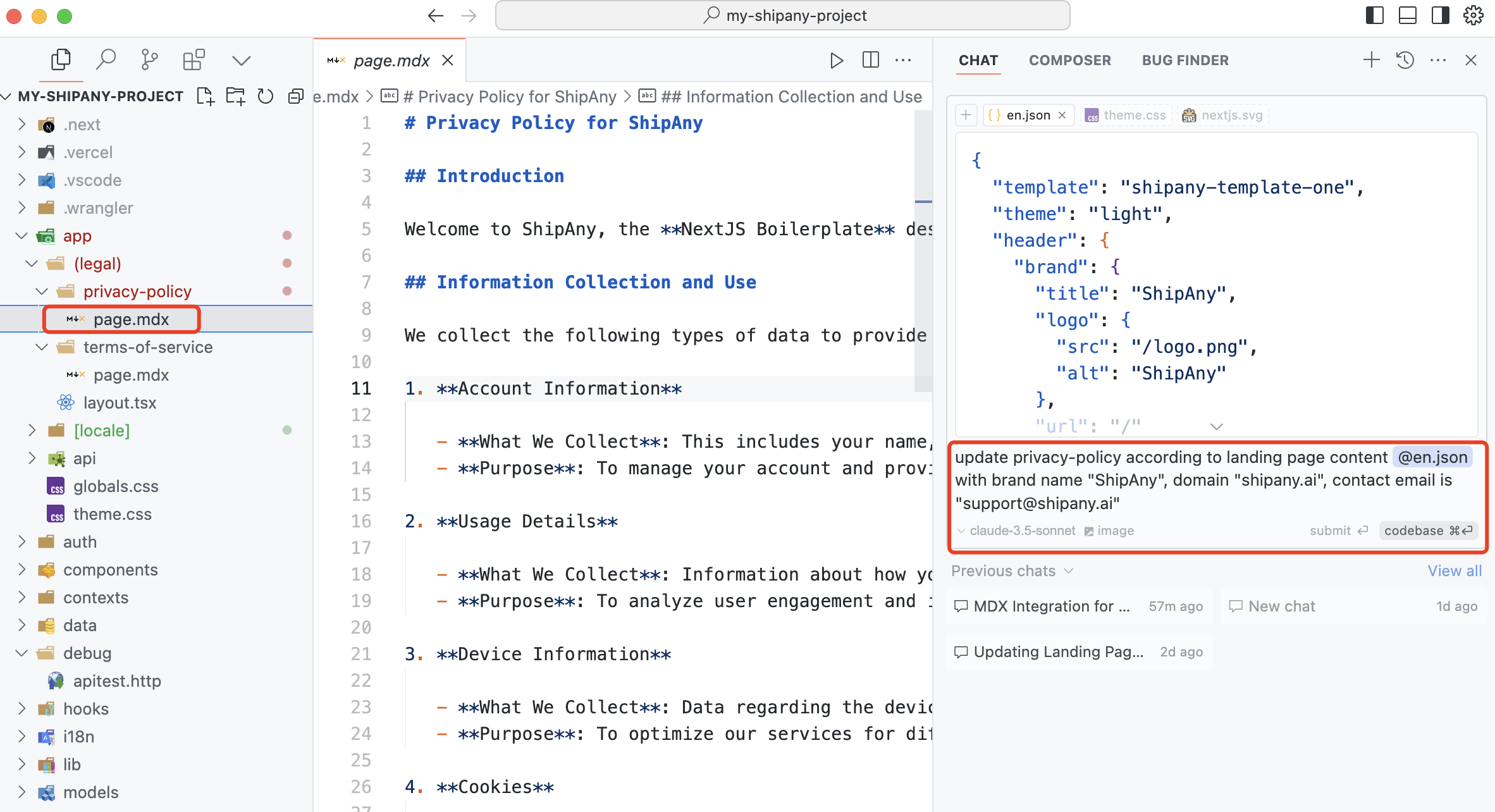
In Cursor, generate new privacy policy content using the prompt.
update privacy-policy according to landing page content @en.json
with brand name "ShipAny", domain "shipany.ai", contact email is "support@shipany.ai"
Replace the content in the app/(legal)/privacy-policy/page.mdx file to update the privacy policy.
Update Terms of Service
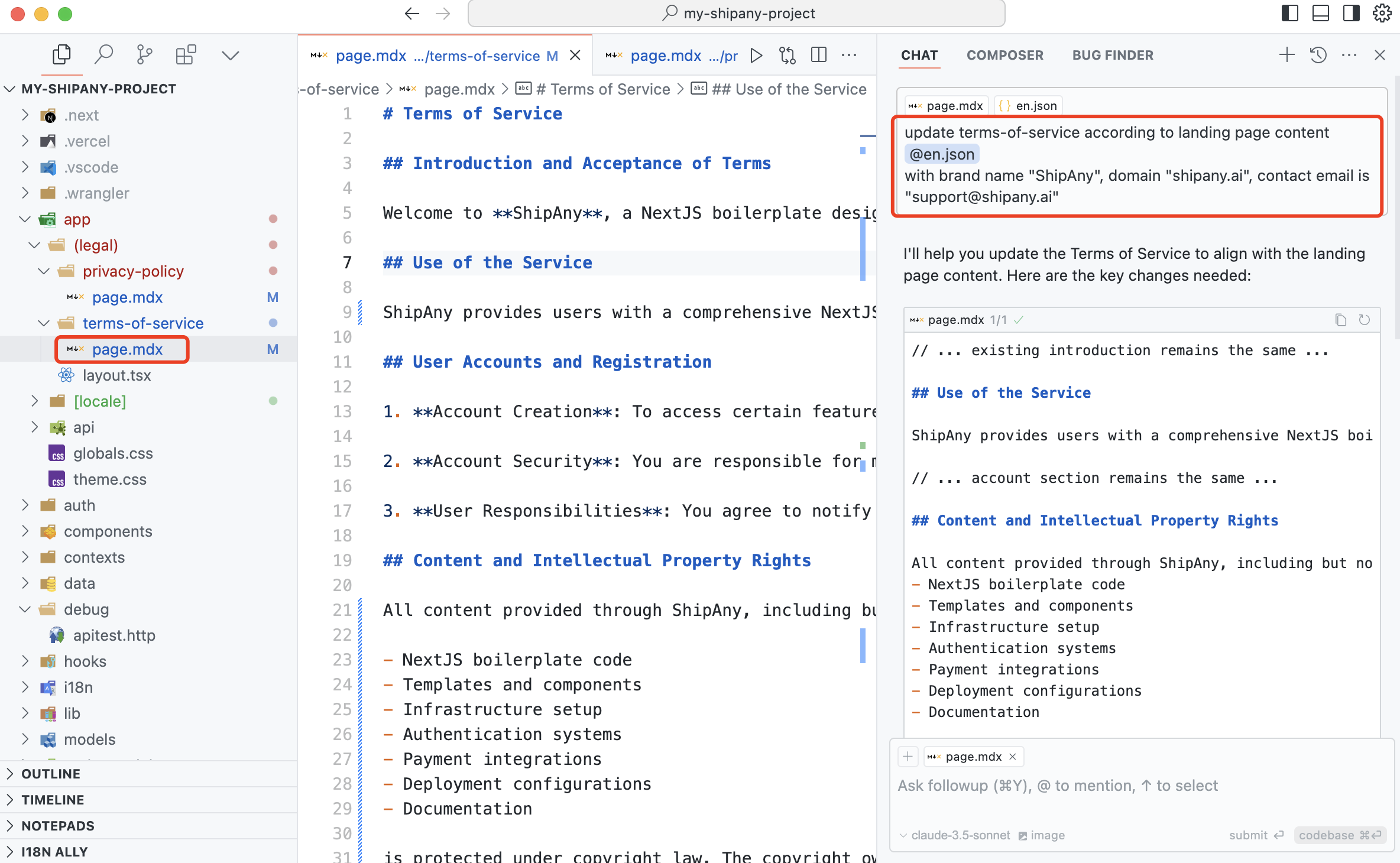
In Cursor, generate new terms of service content using the prompt.
update terms-of-service according to landing page content @en.json
with brand name "ShipAny", domain "shipany.ai", contact email is "support@shipany.ai"
Replace the content in the app/(legal)/terms-of-service/page.mdx file to update the terms of service.
Update Route Configuration
The privacy policy and terms of service of the website are defaulted in the
app/(legal)directory and do not support multiple languages. Accessible through the /privacy-policy and /terms-of-service root paths. If you want to support multiple languages, you can move the content in theapp/(legal)directory to theapp/[locale]directory. You can access the privacy policy and terms of service in the corresponding language through /zh/privacy-policy and /zh/terms-of-service.
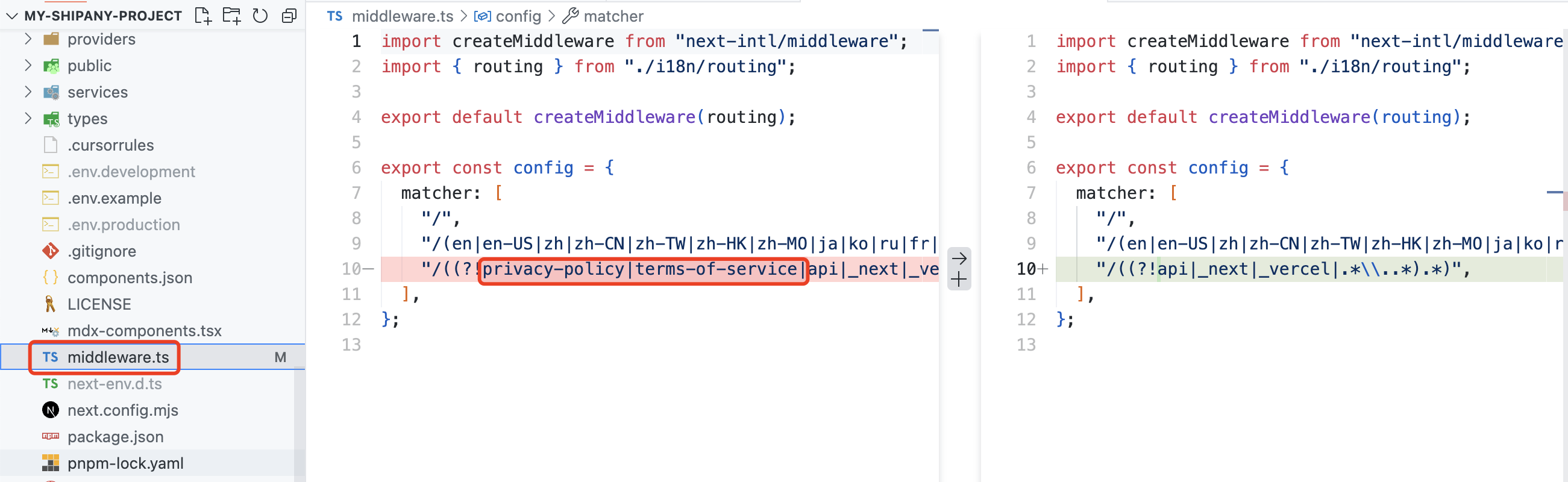
You need to modify the route configuration in the app/middleware.ts file: