Tutorials
API Calls
Create and debug API routes in ShipAny One using Next.js route handlers.
Creating an API
Creating new APIs in ShipAny follows the same rules as creating new APIs in the NextJS framework.
-
Create an API folder under the
app/apidirectory and create a newroute.tsfile -
Implement the API business logic
import { respData, respErr } from "@/lib/resp";

export async function POST(req: Request) {
  try {
    const { message } = await req.json();
    if (!message) {
      return respErr("invalid params");
    }

    return respData({
      pong: `received message: ${message}`,
    });
  } catch (e) {
    console.log("test failed:", e);
    return respErr("test failed");
  }
}
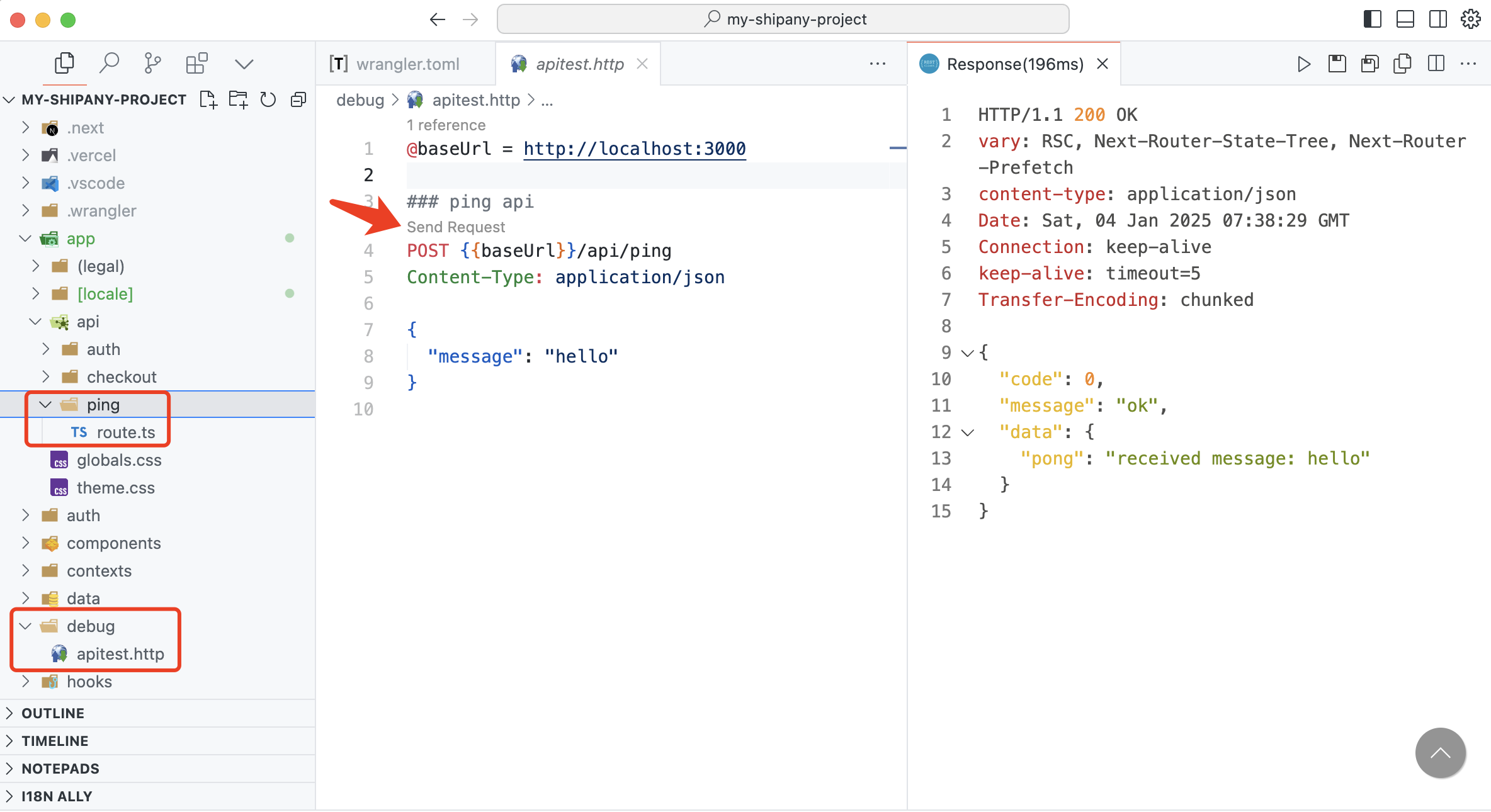
Debugging the API
- Debug the API using the
curlcommand in terminal
curl -X POST -H "Content-Type: application/json" \
    -d '{"message": "hello"}' \
http://localhost:3000/api/ping- Or debug the API using VS Code's REST Client plugin