
MySQL
MySQL is a popular open-source relational database management system. It is widely used in web applications and backend systems.
ShipAny supports MySQL. Follow the steps below to get started quickly.
Quick Start
Install MySQL for your operating system (search and follow the appropriate installation guide), then create a database from the command line:
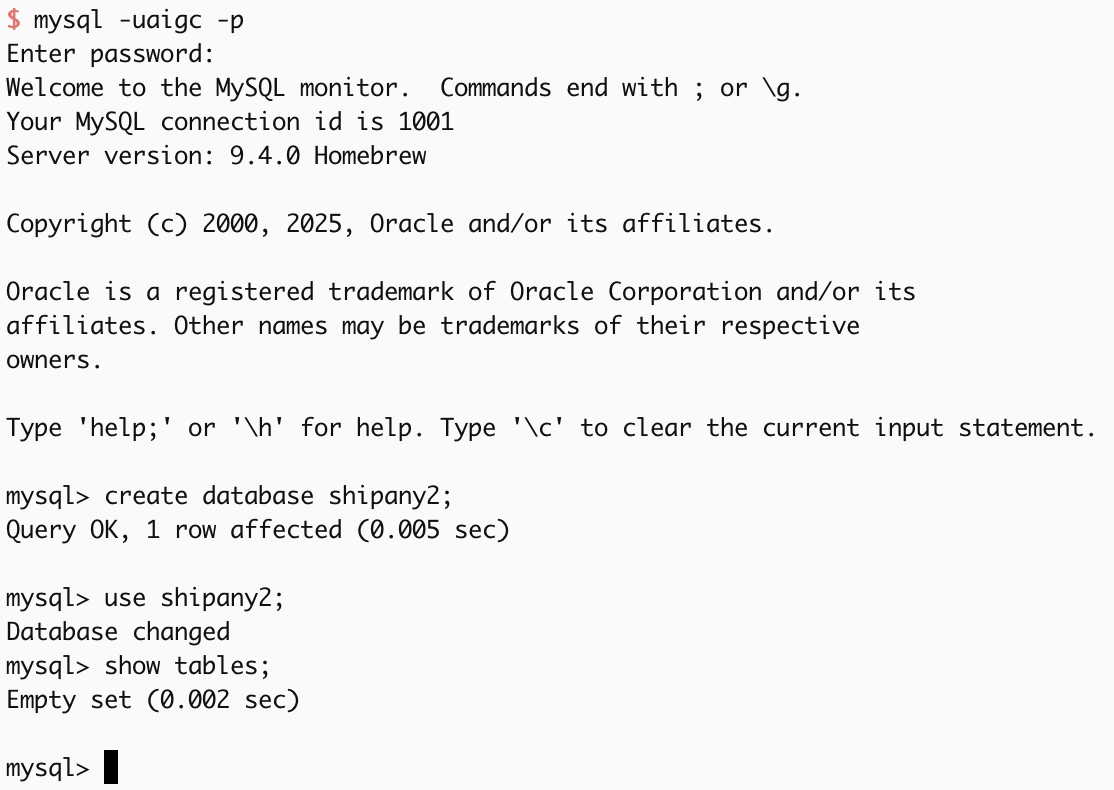
Alternatively, you can use a managed MySQL service provided by cloud vendors.
For the database you created in the previous step, you need to set up a username and password, grant permissions, enable remote access, etc.
Use the following command to test whether the database connection works:
mysql -u user -p password -h host -P port -D databaseThe resulting connection string DATABASE_URL looks like this:
mysql://user:password@host:port/databaseIn your project environment variable files, fill in the MySQL-related configuration:
- Local development:
.env.development - Production:
.env.production
DATABASE_PROVIDER = "mysql"
DATABASE_URL = "mysql-database-url"
DB_SCHEMA_FILE = "./src/config/db/schema.mysql.ts"
DB_MIGRATIONS_OUT = "./src/config/db/migrations_mysql"- DATABASE_PROVIDER: Required. Fixed value
mysql - DATABASE_URL: Required. Your MySQL database
Database URL - DB_SCHEMA_FILE: Required. Fixed value
./src/config/db/schema.mysql.ts - DB_MIGRATIONS_OUT: Optional. Output path for migration files. Default is
./src/config/db/migrations. You can choose different output paths based on database type.
Open ./src/config/db/schema.ts file, modify the content to:
export * from './schema.mysql';Run the following commands to migrate your database tables:
pnpm db:generate
pnpm db:migrateYou can manage the database in your MySQL admin console, or run the following command locally:
pnpm db:studioThis will open the database admin panel.
Customization
Update tables
If you need to add new tables or modify table columns, edit ./src/config/db/schema.mysql.ts to update the schema.
After making changes, run the following commands to generate and apply migrations:
pnpm db:generate
pnpm db:migrate
Update database connection
If you need to adjust connection parameters (e.g., custom options, connection pooling, etc.), update the logic in ./src/core/db/mysql.ts.
By default, data operations use the db() instance exported from ./src/core/db/index.ts. Its return type is any, so in some cases you may not get good type hints.
import { db } from '@/core/db';
import { user } from '@/config/db/schema';

const [result] = await db().select().from(user).limit(1);
If you want a strongly typed database instance, you can use the following approaches when operating on data:
import { dbMysql } from '@/core/db';
import { user } from '@/config/db/schema';

const [result] = await dbMysql().select().from(user).limit(1);
Or:
import { getMysqlDb } from '@/core/db/mysql';
import { user } from '@/config/db/schema';

const [result] = await getMysqlDb().select().from(user).limit(1);
Deploy to Cloudflare Workers
When deploying the project on Cloudflare Workers, using MySQL is not supported yet.
You can use cloud database services such as Supabase / Turso.