
动态页面构建
ShipAny 支持动态页面构建,无需编写代码,只需一个 JSON 文件,即可渲染一个动态页面。
动态页面文件定义在 src/config/locale/messages/{locale}/pages 目录,一个文件对应一个页面,支持多语言。
在动态页面文件中,通过组合区块,渲染着陆页面。
新建动态页面
比如,我们希望创建一个 AI 图片生成器 的着陆页面,访问路由是:/features/ai-image-generator,可以按照下面的步骤,快速创建。
在 src/config/locale/messages/en/pages 目录下,创建 features/ai-image-generator.json 文件。
写入页面内容:
{
  "metadata": {
    "title": "AI Image Generator",
    "description": "Generate images with AI models, support text-to-image and image-to-image."
  },
  "page": {
    "sections": {
      "hero": {
        "title": "AI Image Generator",
        "description": "Generate images with AI models, support text-to-image and image-to-image.",
        "image": {
          "src": "/imgs/features/3.png",
          "alt": "hero image"
        },
        "background_image": {
          "src": "/imgs/bg/tree.jpg",
          "alt": "hero background"
        },
        "buttons": [
          {
            "title": "Start Creating",
            "url": "#create",
            "icon": "Sparkles"
          }
        ]
      }
    }
  }
}在 src/config/locale/index.ts 文件导出的 localeMessagesPaths 数组中,添加新创建的动态页面文件:
export const localeMessagesPaths = [
  // ... 其他动态页面文件列表
  'pages/features/ai-image-generator',
];访问 /features/ai-image-generator 页面,看到的效果是:
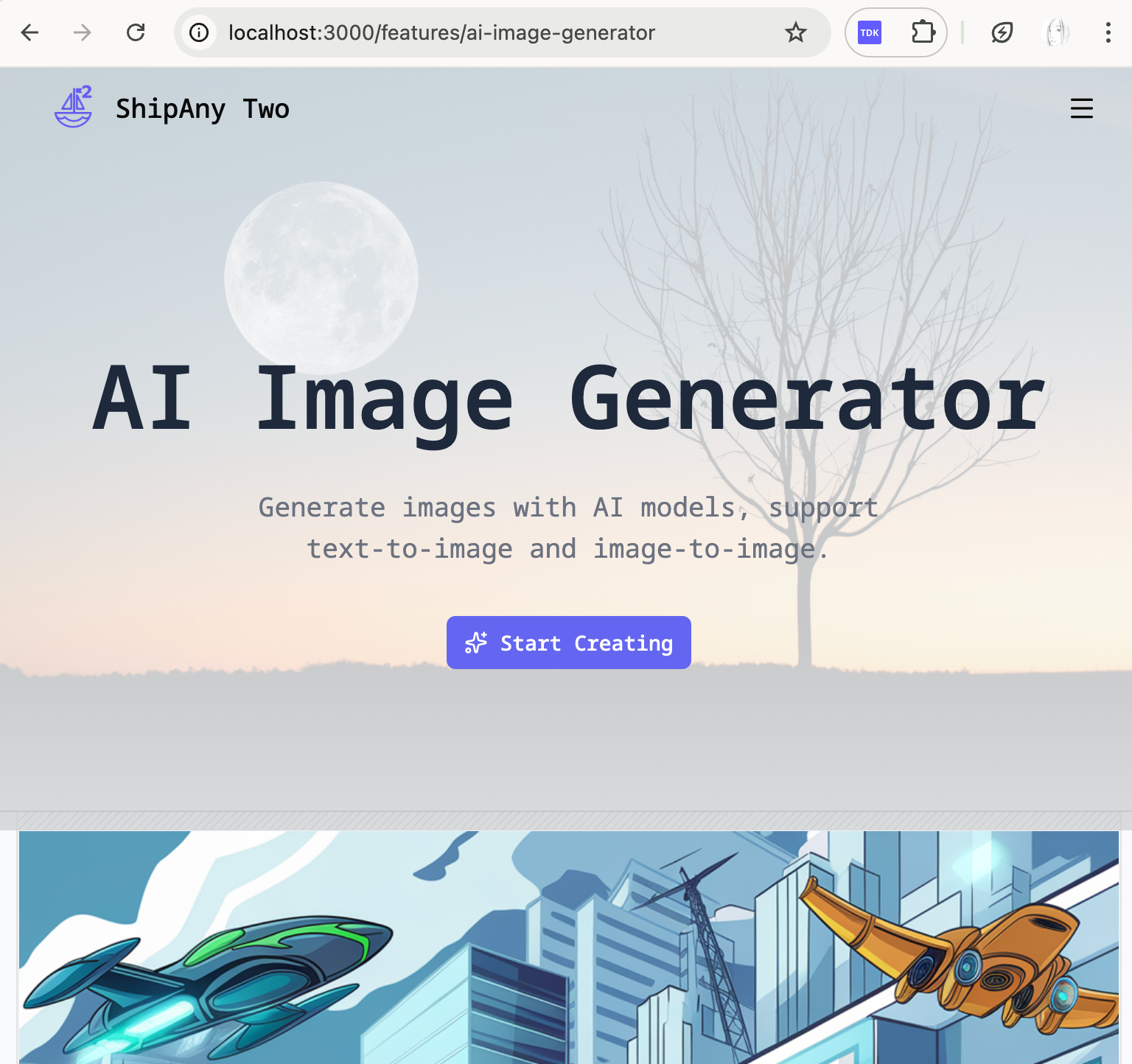
我们在没有编写任何代码的情况下,通过一个 JSON 文件,渲染了一个动态页面。
如果你的项目要支持多语言访问动态页面,你需要为每一种语言,在 src/config/locale/messages/{locale}/pages 目录下,创建对应的动态页面文件。
比如上面创建的页面,要显示中文页面,访问的路由是 /zh/features/ai-image-generator,则需要在 src/config/locale/messages/zh/pages 目录下,创建 features/ai-image-generator.json 文件。
写入跟英文页面文件一样结构,但是翻译成对应语言的内容。
src/config/locale/index.ts导出的localeMessagesPaths数组,无需为每种语言添加对应的动态页面文件。
添加展示区块
动态页面的 JSON 文件中,metadata 定义了要在浏览器标题栏和搜索引擎中显示的页面标题和描述,合理设置 metadata 中的 title 和 description,可以让搜索引擎更好地理解和收录新创建的页面。
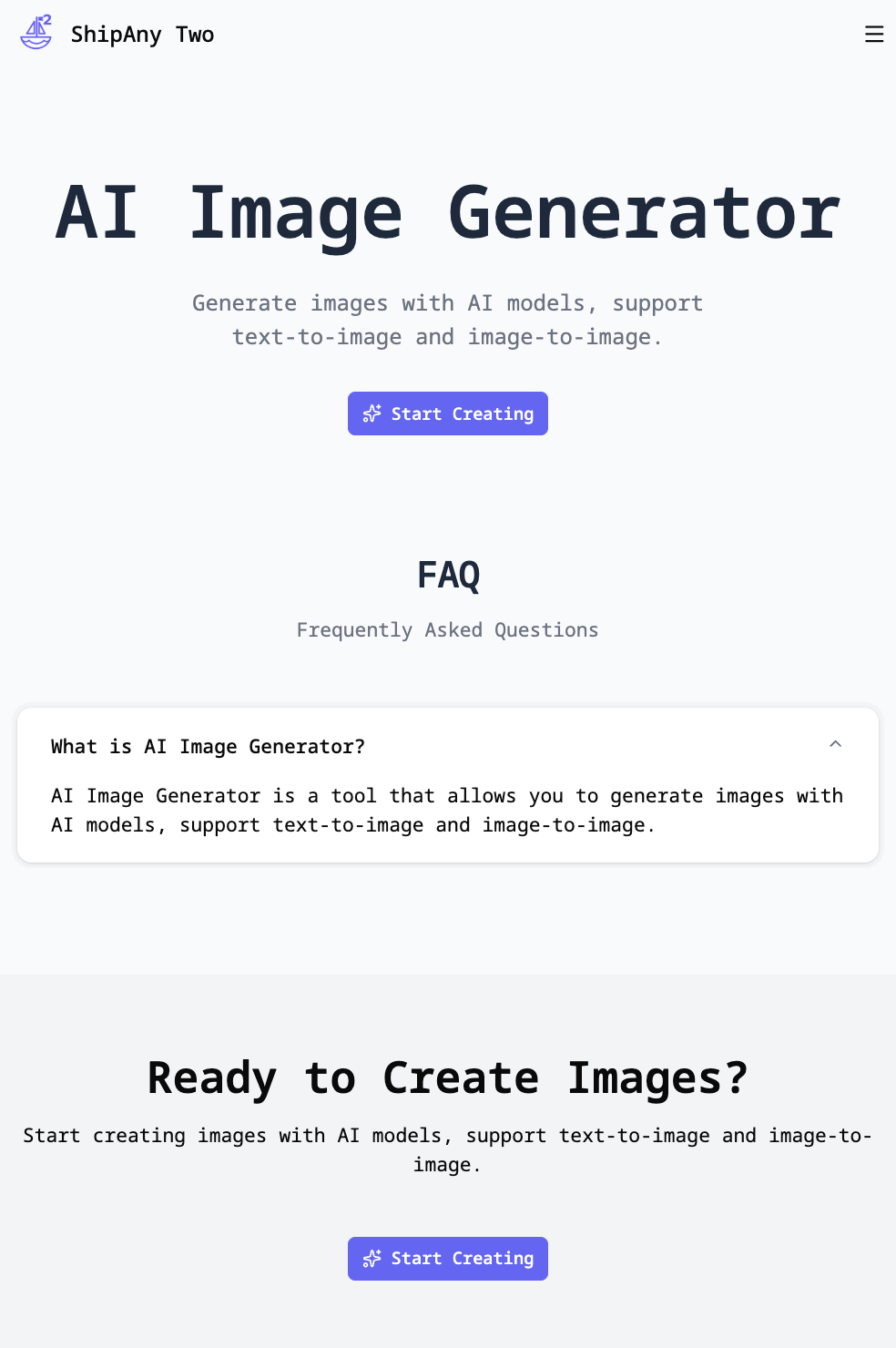
page.sections 字段定义了要在页面展示的区块列表。比如,我们希望在 ai-image-generator 页面展示 hero / faq / cta 三个区块,可以按照下面的方式配置:
{
  "metadata": {
    "title": "AI Image Generator",
    "description": "Generate images with AI models, support text-to-image and image-to-image."
  },
  "page": {
    "sections": {
      "hero": {
        "title": "AI Image Generator",
        "description": "Generate images with AI models, support text-to-image and image-to-image.",
        "buttons": [
          {
            "title": "Start Creating",
            "url": "#create",
            "icon": "Sparkles"
          }
        ],
        "show_bg": false
      },
      "faq": {
        "title": "FAQ",
        "description": "Frequently Asked Questions",
        "items": [
          {
            "title": "What is AI Image Generator?",
            "description": "AI Image Generator is a tool that allows you to generate images with AI models, support text-to-image and image-to-image."
          }
        ]
      },
      "cta": {
        "title": "Ready to Create Images?",
        "description": "Start creating images with AI models, support text-to-image and image-to-image.",
        "buttons": [
          {
            "title": "Start Creating",
            "url": "#create",
            "icon": "Sparkles"
          }
        ],
        "className": "bg-muted"
      }
    }
  }
}
访问 /features/ai-image-generator 页面,看到的效果是:
区块类型定义
动态页面文件中,通过 page.sections 定义要展示的区块列表,page.sections 的字段类型是 Record<string, Section>,其中 Section 类型定义为:
export interface Section {
  id?: string;
  block?: string;
  label?: string;
  sr_only_title?: string;
  title?: string;
  description?: string;
  tip?: string;
  buttons?: Button[];
  icon?: string | ReactNode;
  image?: Image;
  image_invert?: Image;
  items?: SectionItem[];
  image_position?: 'left' | 'right' | 'top' | 'bottom' | 'center';
  text_align?: 'left' | 'center' | 'right';
  className?: string;
  component?: ReactNode;
  [key: string]: any;
}
我们往动态页面文件中 page.sections 字段添加的区块,要按照 Section 类型定义的字段添加内容。根据区块的 key,或者区块内容的 block 定位要展示的区块代码。
比如,我们希望展示一个特性列表区块,可以在 page.sections 中添加:
{
  "page": {
    "sections": {
      "features": {
        "block": "features-list",
        "title": "Features List",
        "description": "Features List",
        "items": [
          {
            "title": "Feature 1 Title",
            "description": "Feature 1 Description",
            "icon": "Sparkles"
          }
        ]
      }
    }
  }
}
按照上面的定义,在动态页面渲染时,默认会加载 src/themes/default/blocks/features-list.tsx 文件,渲染特性列表区块。
如果没有指定 block 字段,默认会加载 src/themes/default/blocks/features.tsx 文件,渲染特性列表区块。features 在这里是区块的 key。
features,features-list 是 ShipAny 在 default 主题内置的区块,所以配置了就能直接展示。
内置区块列表
ShipAny 在 default 主题内置了以下区块:
hero:主区块logos:Logo 列表区块features:功能特点区块features-list:特性列表区块features-accordion:特性折叠区块features-flow:特性流程区块features-media:特性媒体区块features-step:特性步骤区块showcases:展示区块showcases-flow:瀑布流区块stats:统计数据区块testimonials:用户评价区块faq:常见问题区块cta:行动号召区块subscribe:订阅区块
你可以在动态页面文件中,通过 block 字段指定要展示的区块,按照 Section 类型定义,传递区块展示的内容。
自定义展示区块
如果内置的区块不满足你的需求,你可以自定义展示区块。
在 src/themes/default/blocks 目录下,创建自定义区块文件。
比如,创建一个 custom-features.tsx 文件,自定义展示特性列表。
import { cn } from '@/shared/lib/utils';
import { Section } from '@/shared/types/blocks/landing';

export function CustomFeatures({
  section,
  className,
}: {
  section: Section;
  className?: string;
}) {
  return (
    <section
      id={section.id}
      className={cn('py-16 md:py-24', section.className)}
    >
      <div className="container">
        <h2 className="text-2xl font-bold">{section.title}</h2>
        <p className="text-muted-foreground">{section.description}</p>
        <ul className="mt-8 grid grid-cols-1 gap-4 md:grid-cols-2 lg:grid-cols-3">
          {section.items?.map((item) => (
            <li key={item.id} className="rounded-md border p-4">
              <h3 className="text-lg font-bold">{item.title}</h3>
              <p className="text-sm">{item.description}</p>
            </li>
          ))}
        </ul>
      </div>
    </section>
  );
}在动态页面文件中,通过 block 字段指定自定义区块。
{
  "page": {
    "sections": {
      "features": {
        "block": "custom-features",
        "title": "Custom Features",
        "description": "Custom Features of AI Image Generator",
        "items": [
          {
            "title": "Text to Image",
            "description": "Generate images with AI models, support text-to-image and image-to-image."
          },
          {
            "title": "Image to Image",
            "description": "Generate images with AI models, support image-to-image."
          }
        ]
      }
    }
  }
}访问动态页面,看到的效果是:
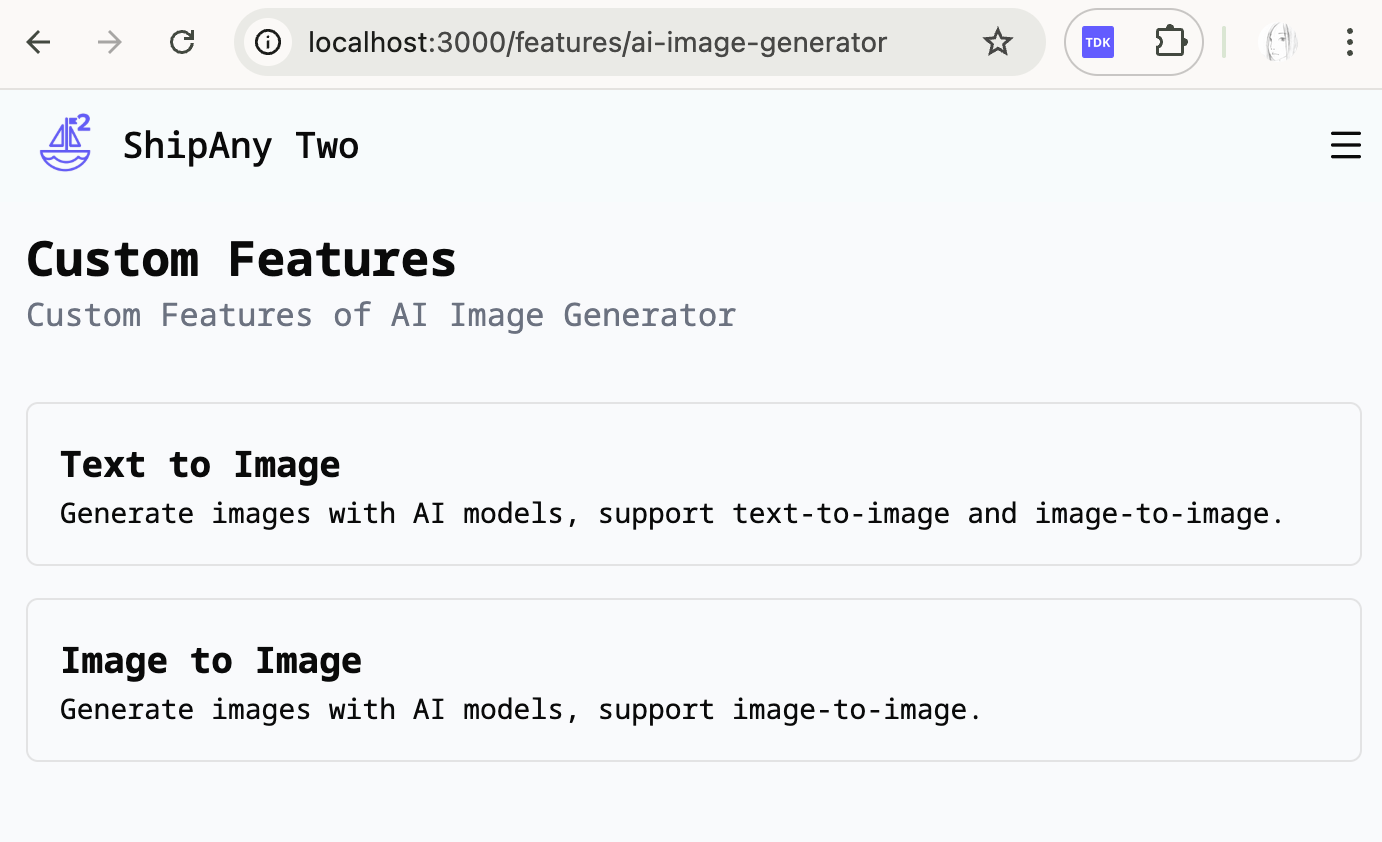
你可以通过 AI 修改自定义区块的代码,实现更有表现力的 UI 效果。