SEO
SEO setup for ShipAny One: multilingual content, sitemap, metadata, site review and connecting Google Search Console.
ShipAny implements various SEO optimizations to help your project achieve better rankings in search engines.
Before launching your project, you need to configure some website content:
Configure Multilingual Content
In the i18n/messages directory, configure page content through [locale].json files. Chinese and English are supported by default. In the i18n/messages/ directory, you'll find en.json and zh.json files. Before project launch, modify the content to match your project.
You can use AI to help generate content:
update content of this file, for my new project "Flux AI", which is an AI Image Generator, with keywords "flux ai, ai image generator"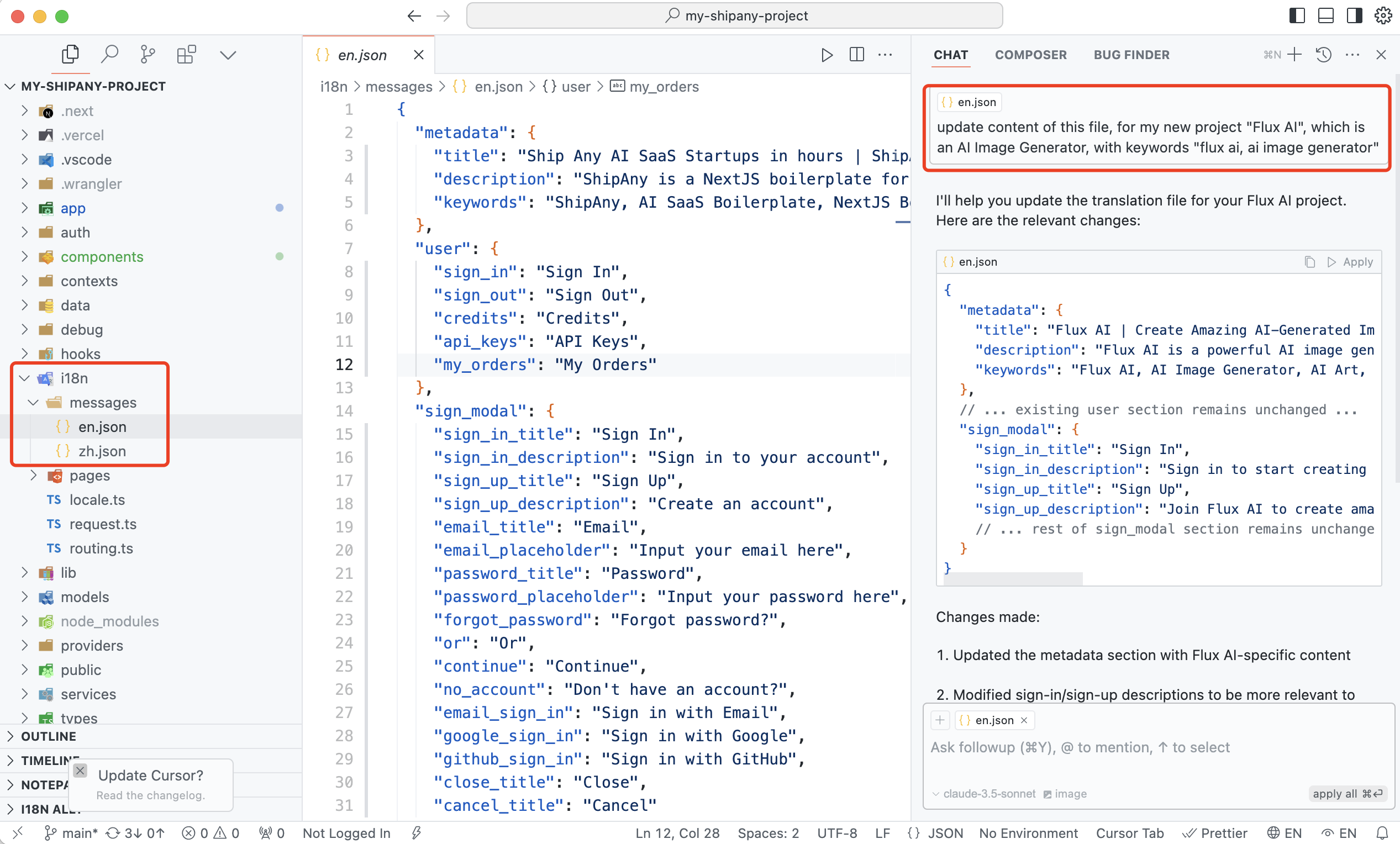
Configure Sitemap
Modify the public/sitemap.xml file to configure your site information:
<?xml version='1.0' encoding='utf-8' standalone='yes'?>
<urlset xmlns="http://www.sitemaps.org/schemas/sitemap/0.9">
  <url>
    <loc>https://shipany.ai/</loc>
    <lastmod>2024-12-24T10:00:00+00:00</lastmod>
  </url>
</urlset>
Modify public/robots.txt content as needed:
User-agent: *
Disallow: /*?*q=
Disallow: /privacy-policy
Disallow: /terms-of-service
Website SEO Review
-
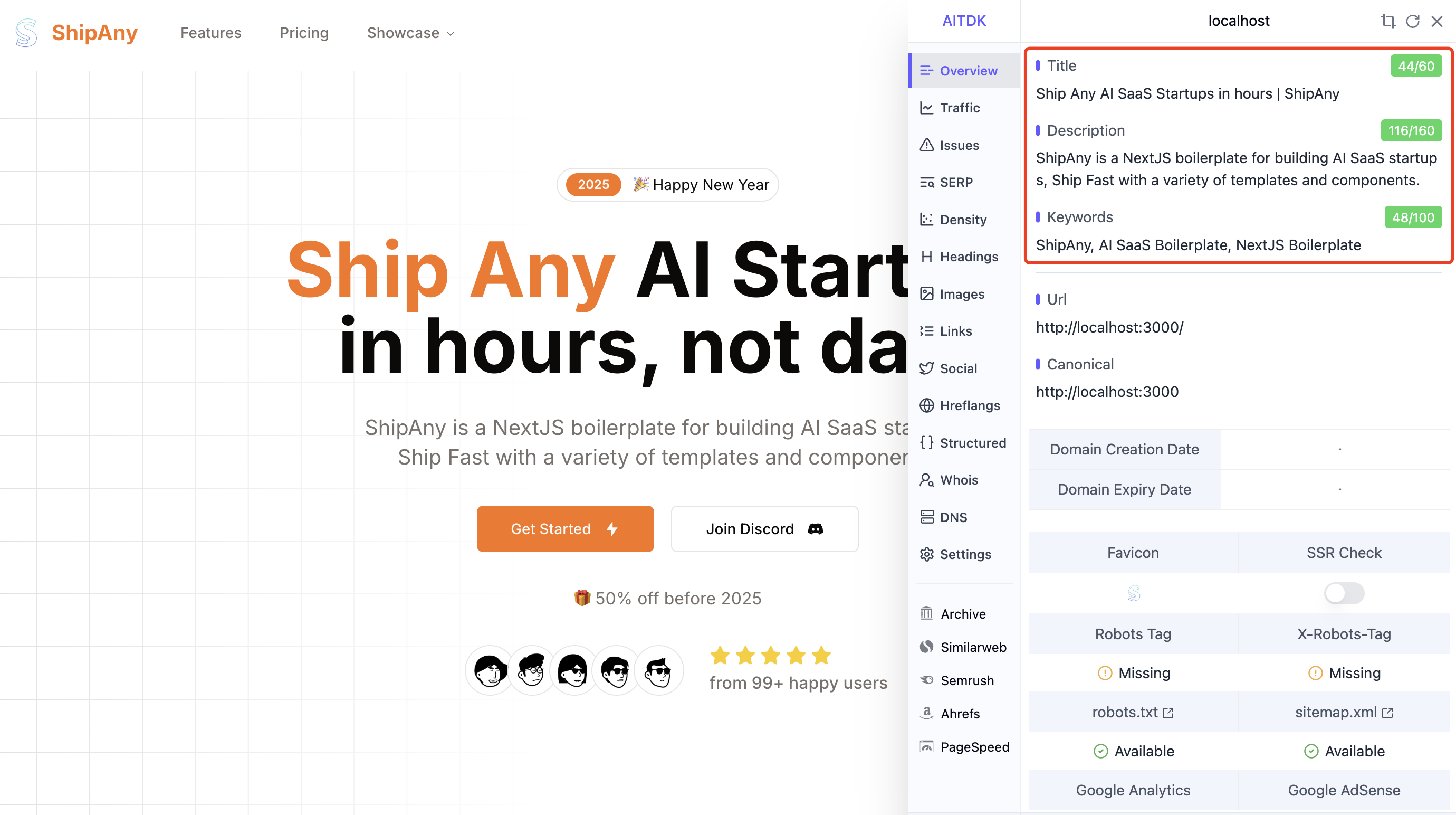
Download the AITDK browser extension
-
Check if the website homepage's title / description / Canonical are appropriate
- Adjust Keyword Density
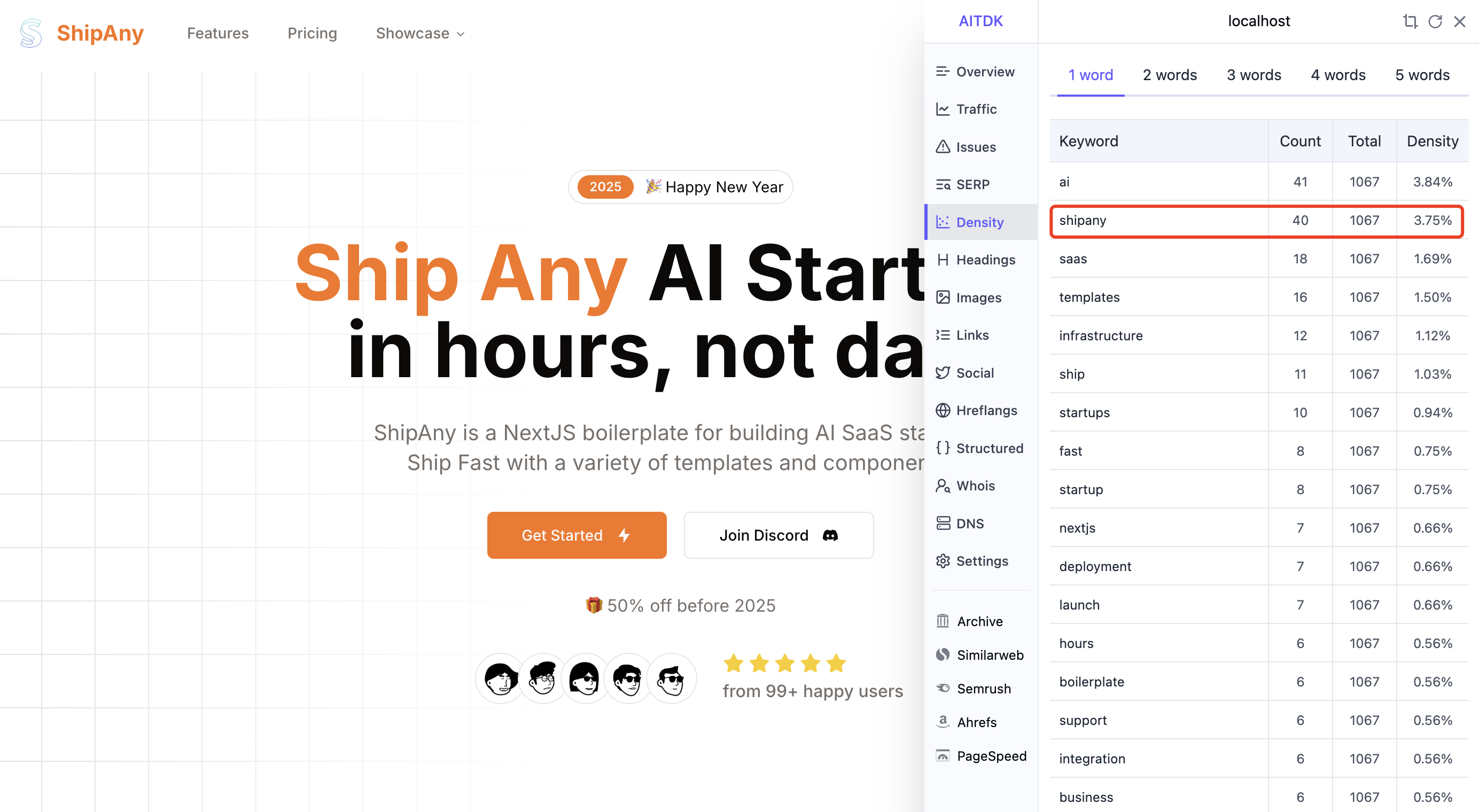
Use AI to help modify the webpage content in json files under i18n/pages/landing, adjusting the density of your website's main keywords. (Around 3% is reasonable)
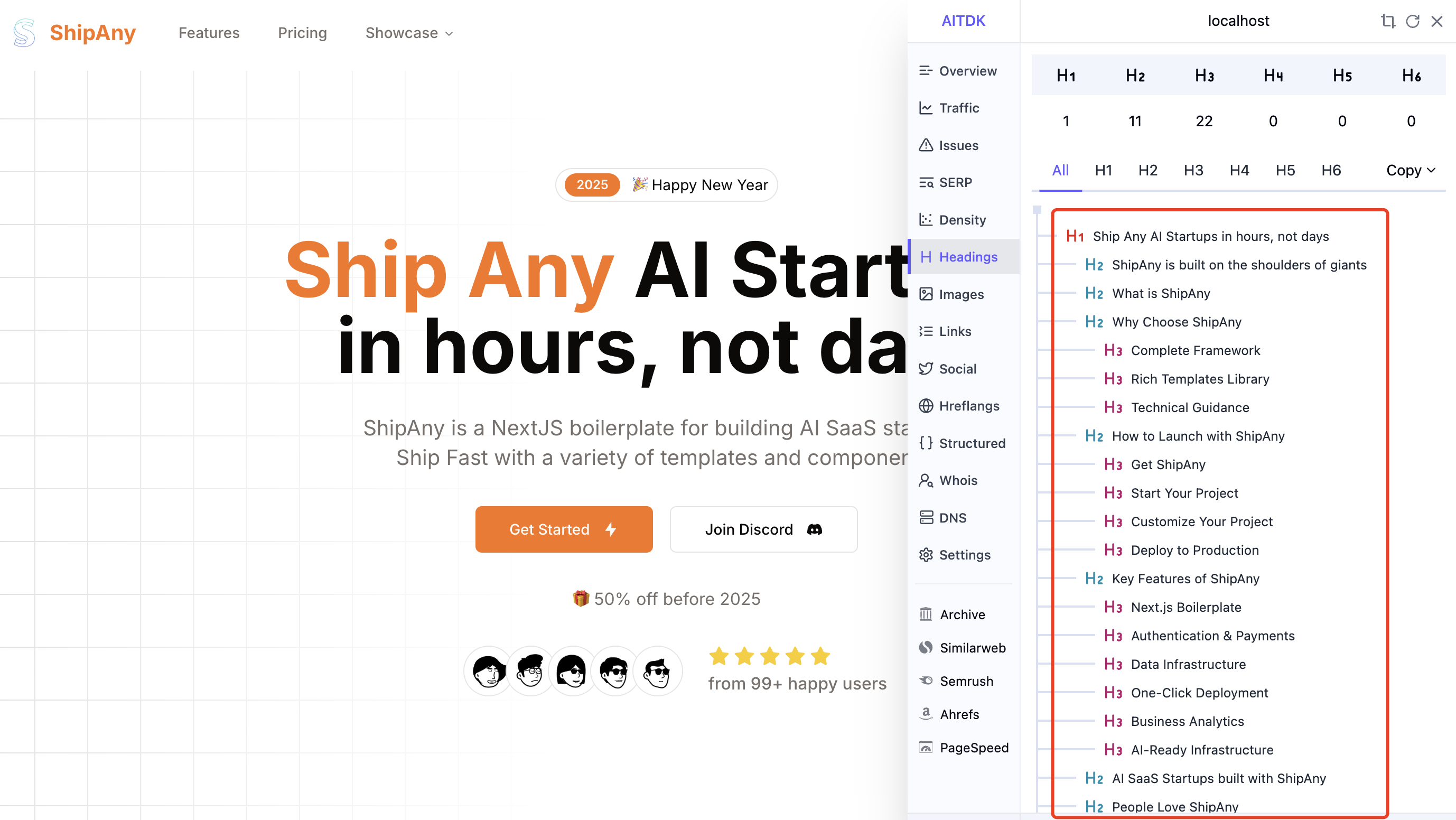
- Review Page Structure
ShipAny has optimized the content structure of the default landing page. If you have custom page components, check if the page structure is appropriate.
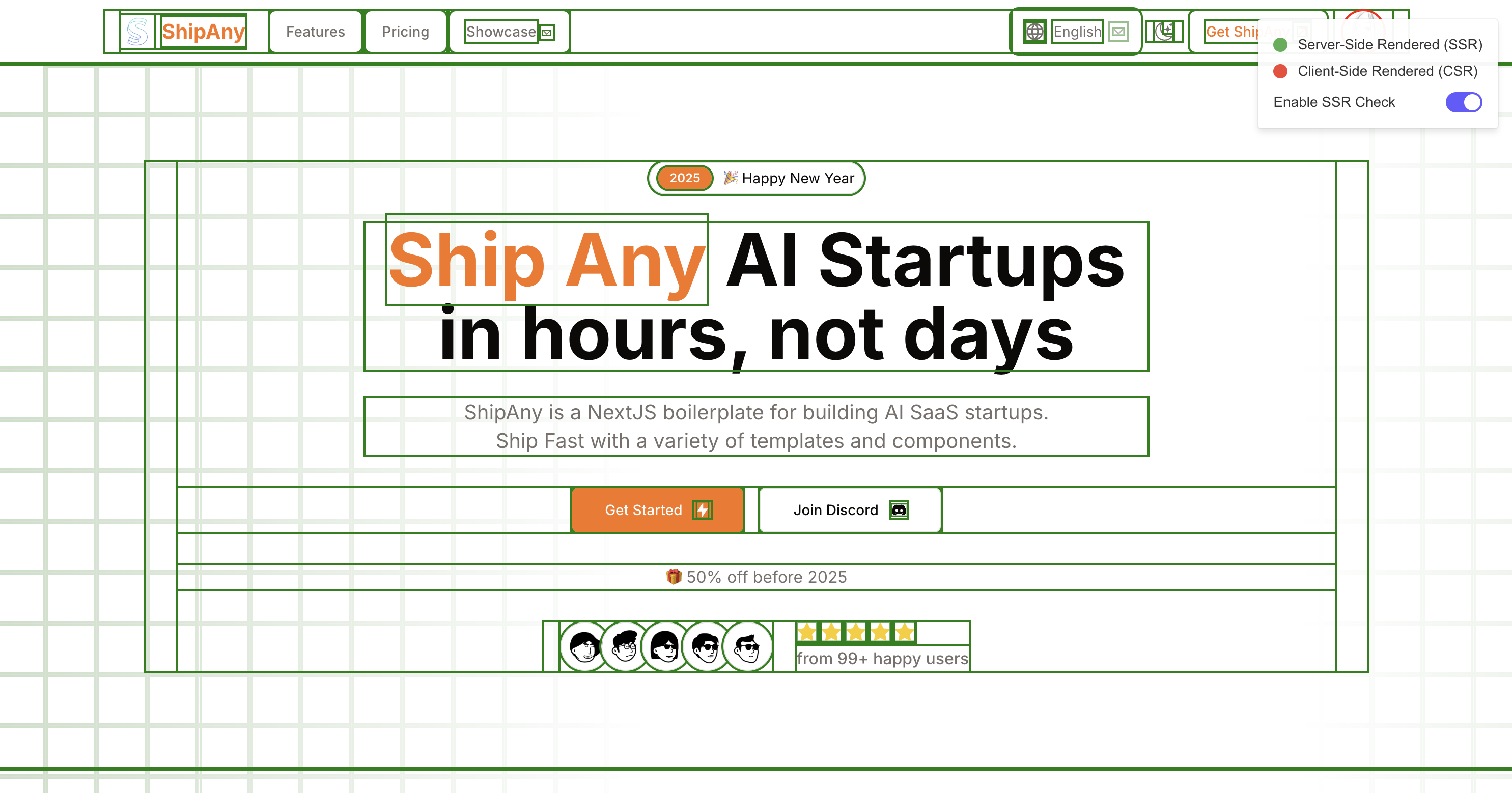
- SSR Detection
Enable SSR Check in the AITDK plugin's Issues panel to verify if the webpage is server-side rendered.
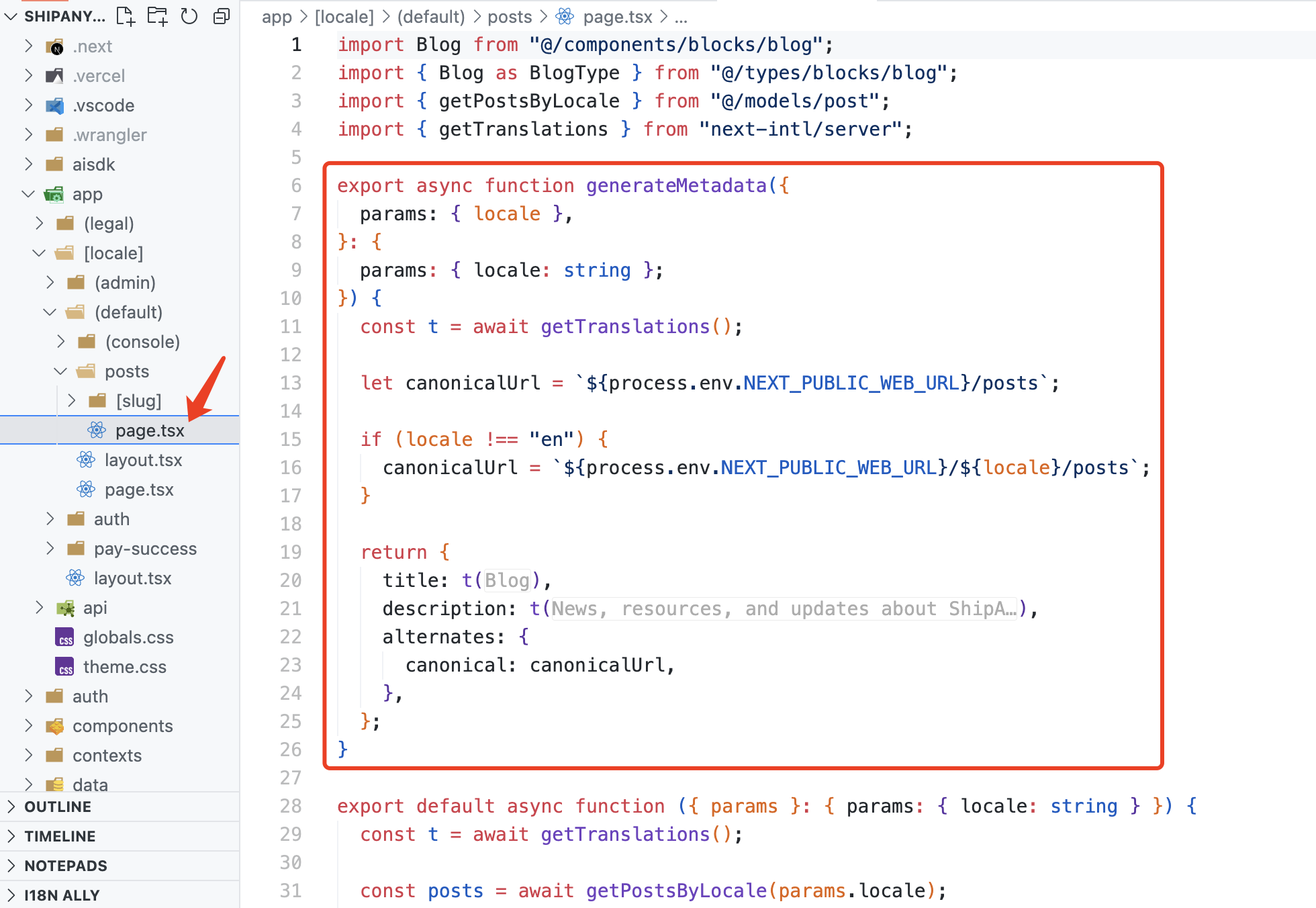
Metadata Configuration
If you create new page routes (page.tsx), configure the Metadata information for the new pages.
Setting independent title / description / canonical information for subpages benefits SEO.
import { getTranslations } from "next-intl/server";

export async function generateMetadata({
  params: { locale },
}: {
  params: { locale: string };
}) {
  const t = await getTranslations();

  let canonicalUrl = `${process.env.NEXT_PUBLIC_WEB_URL}/posts`;

  if (locale !== "en") {
    canonicalUrl = `${process.env.NEXT_PUBLIC_WEB_URL}/${locale}/posts`;
  }

  return {
    title: t("blog.title"),
    description: t("blog.description"),
    alternates: {
      canonical: canonicalUrl,
    },
  };
}
Connect to GSC
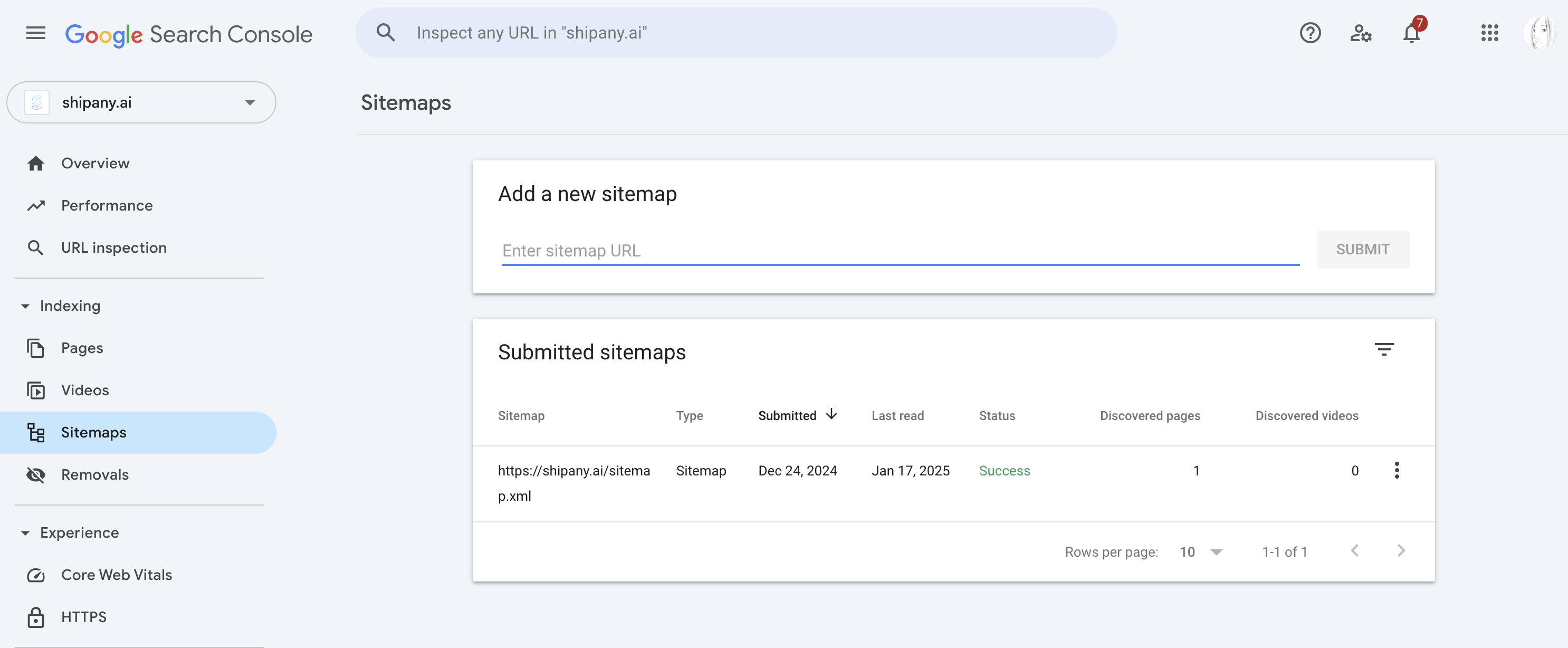
After your website goes live, add your site to Google Search Console to view website search traffic and rankings.
Manually submit your sitemap: