
MCP
ShipAny supports MCP for Vibe coding.
Below are the main scenarios for using MCP servers in a ShipAny project.
Mount documentation
When building on ShipAny, you’ll often want to look up the ShipAny development docs to guide your Coding Agent to implement features quickly.
ShipAny Two online documentation: https://shipany.ai/zh/docs
During development, you can open the relevant part of the docs, paste the link to your Coding Agent, and let it quickly learn what it needs to help you complete the task.
The ShipAny Two docs are open-sourced on GitHub: https://github.com/shipanyai/shipany-two-docs
You can also clone the entire docs repo locally and ask your Coding Agent to scan it to assist your development work.
git clone [email protected]:shipanyai/shipany-two-docs.gitAlternatively, you can mount the ShipAny docs via an MCP server. We recommend Ref MCP and Context7 MCP.
Ref MCP
Go to Ref API Keys and generate an API key.
On Ref Install, choose an installation method for your AI app.
For example, after installing Ref MCP in Cursor, the MCP server configuration you fill in looks like:
{
  "mcpServers": {
    "Ref": {
      "type": "http",
      "url": "https://api.ref.tools/mcp?apiKey=ref-xxxxxxx",
      "headers": {}
    }
  }
}During development, ask your Coding Agent to use Ref MCP to quickly learn what it needs.
Sample prompt:
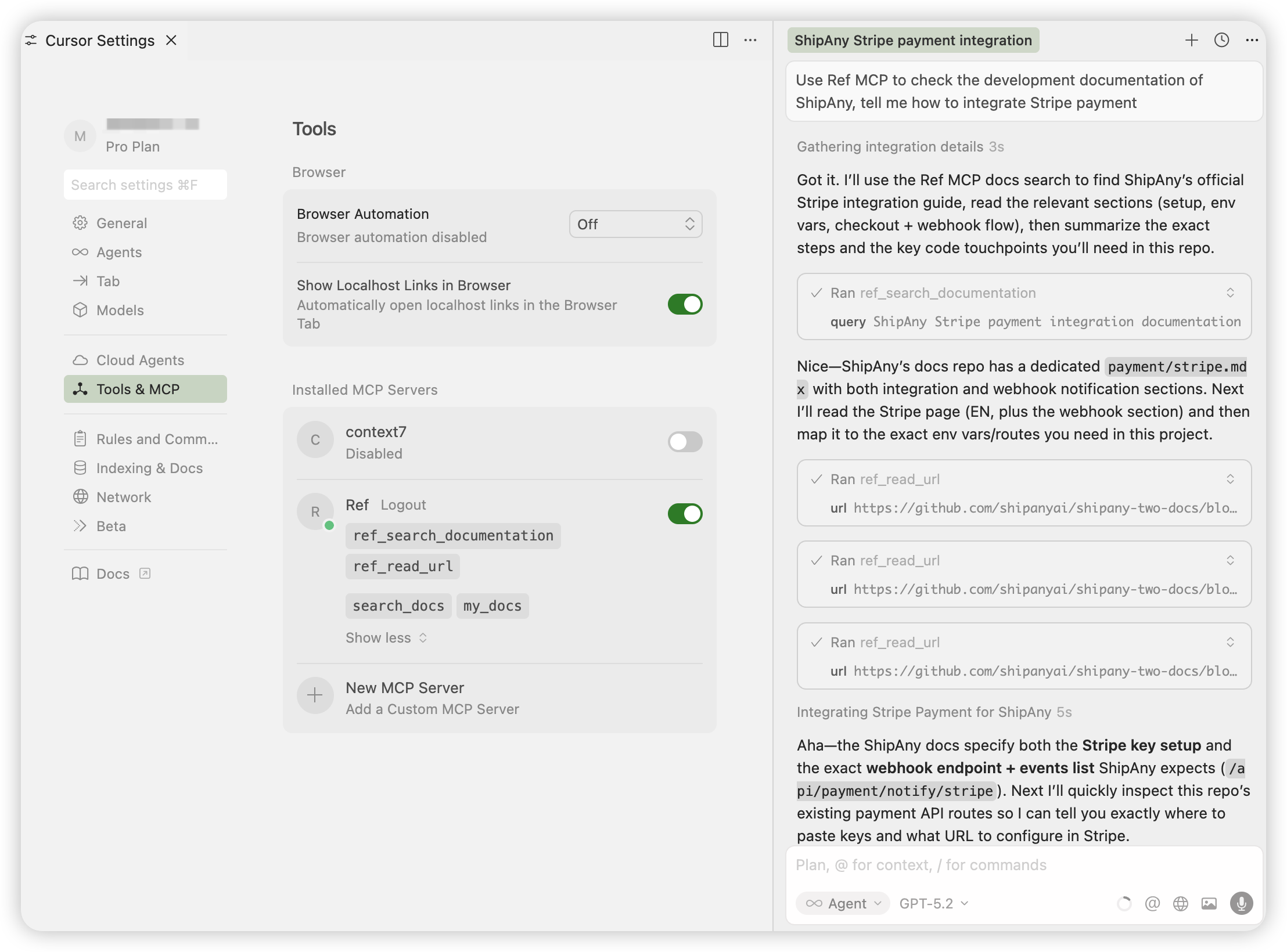
Use Ref MCP to check the development documentation of ShipAny,
tell me how to integrate Stripe payment
You’ll see the Coding Agent use Ref MCP’s ref_search_documentation tool to find relevant doc links,
then call ref_read_url multiple times to read the docs and produce an answer.
Context7 MCP
Go to Context7 Dashboard, click Create API Key, and generate an API key.
In the Connect panel, choose an installation method for your AI app.
For example, after installing Context7 MCP in Cursor, the MCP server configuration you fill in looks like:
{
  "mcpServers": {
    "context7": {
      "url": "https://mcp.context7.com/mcp",
      "headers": {
        "CONTEXT7_API_KEY": "ctx7sk-xxxxxx"
      }
    }
  }
}During development, ask your Coding Agent to use Context7 MCP to quickly learn what it needs.
Sample prompt:
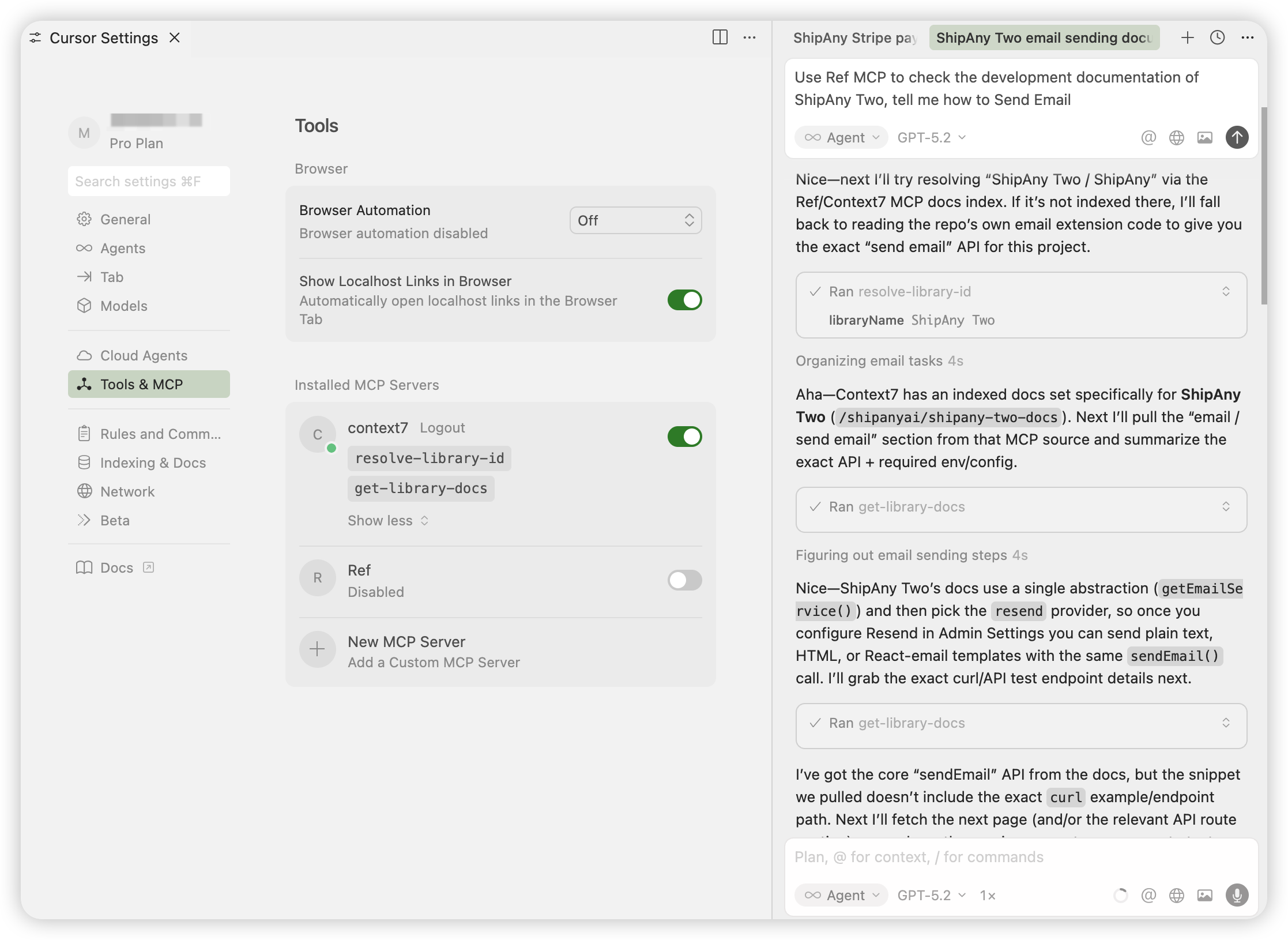
Use Context7 MCP to check the development documentation of ShipAny Two,
tell me how to Send Email
You’ll see the Coding Agent use Context7 MCP’s resolve-library-id tool to resolve the relevant docs repository/library ID,
then call get-library-docs multiple times to read the docs and produce an answer.
With these two MCP servers, you can query ShipAny docs anytime during development so your Coding Agent can quickly learn what it needs and help you get work done.