System Architecture
ShipAny Two is based on the latest Next.js 16, with significant improvements in compilation performance, faster local development, and lower memory usage.
At the framework design level, it is divided into six major components: core systems, core modules, extension modules, theme system, configuration system, and content management system.
1. Core Systems (app)
ShipAny Two includes three core systems: Landing, Admin, and User Console, corresponding to three independent page layouts, used to implement three common business functions: website landing pages, admin management, and user centers.
- Landing Page System (Landing)
Page content is controlled through JSON files, making it easy for AI to modify and supporting multiple languages; pages are split into blocks, allowing free assembly with high flexibility; colors and fonts can be adjusted through theme.css with high personalization
- Admin Management System (Admin)
Integrates user management, order management, and points management functions; includes a configuration center for visually enabling/disabling various features; integrates CRUD operations, allowing data management pages (table, form) to be rendered with just a few lines of code through a custom PageBuilder
- User Console System (User Console)
Users manage their bills, subscriptions, payments, and points transactions in the Settings panel, and modify avatars and nicknames; users view AI generation tasks and AI conversation records in the Activity panel
The three core systems are implemented in the src/app directory, organized by functionality, making it easy for developers to add their own features.
2. Core Modules (core)
ShipAny categorizes framework-wide supported features as core modules, including db, auth, i18n, and rbac
- Database (db)
Database functionality integrated based on drizzle orm, supporting database types such as postgres, mysql, sqlite; data tables defined through schema, supporting incremental migration; CRUD data operations use the same SQL syntax, smoothing out differences between various databases
- Authentication (auth)
Authentication functionality implemented based on better-auth, allowing common login methods to be enabled with one click in the admin dashboard
- Role-Based Access Control (rbac)
Permission-based management control, controlling access to the admin management system through custom roles and permission nodes
- Internationalization (i18n)
Internationalization functionality implemented based on next-intl, controlling multilingual display through JSON files
ShipAny's core modules are defined under src/core
3. Extension Modules (extensions)
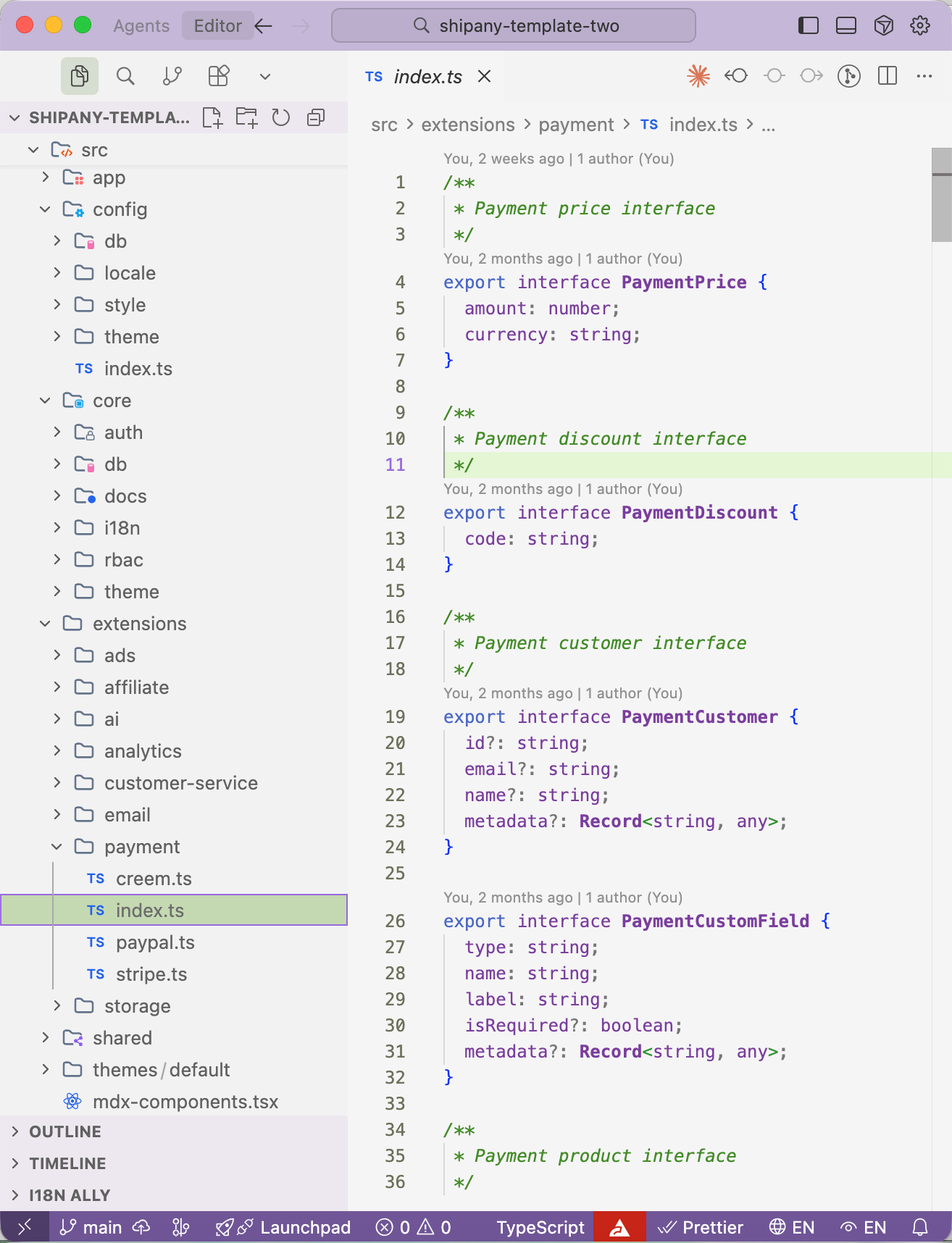
ShipAny uses extensions to support a pluggable architecture, with each type of extension defining a unified interface, and each extension implementing specific functional logic according to the interface. Currently supported extensions include
- ads
Advertising. Integrates adsense
- affiliate
Affiliate marketing. Integrates affonso, promotekit
- ai
AI providers. Integrates OpenRouter, Fal, Replicate, Kie
- analytics
Data analytics. Integrates ga, clarity, plausible, open-panel, vercel-analytics
- customer-service
Customer service. Integrates crisp, tawk
Email. Integrates resend
- payment
Payment. Integrates Stripe, Creem, PayPal
- storage
Storage. Integrates aws s3, cloudflare r2
ShipAny's extension modules are defined in the src/extensions directory. To add a new option for each type of extension, only a small amount of code needs to be written
4. Theme System (themes)
ShipAny supports a multi-theme system, allowing developers to customize themes for personalized page display.
Includes three types of theme customization methods
- Custom theme colors / fonts
- Switch between light / dark mode
- Custom theme folders
The theme system is defined under src/themes
5. Configuration System (config)
ShipAny supports three types of configuration definitions
- Define configuration through environment variables in .env files
- Define configuration through files in the src/config directory
- Visually manage configuration in /admin/settings
Combining configuration management items to achieve low-code functionality, allowing users who don't understand code well to easily use ShipAny
6. Content Management System (cms)
ShipAny's content management system includes three levels of content management
- Blog
Write blog content through the admin dashboard, or write blogs using markdown in the content/posts directory. Blogs can increase SEO weight for your website and also accept business orders through guest posts.
- Documentation (docs)
Documentation system implemented based on fumadocs, write content in the content/docs directory, and render a /docs documentation for your website in minutes
- Pages
Write content in the content/pages directory to dynamically create pages, such as common website policy pages /privacy-policy and /terms-of-service