
Google Analytics
ShipAny integrates Google Analytics as an analytics service provider. You can easily set it up with simple configuration.
Quick Start
Follow the steps below to quickly integrate Google Analytics into your project.
Visit the Google Analytics website and create an account.
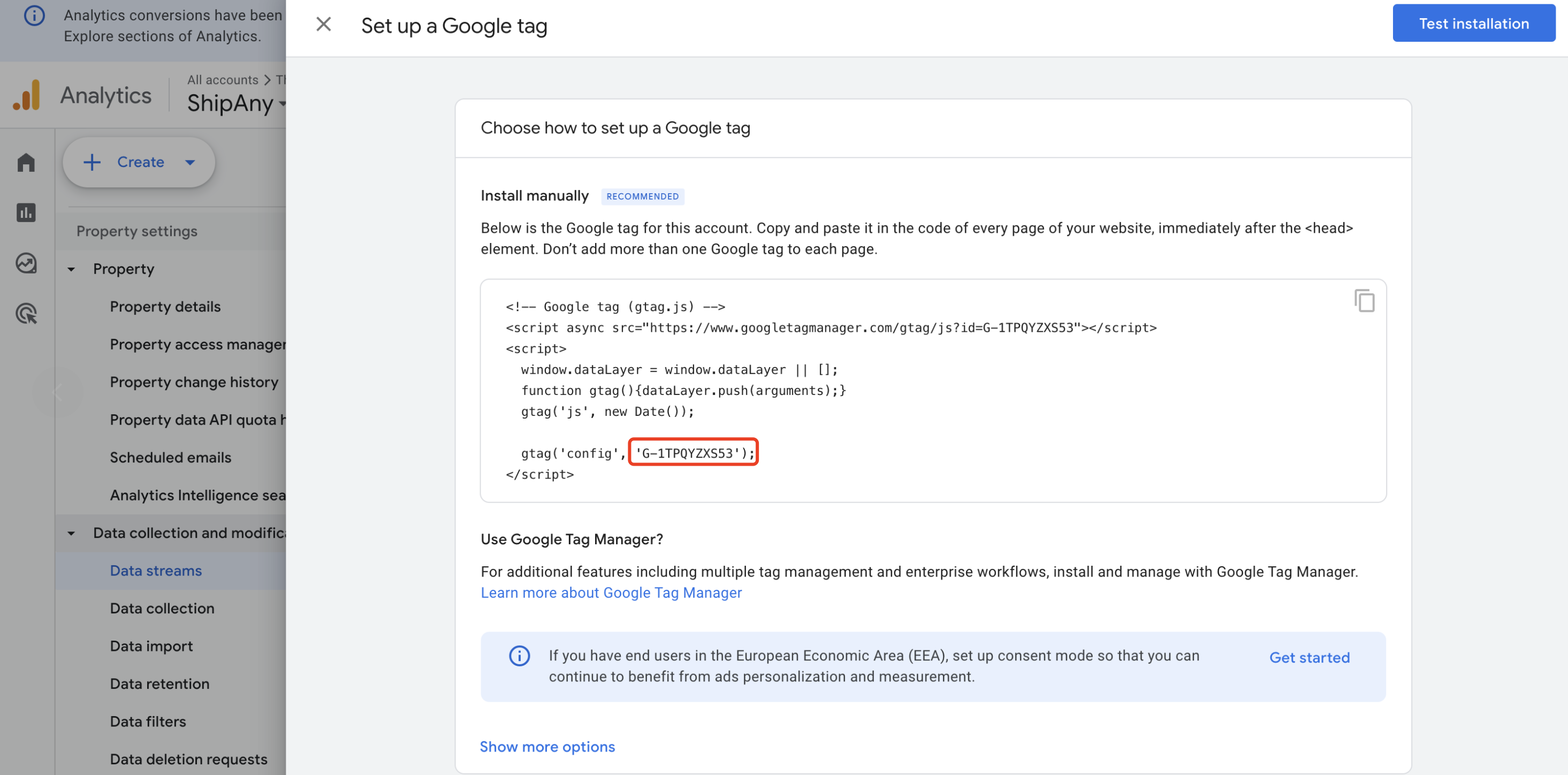
In the Google Analytics console, go to the Admin page, click the Create -> Property button, follow the instructions to enter the property name and your website domain, then proceed to the Set up a Google tag page.
Copy the property ID in the G-xxx format.
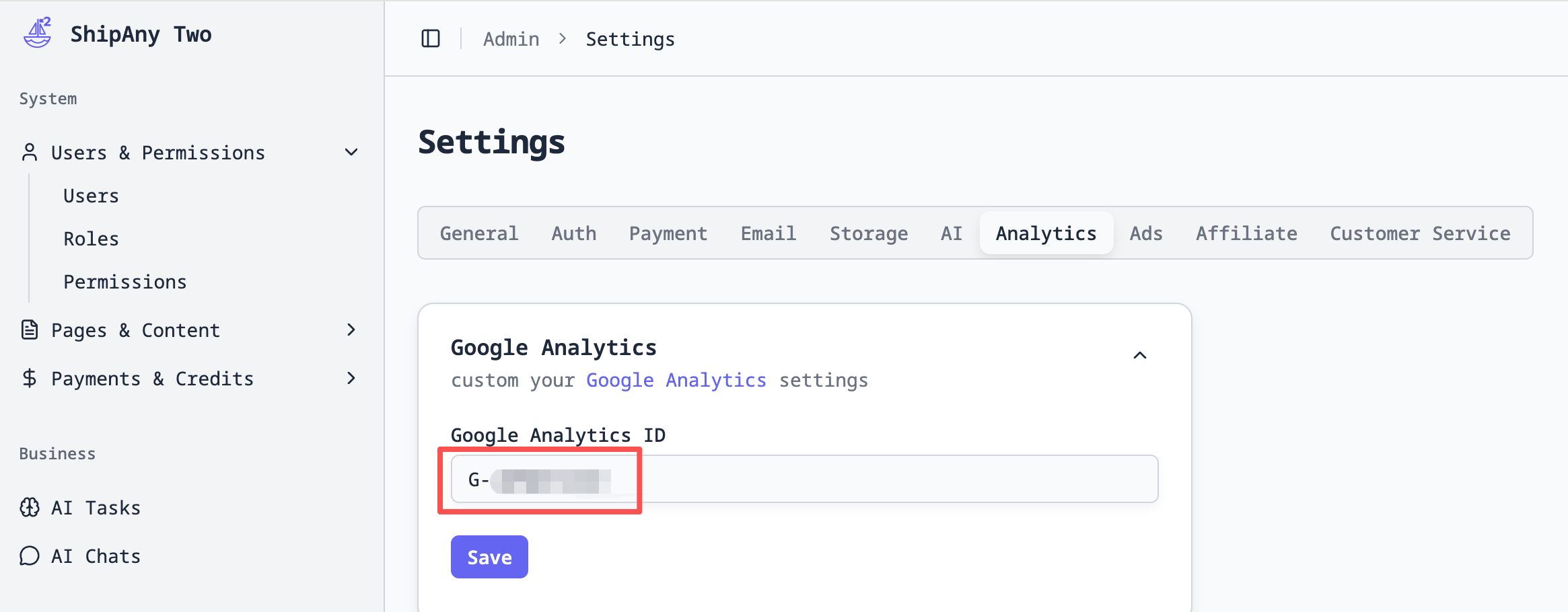
In your project management dashboard, go to the Settings -> Analytics page, find the Google Analytics panel, enter the property ID copied in the previous step into the Google Analytics ID field, and click the Save button.
Return to the Set up a Google tag page in the Google Analytics console, click the Test installation button to verify that the Google Analytics integration is successful.
After configuration is complete and your project is officially launched, you can view the project's analytics data in the Google Analytics console.
